Quick Facts
- Query Volume: As of late 2024, users perform more than 20 billion visual search queries every month.
- Commercial Power: Statistics show that one in four visual searches performed via this tool is driven by specific commercial intent.
- Global Growth: The popularity of this technology is skyrocketing, with global visual search volume seeing an annual growth rate of 70%.
- AI Core: The 2026 experience is powered by Gemini 3.1 Flash, enabling multimodal search queries that combine images and text.
- Language Support: Real-time translation now supports over 100 languages with instant augmented reality overlay.
- Education Focus: Students can now solve complex math equations step-by-step, moving beyond simple answer-finding to true conceptual learning.
Google Lens features have evolved into a sophisticated visual search engine powered by Gemini AI. With over 20 billion monthly queries, it's a productivity powerhouse that identifies objects, text, and landmarks through your camera interface. It facilitates real-time translation, barcode scanning for price comparisons, and the identification of plants and animals. By integrating Gemini AI, the tool can also solve complex math equations step-by-step and provide context-aware actions like saving business card details directly to your phone contacts.
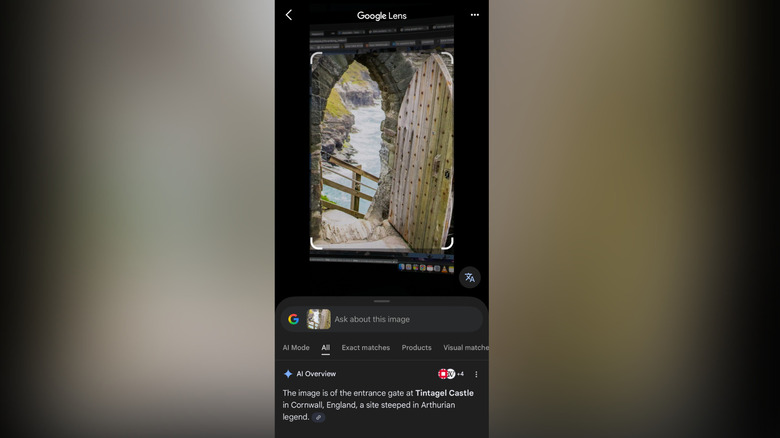
Visual Shopping & Fashion: Beyond Search
As a mobile devices editor, I’ve seen countless "game-changers," but few have altered my daily habits as much as the evolution of visual search. We’ve moved past the era of typing vague descriptions like "mid-century modern chair with green velvet" into a search bar. In 2026, the Shopping Graph has become so precise that your camera is essentially a direct portal to a global marketplace.
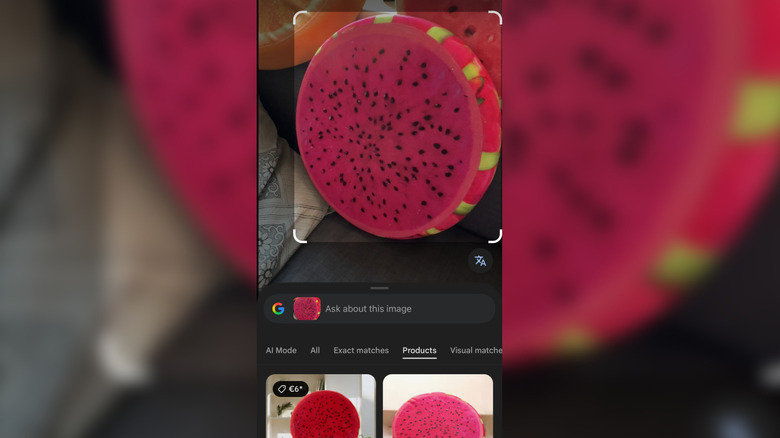
One of the most powerful Google Lens shopping tips involves using the multisearch feature. If you see a jacket you love but want it in a different material or color, you can snap a photo and then swipe up to add a text refinement. You might search for "leather" or "navy blue" to filter the visual results instantly. This multimodal search query capability ensures you aren't just finding similar items, but exactly what you envisioned.
Using Google Lens to find clothing from a photo
The process is incredibly seamless for fashion enthusiasts. By using google lens to find clothing from a photo, you bypass the frustration of not knowing a brand name. The AI analyzes the cut, pattern, and texture, matching it against billions of listings. In 2026, this even extends to local inventory. If a boutique three blocks away has that specific pair of boots in your size, the app will prioritize that result, often showing a "pick up today" badge. This integration of local and online retail data is why we are seeing such a massive surge in commercial-intent searches.
Text Mastery: Digitizing the Physical World
We live in a hybrid world where physical paper and digital workflows often clash. Google Lens acts as the perfect bridge, utilizing advanced Optical Character Recognition (OCR) to turn the physical into the digital. This isn't just about scanning documents; it’s about productivity automation that saves hours of manual data entry.
Digitize handwriting with Google Lens
If you’re someone who still prefers the tactile feel of a pen on paper, you’ll love the ability to digitize handwriting with Google Lens. Whether it’s meeting notes or a grocery list, the AI can decipher various scripts—even the messy ones—and convert them into editable text. The accuracy has improved significantly with the latest Gemini AI integration, which understands context to better predict ambiguous characters.
Copying handwritten notes to computer using google lens
The real magic happens with cross-platform accessibility. By copying handwritten notes to computer using google lens, you can bypass the phone-to-email-to-desktop dance. Once the text is highlighted on your mobile screen, you can select "copy to computer." As long as you are signed into the same Google account on your Chrome browser, the text appears on your laptop's clipboard instantly. It is one of those genius Google Lens features that feels like living in the future.
How to scan business cards into contacts with google lens
For professionals, knowing how to scan business cards into contacts with google lens is a massive time-saver. When the camera identifies a business card, it provides a context-aware action button. One tap extracts the name, phone number, email, and company, populating your contact fields automatically. It’s significantly more reliable than the dedicated business card scanners of yesteryear because it leverages the massive Knowledge Graph data to verify company details.

The Ultimate Travel Companion: Real-Time Overlays
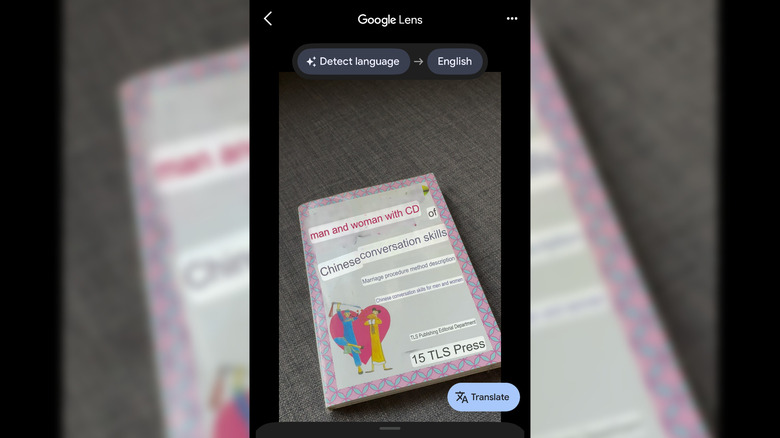
Traveling in a foreign country can be daunting when you can’t read the signs or the menu. However, the real-time camera translation feature has essentially eliminated the language barrier for most major travel destinations. In 2026, the latency is almost non-existent, and the visual integration is more natural than ever.
Real-time translation with google lens for travel
When you use real-time translation with google lens for travel, the app doesn’t just show you a text box with the translation. Instead, it uses an augmented reality overlay to replace the original text on the sign or menu with your preferred language, matching the font and style. This context is vital; it helps you understand if a sign is a warning, a direction, or a promotional offer. You can also download offline language packs, which is a pro-tip for those traveling to remote areas where data connectivity might be spotty.
Educational Genius: Math & Discovery
Education is perhaps where we see the most significant leap in AI-assisted learning. Google Lens is no longer just for finding answers; it’s a tutor. This shift from "search engine" to "learning engine" is a core part of the 2026 update.
Solving complex math equations with google lens step by step
One of the most requested Google Lens features is the "Homework" filter. By solving complex math equations with google lens step by step, the tool helps students understand the logic behind the solution. Whether it’s calculus, geometry, or basic algebra, the AI breaks down the problem into digestible parts. It can even provide links to educational videos and similar problems to reinforce the concept. This is all powered by the latest Gemini models, which are designed to explain "why" rather than just "what."
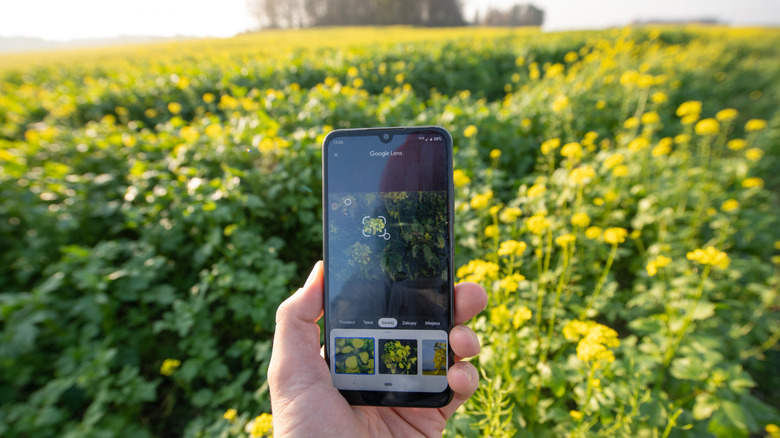
Google lens for plant and animal identification guide
Outside the classroom, the tool serves as a comprehensive google lens for plant and animal identification guide. If you’re hiking and spot a unique flower or an unfamiliar bird, a quick scan provides the species name, its natural habitat, and even whether it's invasive to your area. It’s like having a naturalist in your pocket. The database is constantly updated with Knowledge Graph data, ensuring high accuracy for thousands of species globally.

Desktop Integration & Pro Tips
While we mostly think of Google Lens as a mobile tool, its presence on the desktop is equally powerful. In Chrome, you can right-click any image on a website and select "Search image with Google Lens." This opens a side panel that allows you to identify products, translate text within an image, or find the original source of a photo.
Pro-Tip: Safety First While Google Lens is incredibly smart, avoid scanning sensitive documents like your physical ID, Social Security card, or credit cards. While Google’s processing is secure, it's always best practice to keep highly sensitive data off of cloud-connected visual search tools unless using a dedicated, encrypted document vault.
To get the most out of these features in 2026, ensure your Google app is updated to the latest version to access Gemini 3.1 Flash integration. This update significantly improves the speed of visual recognition and the depth of the answers provided.
FAQ
What are the main features of Google Lens?
Google Lens is an AI-powered tool that provides visual search, real-time translation, text extraction (OCR), shopping assistance, and object identification. It can recognize landmarks, plants, and animals, and even help solve homework problems by analyzing images through your phone's camera.
How do I use Google Lens on my phone?
You can access Google Lens through the Google app, the Google Photos app, or directly within the camera app on many Android devices. Simply tap the Lens icon, point your camera at an object or select an existing photo, and the AI will analyze the visual data to provide relevant actions.
Can Google Lens translate text in real-time?
Yes, Google Lens can translate text in real-time using an augmented reality overlay. By selecting the Translate filter and pointing your camera at foreign text, the app replaces the original language with your target language directly on your screen.
How does Google Lens identify objects?
Google Lens identifies objects by comparing the pixels in your image against billions of other images in Google's database. It uses machine learning models and the Google Knowledge Graph to understand context, allowing it to distinguish between similar-looking items like different species of plants or brands of clothing.
Can Google Lens solve homework questions?
Google Lens features a dedicated Homework mode that can solve math, science, and history questions. Instead of just providing a final answer, it often provides step-by-step explanations and instructional resources to help the user learn the underlying concepts.
How do I copy text from a photo using Google Lens?
To copy text, open the photo in Google Lens and select the Text filter. Once the AI highlights the text, you can tap Copy Text to save it to your phone's clipboard or Copy to Computer to send it directly to your linked desktop or laptop.