Quick Facts
- Total Features: 11 Expert-level tools for 2026
- Security Requirement: Android 9.0+ / iOS 16+ for advanced biometric features
- File Limit: Up to 2GB for Document-based photo sharing
- Daily Volume: 140 billion messages worldwide (2025 data)
- Privacy Shield: New IP Protection mode for VoIP calls
- Direct Answer: The most essential hidden whatsapp features for 2026 include passkey authentication for passwordless login, IP address masking during calls, and built-in voice-to-text transcripts. Users can now also manage two accounts on one device and send high-resolution photos without compression using the Document mode.
With more than 2.9 billion monthly active users globally by early 2025, WhatsApp is the world's leading messenger, yet most users only scratch the surface of its capabilities. In 2026, Meta platforms have introduced several hidden whatsapp features designed to harden your security and streamline your workflow. To master WhatsApp, focus on the new Advanced privacy menu, enable voice transcripts for efficiency, and use the native dual-account feature to separate work from life.
Advanced Privacy and Security Hardening
In the current landscape of instant messaging security, simply having end-to-end encryption is no longer the ceiling—it is the floor. As we move through 2026, data privacy management has become more granular, allowing users to shield their digital footprint from both hackers and over-curious acquaintances.
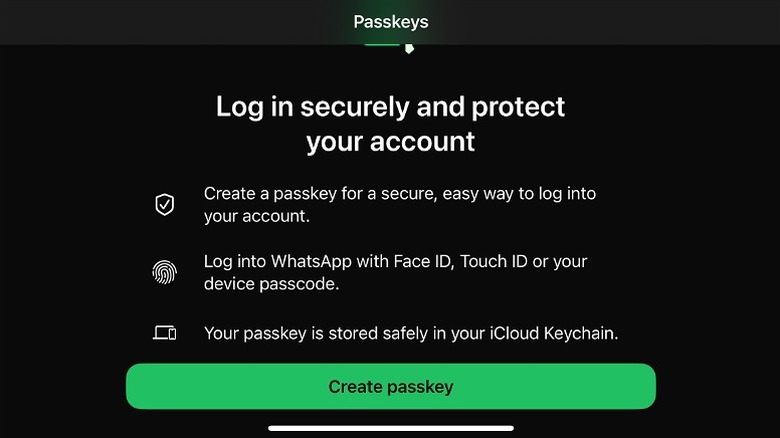
- How to set up whatsapp passkey for passwordless login The days of waiting for a flaky SMS verification code are numbered. By navigating to Settings > Account > Passkeys, you can link your WhatsApp account to your device’s native security. This uses biometric authentication such as Face ID, Touch ID, or your phone’s passcode to verify your identity. It is a massive win for security because passkeys are resistant to phishing attacks that usually target six-digit SMS codes.
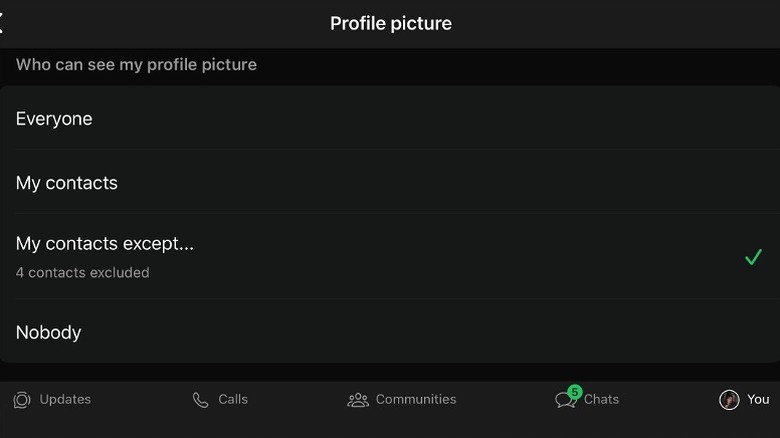
- How to hide whatsapp profile photo from specific contacts only You might want your family to see your vacation photo but not your landlord or a casual acquaintance from a group chat. Instead of a blanket "Contacts Only" setting, use the whatsapp privacy settings guide to find the My Contacts Except... option under Privacy > Profile Photo. This allows you to blacklist specific individuals from seeing your picture while remaining visible to everyone else.
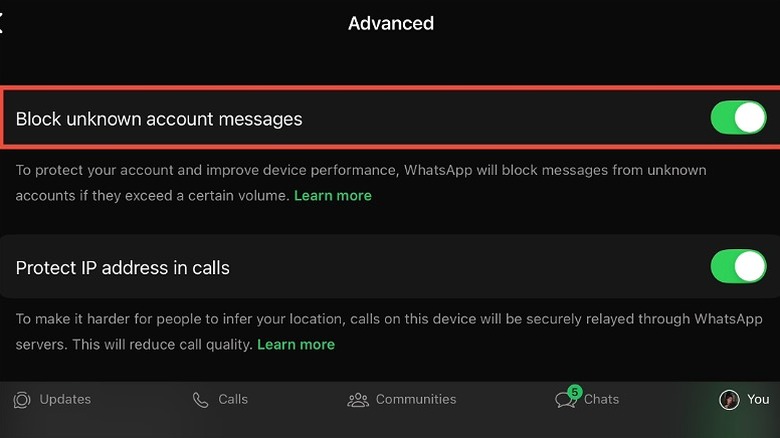
- Protect ip address in whatsapp calls for better privacy Standard VoIP calls often establish a direct peer-to-peer connection, which can inadvertently reveal your IP address to the person on the other end. To prevent this, go to Settings > Privacy > Advanced and toggle on Protect IP Address in Calls. This relays your call through WhatsApp servers.
Note: While this provides a significant boost to VoIP call security, be aware that it may slightly reduce call quality due to the extra hop the data takes through the server.
-
App Lock and Biometric Layers Beyond the phone's main lock, you should enable the built-in app lock. This requires a fingerprint or facial scan every time the app is opened. For those handling sensitive work data, this is one of the most vital hidden whatsapp features to ensure that even an unlocked phone does not grant access to your private messages.
-
Advanced Disappearing Messages While not new, the 2026 iteration allows for custom durations. Instead of being stuck with 24 hours or 7 days, you can now set more specific windows for chat history to self-destruct, ensuring your local storage and cloud backup synchronization stay lean and private.
Messaging Efficiency & Workflow Optimization
With users exchanging over 140 billion messages every day, the sheer volume of information can be overwhelming. Improving your mobile app productivity requires using the latest advanced whatsapp features for android and ios designed to cut through the noise.
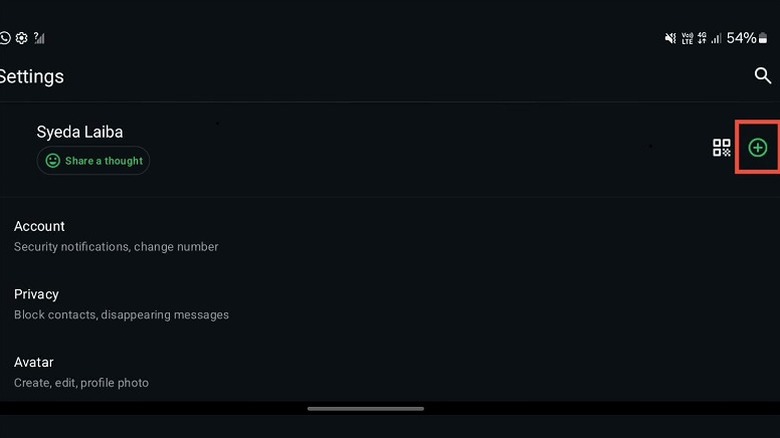
- How to use multiple whatsapp accounts on one phone android and ios Gone are the days of carrying two phones or using "Parallel Space" clones that drain your battery. You can now natively add a second account—perhaps a work number—within the same app. Tap the arrow next to your name in Settings and select Add Account. You can manage notifications for both accounts independently, making it easier to "switch off" work during the weekend.
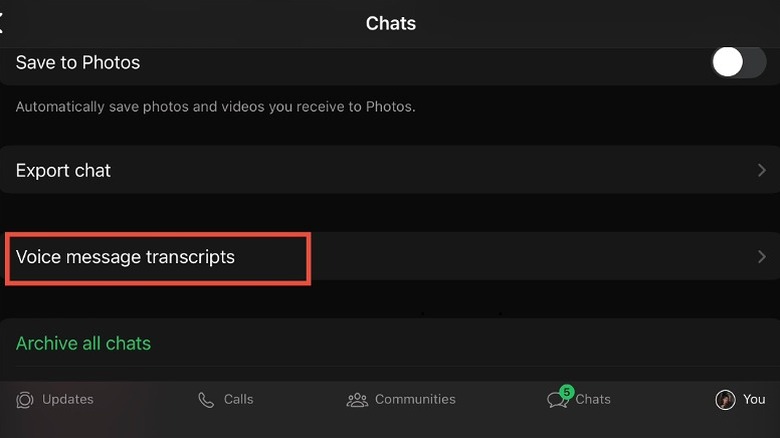
- Enable whatsapp voice message transcripts on iphone and android With approximately 7 billion daily voice messages being sent, we have all experienced the "voice note dread" when in a meeting. WhatsApp now offers built-in transcription. When you receive a voice note, a text preview appears below the waveform. This is a game-changer for accessibility and quick information retrieval without needing to find your headphones.
- Block high volume spam messages from unknown whatsapp accounts Spam mitigation has reached a new level of automation. In your privacy settings, you can now enable a filter that automatically silences and hides messages from unknown accounts that exhibit "bot-like" behavior, such as sending the same link to hundreds of users simultaneously. This keeps your inbox pristine and protects you from potential malware links.
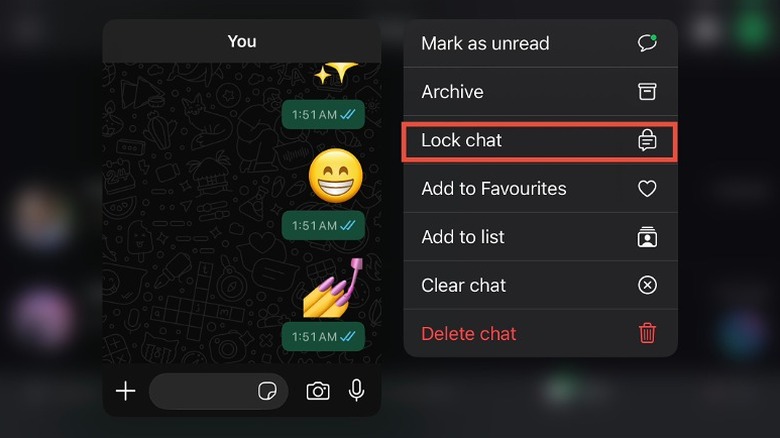
- Lock individual chats for biometric-only access If you don't want to lock the entire app, you can lock specific high-stakes conversations. Long-press a chat, select Lock Chat, and it will be moved to a hidden folder at the top of your inbox that only opens with your biometric data. This is perfect for keeping surprise party plans or confidential business discussions away from prying eyes.
High-Res Media and Storage Management
We’ve all been there: you take a stunning 48MP photo on your new smartphone, only for WhatsApp to compress it into a grainy mess. Mastering multimedia sharing workflows is essential for anyone using the platform for more than just text.
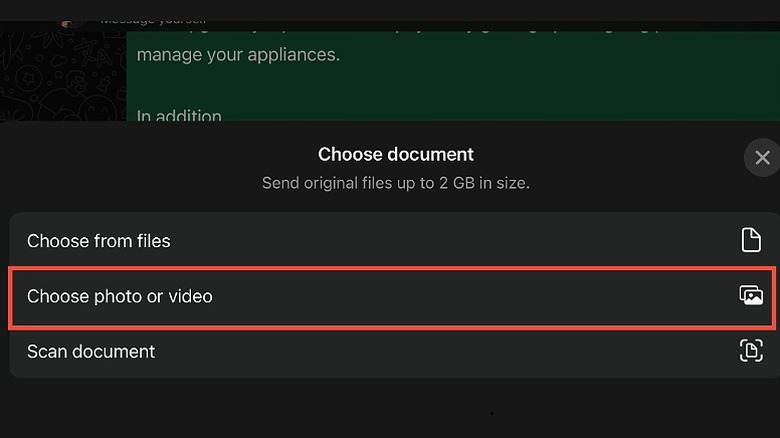
- Send full resolution photos on whatsapp as document files Standard image sending uses aggressive file compression algorithms to save bandwidth. To bypass this, tap the '+' or paperclip icon and select Document instead of Gallery. You can now send files up to 2GB in size. By selecting your photo from the file browser, it arrives uncompressed, preserving every pixel of detail.
| Feature | Standard Photo Mode | Document Mode |
|---|---|---|
| Compression | High (Lossy) | None (Lossless) |
| Resolution | Downscaled | Original |
| Max File Size | Approx. 16MB | Up to 2GB |
| Best For | Casual Sharing | Photography, Print, Work |
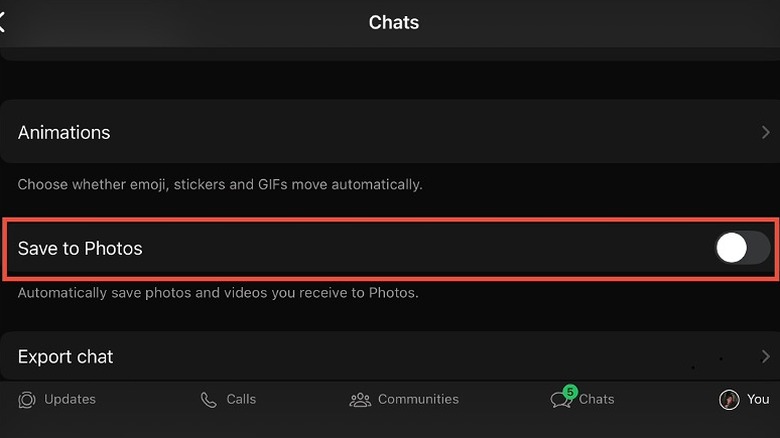
- Manage whatsapp storage by disabling media visibility in gallery If you are part of active groups, your phone’s gallery can quickly become a graveyard of "Good Morning" memes and random videos. To stop this, go to Settings > Storage and Data and disable Media Visibility. This ensures that while you can see the media within WhatsApp, it isn't automatically saved to your device's local gallery, saving precious storage space and keeping your personal photos separate from chat clutter.
To further personalize your experience, remember to set custom notification tones for specific whatsapp contacts. This allows you to know if a message is from your boss or your best friend without even looking at the screen. Additionally, the WhatsApp Channels feature, which surpassed 500 million monthly active users within a year of its launch, now allows for more interactive filters and backgrounds during video calls, letting you hide a messy room or add a professional flair to a remote catch-up.
FAQ
What are the best hidden features of WhatsApp?
The most impactful hidden features in 2026 are passkeys for passwordless login, IP address protection for calls, and the ability to send uncompressed 2GB files via Document mode. Additionally, the native dual-account support has significantly improved the user experience for those balancing work and personal life on a single device.
How do I hide my online status on WhatsApp?
Navigate to Settings > Privacy > Last Seen & Online. Here, you can select who can see your last seen time (Everyone, My Contacts, My Contacts Except, or Nobody) and then match your online status to that setting. This allows you to browse and reply to messages without the pressure of everyone knowing you are currently active.
How can I send high-resolution images on WhatsApp?
The most effective way is to send the image as a Document. Instead of selecting the Gallery icon, choose Document and pick the image file from your phone’s internal storage. This bypasses the standard compression and allows you to send files up to 2GB in their original, full-resolution state.
How do you lock individual chats on WhatsApp?
To lock a specific conversation, tap on the contact’s name at the top of the chat window to open their profile. Scroll down to Chat Lock and toggle it on. You will then need to use your biometric data (Face ID or fingerprint) to access the Locked Chats folder, which sits at the top of your main chat list.
What are the latest privacy settings in WhatsApp?
The 2026 updates have introduced several advanced whatsapp messaging tips and tricks for privacy, including IP address masking for VoIP calls to prevent location tracking and the introduction of passkeys. There is also a more robust spam filter for unknown accounts and the ability to hide your profile picture from specific contacts while keeping it visible to others.