Our Top Picks
- Top Pick for Video: Blackmagic Camera (Professional manual controls and cinematic workflows)
- Top Pick for Gamers: Nintendo Music (Official soundtrack access and curated nostalgia)
- Top Pick for Utility: Image Toolbox (Lossless media conversion and metadata privacy)
- Top Pick for Automation: MacroDroid (System-level efficiency and device automation)
Several underrated android apps like Blackmagic Camera and MacroDroid offer specialized functionality that exceeds standard default software, making them essential for power users seeking professional workflows in 2025. These tools bridge the gap between basic consumer features and high-end production capabilities, turning your smartphone into a specialized workstation.
With the Google Play Store hosting nearly 2 million applications and global mobile app downloads projected to reach 299 billion by the end of 2025, finding quality software is often like searching for a needle in a haystack of clones and ad-ridden utilities. While mainstream giants continue to dominate—ChatGPT, for instance, surged to 845.3 million downloads in 2025—a quieter revolution is happening in the niche utility space.
In my years as a mobile editor, I have seen hundreds of "productivity" apps come and go. However, a specific group of underrated android apps has recently caught my attention. These aren't just minor improvements over stock software; they represent a fundamental shift in how we use mobile hardware. Whether you are a creative professional, a hardcore gamer, or a privacy-conscious user, these hidden gem android apps are redefining what your device can achieve.
Mobile Videography: Professional Control with Blackmagic Camera
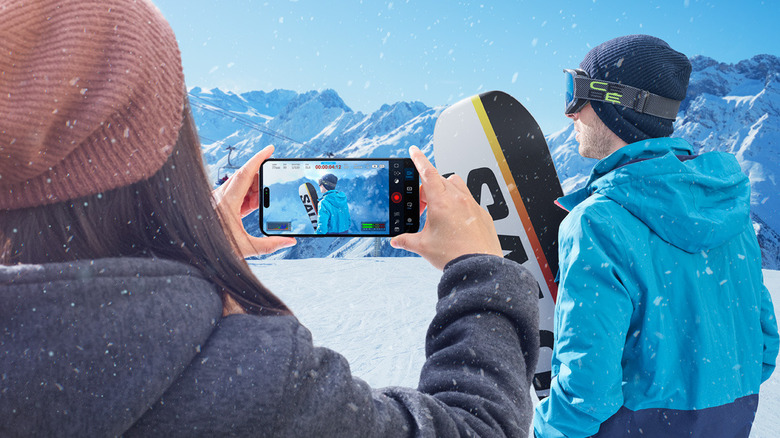
Most default camera apps are designed for the "point and shoot" demographic. They rely heavily on computational photography to make decisions for you, which often results in over-sharpened footage and inconsistent exposure. For anyone serious about content creation, this lack of control is a dealbreaker. This is where Blackmagic Camera enters the fray, bringing the professional interface of high-end cinema cameras to your pocket.
In my testing with the Samsung Galaxy S24 Ultra and the Pixel 9 Pro, the difference was immediate. Blackmagic Camera allows for true manual exposure control, letting you lock shutter speed and ISO independently—something most stock apps struggle with. The inclusion of Open Gate recording on supported sensors means you can capture the full height of the sensor, providing much-needed flexibility when cropping for both vertical social media and horizontal cinematic projects.
What truly makes this one of the best underrated android apps for creative video production is its integration with the broader ecosystem. You can sync your footage directly to Blackmagic Cloud, making it available in DaVinci Resolve on your desktop seconds after you hit stop. For a mobile filmmaker, this removes the friction of file transfers and cable management.
Technical Requirement: Requires Android 13 or higher. High-end features like ProRes or Log recording are hardware-dependent and typically require a Snapdragon 8 Gen 2 or newer processor.
| Feature | Default Camera App | Blackmagic Camera |
|---|---|---|
| Manual ISO/Shutter | Often restricted or hidden | Fully manual with professional dials |
| Audio Monitoring | Visual bars only (if at all) | Professional VU meters and gain control |
| Cloud Workflow | Manual upload to Drive/Photos | Direct integration with DaVinci Resolve |
| Frame Rates | Standard (24, 30, 60) | Custom cinematic frame rates and sync |
Curation vs. Algorithms: The Value of Nintendo Music
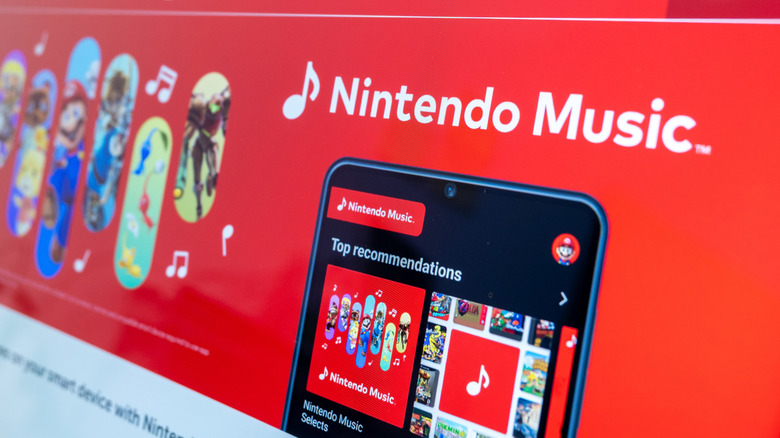
Streaming services like Spotify and YouTube Music are built on algorithms designed to keep you listening to the "next big thing." However, for many users, music is about mood and specific memories. Nintendo Music is a unique entry into the market that caters to a very specific, yet massive, niche: fans of video game soundtracks.
While it might seem like a simple novelty, the app is a masterclass in soundtrack curation. It allows users to browse by game, character, or even "mood" (like "boss battles" or "relaxing exploration"). For Nintendo Switch Online subscribers, this provides an official, high-quality way to listen to scores from The Legend of Zelda or Super Mario without resorting to low-quality YouTube rips that drain your battery in the background.
The app also features a "spoiler protection" toggle, which hides tracks from games you haven't finished yet—a thoughtful detail that mainstream apps would never consider. This level of intentionality makes it one of the best niche android apps for users who value a curated, high-quality experience over an endless stream of algorithmic suggestions.
Technical Requirement: Requires an active Nintendo Switch Online subscription ($3.99/month or included in the Expansion Pack).
| Feature | Mainstream Streaming (Spotify/YT) | Nintendo Music |
|---|---|---|
| Curation Style | Algorithm-driven / Popularity | Game-specific / Event-driven |
| Audio Source | Varies (often compressed) | Official master recordings |
| Unique Feature | Canvas/Lyrics | Spoiler protection for game tracks |
| Cost | $10.99+/month | Included with Switch Online ($3.99/mo) |
Solving Media Chaos: The Power of Image Toolbox
We have all been there: you take a screenshot to share with a friend, but the file size is unnecessarily large, or the format isn't supported by the app you're using. Or perhaps you want to share a photo from a vacation but don't want the GPS metadata attached to it for privacy reasons. Image Toolbox is the "Swiss Army Knife" of media that solves these exact problems.
This app is a hidden gem because it handles complex media conversion and editing tasks locally on your device, ensuring privacy and speed. It uses the Material 3 Expressive design, making it look and feel like a native part of Android 15. Whether you need to remove backgrounds, convert HEIC files to JPG without losing quality, or bulk-resize images for a blog post, Image Toolbox does it without the compression artifacts common in free online converters.
It is particularly useful for those who want unique android apps for high quality photo conversion. Instead of uploading your personal photos to a server, everything happens in your device's RAM. In my daily workflow, I use it to strip EXIF data from photos before posting them to public forums, providing an essential layer of security that Google Photos often buries deep in settings menus.
| Feature | Standard Gallery Editor | Image Toolbox |
|---|---|---|
| Batch Processing | Limited or non-existent | Extensive (convert, resize, rename) |
| Privacy | Metadata often remains | One-tap metadata removal |
| File Formats | Basic (JPG/PNG) | Advanced (WebP, HEIC, AVIF, JXL) |
| Background Removal | Basic AI (often cloud-based) | Precise local AI-powered removal |
Ecosystem Mastery: Remote Management with Steam and MacroDroid
In 2025, mobile devices are no longer islands; they are the remote controls for our digital lives. Two apps stand out for their ability to bridge the gap between your phone and your other hardware: Steam and MacroDroid.
The Steam app has evolved far beyond a simple store. For power users, it serves as the command center for remote game management. If I am at the office and see a large update for a game on my Steam Deck or PC, I can trigger the download remotely so it is ready the moment I get home. Furthermore, it provides essential account security via Steam Guard, ensuring that your library remains safe.
While Steam manages your gaming ecosystem, MacroDroid manages your phone's internal ecosystem. It is arguably one of the best niche android apps for task automation available today. Unlike more complex tools like Tasker, MacroDroid uses a "Trigger -> Action -> Constraint" logic that is incredibly intuitive.
I have set up macros to automatically turn off Bluetooth and Wi-Fi when my battery hits 20%, and another that launches my password manager the moment I open a banking app. These system-level efficiencies are why MacroDroid remains an essential android apps for power users. It effectively allows you to "program" your phone to behave exactly how you want it to, without needing to know a single line of code.
Technical Requirement: For advanced system-level automation (like toggling Airplane mode), MacroDroid may require permissions granted via ADB or the Shizuku app.
| Capability | Stock Android Settings | MacroDroid Automation |
|---|---|---|
| Battery Saving | Fixed "Battery Saver" mode | Custom triggers based on %, time, or location |
| App Behavior | Permissions only | Auto-launching secondary apps/tools |
| Connectivity | Manual toggles | Auto-toggle based on cell tower or Wi-Fi ID |
| Security | Standard lock screen | Secure authentication management triggers |
The Technical Cost of Mobile Excellence
It is easy to wonder why these specialized tools aren't just built into the operating system. The reality comes down to the "Technical Cost of Excellence." The global mobile app market is massive, but maintaining high-end, niche software is expensive. Developers often spend 15-20% of their initial development budget annually just on maintenance and updates to ensure compatibility with new Android versions.
For example, Google recognized this dedication when they named Focus Friend as the Best Overall App in the Google Play Best of 2025 Awards. This highlights that excellence often comes from independent developers focusing on a single, specific problem rather than a "super-app" trying to do everything at once.
When you choose underrated android apps over bloated default software, you are choosing tools that were built with a specific purpose. These apps turn a standard smartphone into a professional-grade production tool, a personalized entertainment hub, or an automated efficiency machine. In the landscape of 2025, that is the true meaning of mobile excellence.
FAQ
What are some highly useful but little-known Android apps?
Beyond the big names, apps like Blackmagic Camera for professional video and Image Toolbox for media management offer high-end functionality that many users don't realize is available on mobile. These apps focus on specific power-user needs rather than broad appeal.
Which productivity apps for Android are currently underrated?
MacroDroid is a standout for productivity. It allows for deep task automation that can save hours of manual setting adjustments. Additionally, niche tools like Obsidian for note-taking (using Markdown) offer a level of organization that standard notes apps cannot match.
How can I find hidden gems in the Google Play Store?
The best way to find hidden gem android apps is to look at curated lists from tech editors and pay attention to the Google Play "Indie Corner" or "Best of" awards. Searching for specific open-source tools on platforms like GitHub can also lead you to powerful, ad-free utilities.
Are there any life-changing Android apps that few people use?
Automation apps like MacroDroid can genuinely change how you interact with your device by removing repetitive tasks. Similarly, advanced file managers like Solid Explorer provide a level of control over your data that makes the mobile experience feel more like a desktop environment.
What utility apps for Android are worth installing today?
If you handle a lot of media, Image Toolbox is essential. For gamers, the official Steam app for remote management and Nintendo Music for curated soundtracks are highly recommended. These apps provide specific utilities that streamline your digital life.