Quick Facts
- Best Overall Utility: Plex for home media organization and server management.
- Top Health Choice: Daily Burn for deep Apple Health integration and personalized workouts.
- Gaming Pick: RetroArch for high-performance classic console emulation.
- Smart Home Hub: Home+ 7 for advanced Matter and Thread device control.
- System Requirement: Optimal performance requires tvOS 26 and the A17 Pro chip.
- New Aesthetic: Interfaces are now optimized for Liquid Glass real-time rendering.
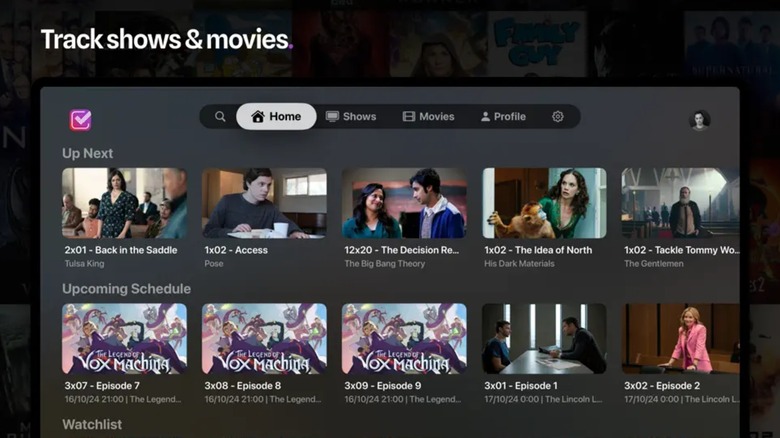
The best Apple TV apps in 2026 focus on expanding the device beyond simple streaming. Essential software includes Plex for personal media server management, Trakt.TV for tracking content across platforms, and KitchenStories for interactive digital recipes. These utility apps utilize the tvOS ecosystem to transform the streaming box into a multifunctional home hub.
| App Name | Primary Utility | Pricing Model | Top 2026 Feature |
|---|---|---|---|
| Plex | Media Management | Free / Plex Pass | 600+ Live TV Channels |
| Daily Burn | Fitness | Subscription | Apple Health Sync |
| RetroArch | Gaming | Free / Open Source | A17 Pro Optimization |
| Home+ 7 | Smart Home | One-time Purchase | Matter/Thread Support |
| KitchenStories | Productivity | Free / Premium | Continuity Camera Sync |
As we move through 2026, the living room landscape has shifted dramatically. The Apple TV is no longer just a portal for Netflix or Disney+; it has matured into a sophisticated centralized AI-powered hub. With Apple TV+ reaching a 12% share of the U.S. streaming market in the first quarter of 2026, the hardware is now a staple in the modern connected home. This growth is fueled by a move toward interactive experiences, where the best Apple TV apps act as tools for productivity, wellness, and advanced home automation.
Plex: Mastering Home Media Organization
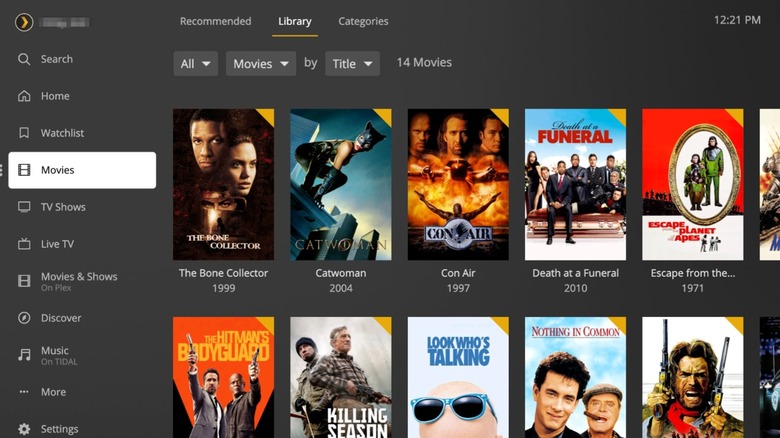
For those of us with extensive personal libraries, Plex remains the gold standard. In 2026, the app has evolved from a simple file player into a comprehensive media command center. It effectively bridges the gap between your local hard drives and the vast world of streaming. By using Plex, you can organize thousands of movies, shows, and high-fidelity music tracks into a beautiful, Netflix-style interface that the whole family can navigate easily.
Technical Requirements
- OS: tvOS 26
- RAM: 4GB Minimum
- Hardware: A15 Bionic or newer
The real magic of Plex in the current tvOS ecosystem is its media server integration. It allows you to host your content on a dedicated PC or NAS and stream it seamlessly to your Apple TV in full 4K HDR. Beyond personal files, Plex now offers over 600 live channels, making it a powerful alternative to cable. The cross-device syncing is particularly impressive; you can start a movie on your iPhone during your commute and pick up exactly where you left off on the big screen the moment you walk through the door. This makes it one of the best Apple TV utility apps for home media organization available today.
Daily Burn: The Ultimate Home Fitness Utility
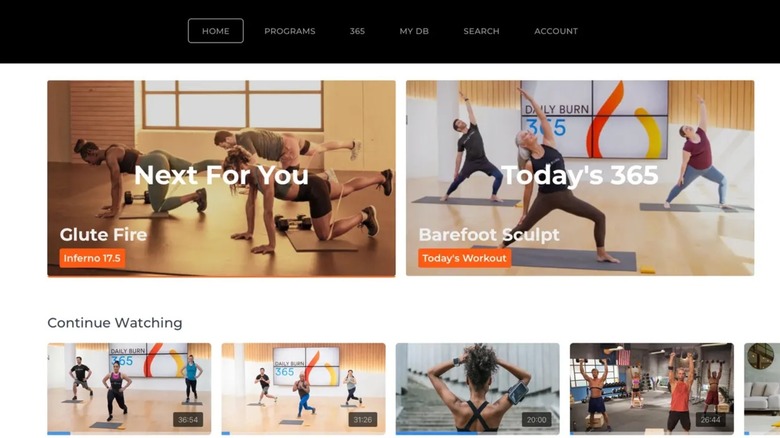
The era of generic workout videos is over. Daily Burn has pioneered the use of the tvOS ecosystem to create a truly responsive home gym. Instead of just following a pre-recorded trainer, the app creates personalized workout plans that adapt to your progress. It uses the processing power of the Apple TV to render high-definition routines that feel like a one-on-one session.
Technical Requirements
- OS: tvOS 25+
- RAM: 4GB
- Peripheral: Apple Watch recommended
What sets Daily Burn apart as one of the best Apple TV fitness apps for personalized home workouts is its deep integration with Apple Health metrics. As you exercise, your heart rate and calorie burn from your Apple Watch appear in real-time on the TV screen. This bio-feedback is essential for staying in the right intensity zone. Navigating through a sweaty session is made easier by the Siri Remote, which allows for quick voice commands to pause or skip movements without fumbling for a touch screen. It is a perfect example of how Apple TV utility apps can promote a healthier lifestyle.
RetroArch: Retro Gaming with Modern Power
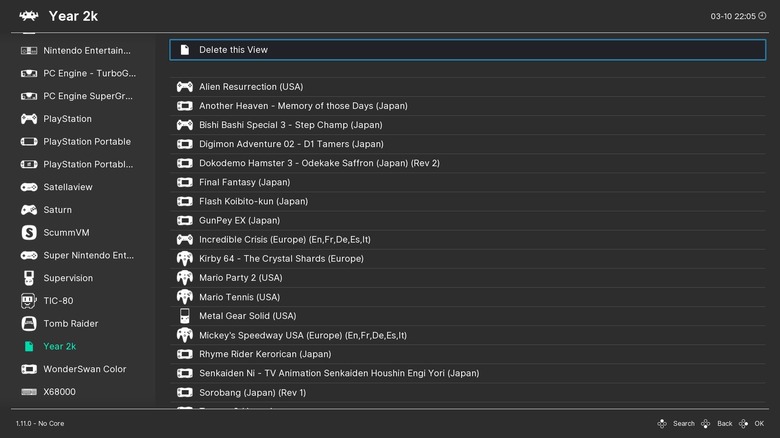
With the sheer graphical muscle of the A17 Pro chip, the Apple TV has become an unexpected powerhouse for enthusiasts. RetroArch is essential Apple TV software for anyone who misses the golden age of gaming. It is an all-in-one emulation frontend that allows you to play classic titles from the N64, PlayStation, and even newer handheld consoles with startling clarity and stability.
Technical Requirements
- OS: tvOS 26
- RAM: 8GB (for high-end emulation)
- Hardware: A17 Pro chip required for 4K upscaling
As connected TV gaming advertisements are projected to grow by 60% in 2026, more users are looking for high-quality gaming experiences on their televisions. RetroArch delivers this by supporting MFi Bluetooth controllers, meaning you can use your existing PlayStation or Xbox controllers for a lag-free experience. This is easily one of the top Apple TV emulation apps for retro gaming, providing a console-quality experience without the need for additional hardware cluttering your entertainment center.
Home+ 7: The Smart Home Management Center
One of the most underutilized features of the Apple TV is its role as a HomeKit hub. Home+ 7 takes this functionality to the next level. While the default Home app is great for basic tasks, Home+ 7 is designed for power users who want total control over their environment. It provides a sophisticated dashboard for managing every smart light, lock, and camera in your house directly from your couch.
Technical Requirements
- OS: tvOS 26
- Protocols: Matter, Thread, Zigbee (via bridge)
- RAM: 4GB
In 2026, smart home automation has become more complex with the widespread adoption of Matter and Thread. Home+ 7 excels at creating intricate "scenes." For instance, you can create a "Movie Night" trigger that dims the lights, closes the blinds, and sets the thermostat to a cozy 70 degrees, all with one click on your Apple TV. This utility makes it the premier choice among Apple TV utility apps for customizing device features, ensuring your smart home works in perfect harmony with your viewing habits.
KitchenStories: Boosting Kitchen Productivity
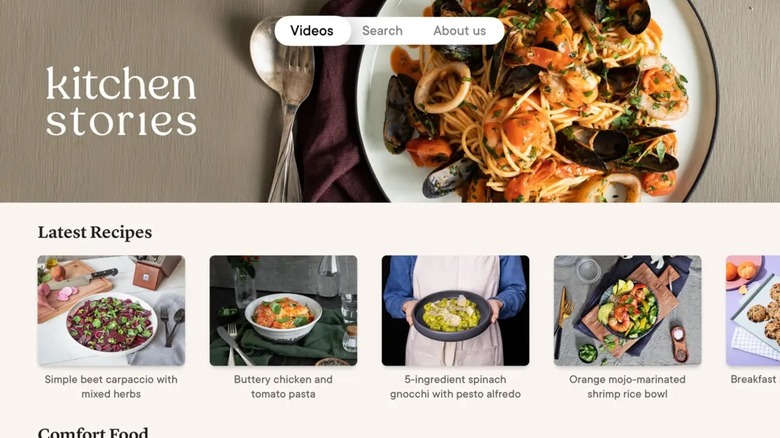
It might seem strange to have a TV app for cooking, but KitchenStories proves that a large screen is the best sous-chef you can have. This app provides digital recipes that are visually stunning and easy to follow from across the room. It solves the problem of trying to read a tiny phone screen with messy hands by presenting steps in large, clear text with accompanying video loops.
Technical Requirements
- OS: tvOS 26
- Hardware: iPhone with Continuity Camera support
- RAM: 4GB
The standout feature in 2026 is the use of Continuity Camera. You can mount your iPhone near your stove, and it acts as a secondary camera, allowing the Apple TV to show you a top-down view of your own prep work alongside the professional tutorial. This interactive element makes it one of the most useful Apple TV apps for increasing device productivity. Whether you are managing a complex three-course meal or just looking for a quick weeknight dinner, the Liquid Glass design of the interface makes the experience fluid and modern.
Hardware & Future-Proofing for 2026
To truly unlock the potential of these best Apple TV apps, the hardware under the hood matters more than ever. The transition to Apple Intelligence and more demanding utility tasks has made the A17 Pro chip a baseline requirement for power users. This processor, paired with at least 8GB of RAM in the latest models, allows for smooth multitasking and the real-time rendering of the Liquid Glass design language that now defines the tvOS ecosystem.
Interactive and shoppable ads are expected to account for 10% of all connected TV ads this year, and this shift toward interactivity requires a device that can handle more than just video playback. High-performance apps like RetroArch and Home+ 7 rely on this hardware-software synergy to provide a lag-free, premium experience. When you invest in these apps, you aren't just buying software; you are expanding what your television is capable of doing.

FAQ
What are the must-have apps for Apple TV?
Beyond the standard streaming giants, must-have apps for 2026 include Plex for media organization, Home+ 7 for smart home control, and Daily Burn for fitness. These apps transition the device from a simple player into a comprehensive home hub.
Can you play games on Apple TV?
Yes, the Apple TV is a capable gaming machine. While it supports many titles from the App Store, utility software like RetroArch allows you to play classic console games using MFi Bluetooth controllers, taking advantage of the high-performance A17 Pro chip.
What are the best fitness apps for Apple TV?
Daily Burn is widely considered the top choice because it syncs directly with Apple Health and your Apple Watch. It provides personalized workout plans that appear on the big screen, making home exercise more interactive and effective.
Are there web browser apps for Apple TV?
Apple does not provide a native Safari app for tvOS, but there are third-party utility apps that allow for basic web browsing. However, most users find that AirPlaying a browser from an iPhone or Mac provides a much better experience for productivity.
How many apps can an Apple TV hold?
The number of apps depends on the storage capacity of your model (typically 64GB or 128GB). Since most Apple TV apps are lightweight, even a 64GB model can hold hundreds of utility apps. Larger games and offline media in apps like Plex will consume more space.