Our Top Picks
- Top Software Fix: Google TV Streamer (4K) for 2026 UI standards. It offers the fastest navigation and the best smart home integration for legacy television sets.
- Best Audio Boost: Samsung HW-C450 with DTS Virtual:X. This is one of the best budget gadgets for old tv upgrade 2026 because it delivers room-filling sound without a high price tag.
- Visual Upgrade: Govee Backlight 3 Lite for AI ambient lighting. It creates a high-end feel by syncing colors with the content on your screen.
- Ergonomic Choice: Perlegear Universal Swivel Stand. This fixes the rigid viewing angles of older models and clears space for other external TV accessories for older sets.
- Control Hub: SofaBaton U2 Universal Remote. It eliminates remote clutter and brings voice control to setups that never had it.
To modernize an older HDTV, prioritize adding a 4K streaming device like the Google TV Streamer or Roku Streaming Stick to access modern apps and FAST channels. Enhancing audio with a budget-friendly soundbar and adding AI-driven ambient lighting can make any 10-year-old flat screen feel brand new.
| Category | Recommended Gadget | Key Feature | Compatibility |
|---|---|---|---|
| Software | Google TV Streamer | AI-driven 2026 UI | Any HDMI port |
| Audio | Samsung HW-C450 | DTS Virtual:X & Subwoofer | Optical or HDMI ARC |
| Visuals | Govee Backlight 3 Lite | Camera-sync RGB lighting | 55-65 inch screens |
| Control | SofaBaton U2 | 15-in-1 device control | Bluetooth & IR |
| Mounting | Perlegear Swivel Stand | 70-degree swivel | VESA compatible |
Modernizing an old TV doesn't require a $1,000 investment. By 2026, many older sets still boast great panels but lack modern smart features. With the right TV upgrade gadgets, you can bypass sluggish interfaces and thin audio. This guide explores five essential tools, from 4K streaming devices to ambient lighting, that transform your legacy set into a 2026-ready entertainment hub.
1. The Software Overhaul: 4K Streaming Sticks
The biggest sign of an aging TV isn't necessarily the picture quality; it is the software. If your Netflix app takes thirty seconds to load or your favorite streaming service isn't even available in the built-in app store, your processor has simply been left behind. Manufacturers often stop providing firmware updates for smart TVs after just three or four years. This leads to security vulnerabilities and broken apps.
According to recent data, more than 25% of installed units were seven years or older by 2024. For these millions of users, the best solution is bypassing legacy software interfaces entirely. By plugging a dedicated media player into an HDMI port, you effectively treat your TV as a "dumb monitor" while the external stick handles the heavy lifting.
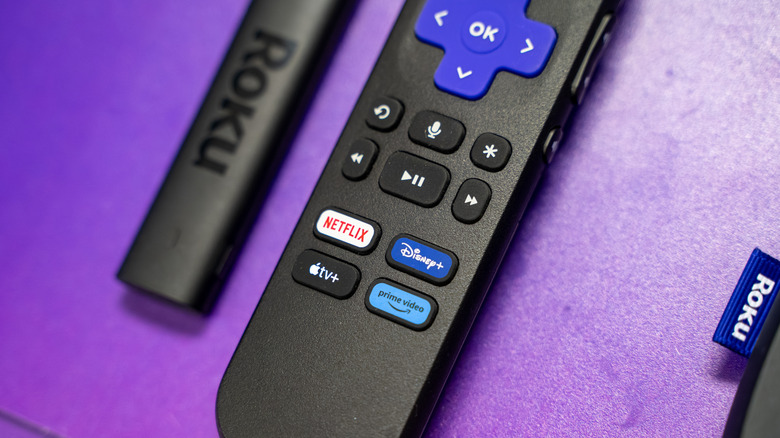
As of early 2025, Roku and Amazon Fire TV dominated the U.S. connected TV device market with shares of 38% and 36% respectively. Devices like the Roku Streaming Stick 4K or the Amazon Fire TV Stick 4K Max are fantastic smart TV streaming devices that bring snappy performance to a decade-old set. They also offer access to FAST channels—Free Ad-supported Streaming TV—which provide a cable-like experience without the monthly bill. If you are looking for a more "pro" experience, these sticks also support Plex media server apps, allowing you to stream your own personal movie library with ease.
Pros vs. Flaws
- Pros: Frequent firmware updates, access to every modern app, and snappy user interface performance.
- Flaws: Occupies an HDMI port and requires an extra power outlet or USB port.
2. The Acoustic Correction: Compact Soundbars
One of the "physics" problems of modern TVs—even older flat screens—is that they are too thin to house good speakers. As TVs got slimmer, the speakers got smaller and were often pointed downward or backward. This results in muffled dialogue and a lack of bass. Improving an older home theater almost always starts with audio.
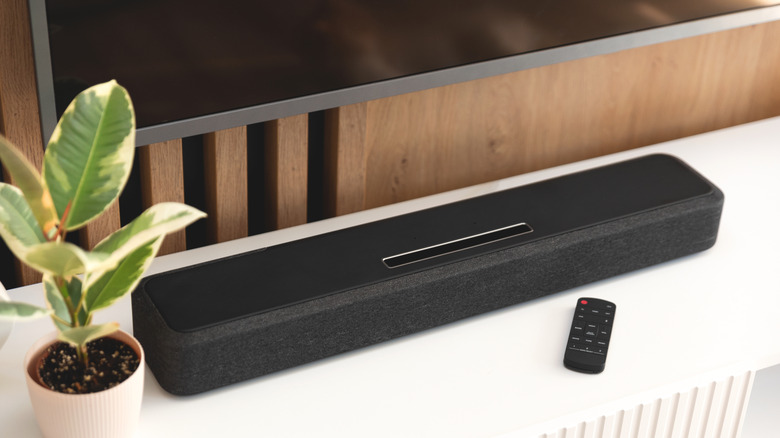
When searching for home theater upgrades on a budget, look for a soundbar that includes a dedicated subwoofer. The Samsung HW-C450 is a standout choice here. It uses DTS Virtual:X to simulate a surround sound experience from a simple bar and box setup. For older sets, compatibility is key. You need to check if your TV has an HDMI ARC/eARC port. If it doesn't, ensure the soundbar has a digital optical port, which was the standard on almost all flat screens produced in the last fifteen years.
Upgrading your audio provides a "psychoacoustic" effect. When the sound is deep and the dialogue is crisp, your brain perceives the overall quality of the entertainment as higher, making that old 1080p panel feel much more impressive. It is one of the most essential accessories for improving old tv sound quality.
Pros vs. Flaws
- Pros: Drastically clearer dialogue, deeper bass for movies, and easy setup.
- Flaws: Budget soundbars often lack true Dolby Atmos height channels.
3. Visual Immersion: AI Ambient Lighting Kits
By 2024, 4K resolution became the most common standard for home entertainment, accounting for 60% of the global smart TV market share. If you are still rocking a 1080p set or an early 4K model with poor contrast, you can use light to "cheat" a better picture.
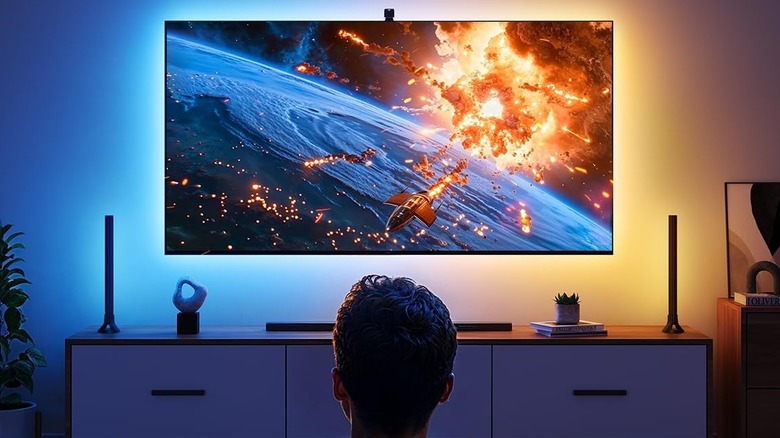
This is where tv backlighting kits for immersive home theater setup come into play. Bias lighting involves placing a strip of LED lights behind the TV. When these lights are synced to the colors on the screen, they extend the perceived size of the picture and improve the perceived contrast of the screen.
The Govee Backlight 3 Lite is a perfect example of these TV upgrade gadgets. It uses a small camera mounted on top of the TV to "see" the colors on the screen and project matching light onto the wall behind it. This mimics the ambient lighting found on high-end 2026 flagship models. Not only does it look cool, but it also reduces eye strain during late-night movie sessions by providing a neutral reference light for your eyes.
Pros vs. Flaws
- Pros: Makes the screen feel larger, improves "black levels" to the eye, and adds a premium aesthetic.
- Flaws: Requires a camera to be visible on top of the TV bezel.
4. Consolidating Control: Universal Remotes
As you add more external TV accessories for older sets, you end up with "remote clutter." You have one remote for the TV, one for the streaming stick, and another for the soundbar. This is the opposite of a seamless smart home experience.
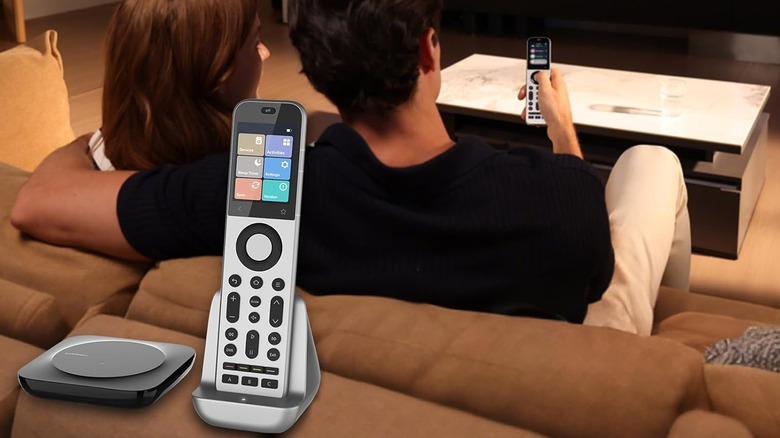
The fix is a modern universal remote like the SofaBaton U2. Unlike the old-school universal remotes that required entering five-digit codes from a paper manual, modern versions use smartphone apps to sync with thousands of devices via Bluetooth and IR. This allows for smart home integration for legacy television sets by letting you control everything from one hub.
The SofaBaton U2 can manage up to 15 devices. Most importantly, it can help you add voice control to a TV that never had it by bridging the gap between your streaming stick's voice commands and the TV's power and volume functions. It is a simple but effective way of how to make old non smart tv smart with gadgets by streamlining the user experience.
Pros vs. Flaws
- Pros: Cleans up the coffee table, macro buttons can turn on multiple devices at once.
- Flaws: The initial setup through the mobile app can take 15-20 minutes of trial and error.
5. Physical Modernization: Swivel Stands and Cable Management
The average television in the United States is replaced every 6.6 years, but often it isn't the screen that fails—it is the furniture. Older TVs came with bulky, static plastic feet that were often wider than modern media consoles.
A universal swivel stand, like those from Perlegear, is one of the most underrated compatible gadget upgrades for 10 year old flat screens. These stands bolt into the VESA holes on the back of your TV (the same ones used for wall mounting) and provide a sleek, heavy-duty base that allows the TV to swivel. This is a game-changer for open-concept living rooms where you might want to turn the screen toward the kitchen while cooking.
Finally, as you add all these gadgets, you run the risk of creating a "rat's nest" of wires. To keep that clean 2026 aesthetic, invest in a simple cable management box and some high-quality HDMI cables. If you are connecting a newer gaming console like a PS5 to an older 4K TV, make sure you use 48 Gbps cables to ensure there are no signal bottlenecks, even if your TV can't hit 4K/120Hz yet.
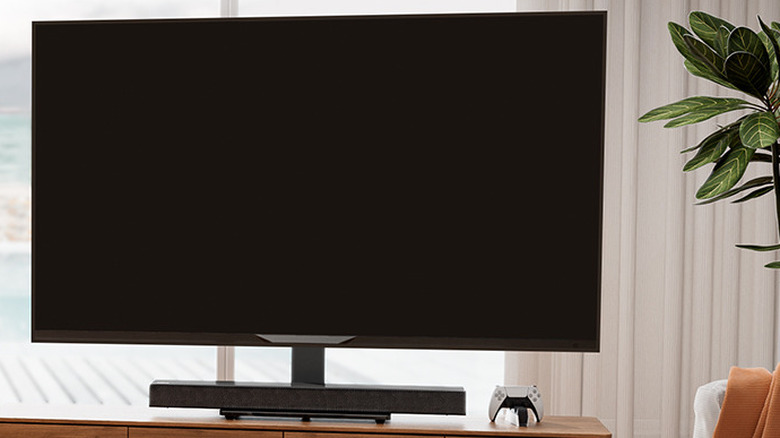
Pros vs. Flaws
- Pros: Improved viewing angles, fits on smaller furniture, hides messy cables.
- Flaws: Requires some basic assembly and lifting the heavy TV onto the stand.
FAQ
How can I make my old TV smart?
The most effective way is to connect a 4K streaming stick to an available HDMI port. This replaces the slow, outdated factory software with a modern, fast user interface that supports all current apps and receives regular updates.
What are the best gadgets to upgrade an existing TV?
The top three upgrades are a 4K streaming stick (for software), a soundbar with a subwoofer (for audio), and an LED bias lighting kit (for visual immersion and reduced eye strain).
Is it cheaper to buy a new TV or a streaming stick?
It is significantly cheaper to buy a streaming stick. A high-quality 4K streaming device costs between $30 and $50, whereas a new mid-range TV starts at $400 to $600. If your TV's screen still looks good, a stick is the smarter financial choice.
How do I improve the sound quality of my current TV?
Connecting an external soundbar via the HDMI ARC or digital optical port is the best solution. Even a budget soundbar will outperform the built-in speakers found in almost any flat-screen television.
What accessories improve the gaming experience on a TV?
A swivel stand can help you achieve the perfect viewing angle for competitive gaming, and high-speed HDMI cables ensure a stable signal. Additionally, ambient lighting kits can make gaming more immersive by reacting to the action on the screen.