Quick Facts
- ChatGPT Release: GPT-5.4 launched March 5, 2026, with enhanced data controls.
- Gemini Release: Gemini 3.1 Pro arrived Feb 19, 2026, integrating deeply with Android system logs.
- Tracking Depth: Google Gemini tracks 23 unique types of user data, including browsing history and precise location.
- Corporate Risk: A recent study shows 27.4% of corporate data entered into generative AI tools contains sensitive information or PII.
- Organizational Bans: Approximately 27% of organizations have temporarily or permanently banned the use of generative AI due to security concerns.
- Opt-Out Mechanism: Most platforms now offer a toggle under Data Controls to prevent prompts from becoming LLM training data.
As AI models like GPT-5.4 and Gemini 3.1 Pro integrate deeper into our workflows, ai privacy has become the defining tech challenge of 2026. Understanding how to manage your digital footprint is essential. To protect your ai privacy, navigate to the data control settings in your preferred chatbot and choose to opt out of model training. While ChatGPT and Claude provide simple toggles, users of Google Gemini and Microsoft Copilot may need to manage broader account activity settings or upgrade to enterprise-grade accounts to ensure their data remains excluded from future model development.
The Real-World Risks: AI Privacy Issues Examples
The rapid evolution of Large Language Models has fundamentally changed the lifecycle of data harvesting. Every time we interact with a chatbot, the information is processed through three main stages: input, processing, and output. In the input phase, users often inadvertently share personally identifiable information (PII). In 2026, the risk is higher than ever; statistics show a 160% increase in the sensitivity of uploaded data compared to last year.
Within the OWASP 2026 framework, these inputs create significant attack surfaces. Even when companies claim to use anonymized datasets, the complex nature of data scraping often means that sensitive details can be reconstructed through reverse-engineering the model's responses. This lack of algorithmic transparency is one of the primary generative ai privacy concerns facing both individuals and corporations today. When PII redaction fails, the information becomes a permanent part of the model’s weights, potentially leaking to other users in future sessions.
Beyond the text you type, many mobile AI agents now access system-level information. We have observed that advanced assistants can now read call logs, message history, and even real-time browsing behavior to provide better context. While this improves the user experience, it creates a massive trail of data harvesting that most users are unaware of.
Platform Deep Dive: ChatGPT vs. Google Gemini vs. Meta
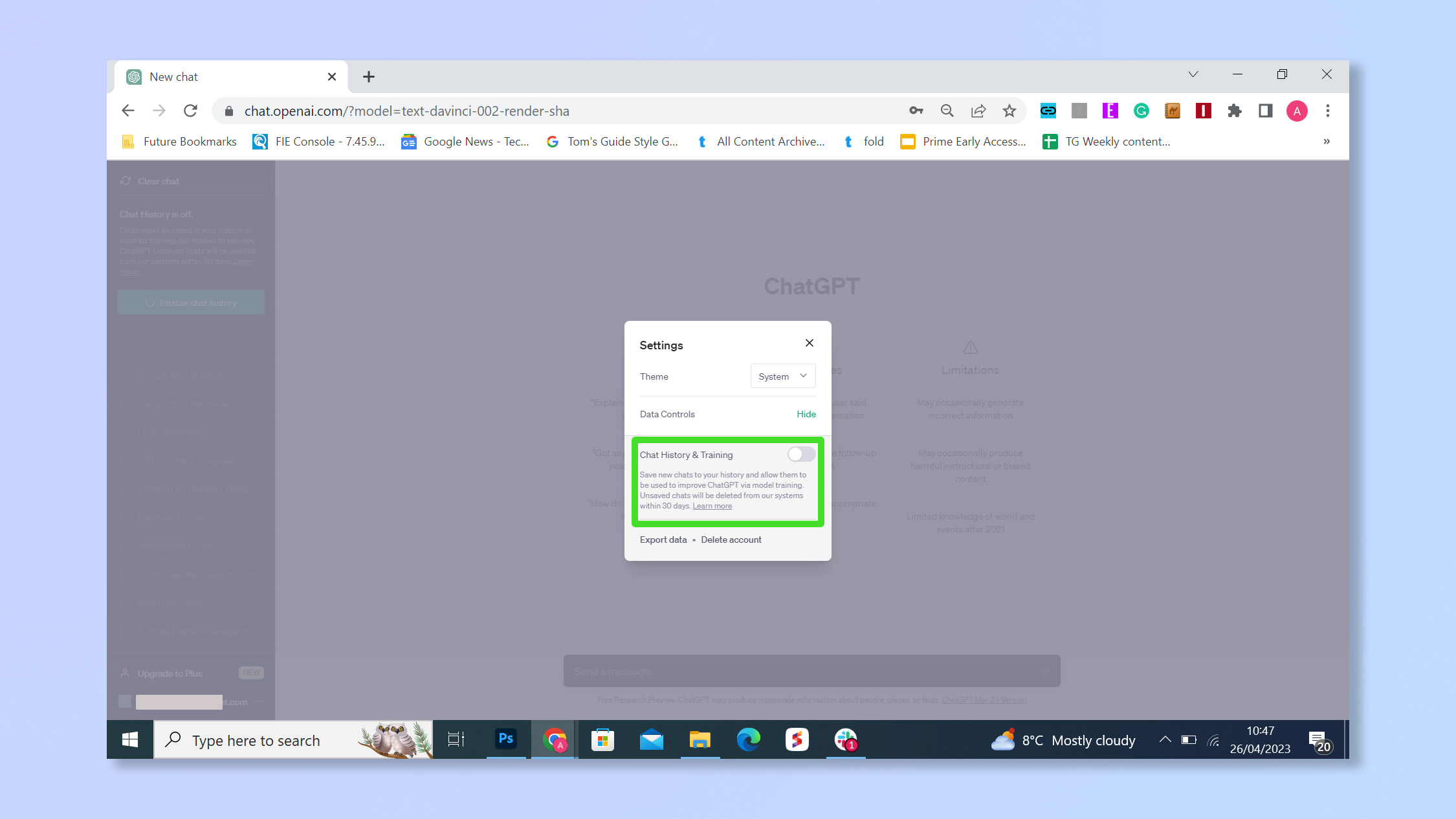
Each major player in the AI space handles ai privacy and security differently. ChatGPT has made strides with its GPT-5.4 update, offering a chatgpt temporary chat privacy mode that functions like an incognito browser. When this mode is active, conversations do not appear in your history, nor are they used to train the underlying models.
Pro-Tip: For users handling highly sensitive or proprietary information, the ChatGPT Pro tier ($200/mo) now includes a zero-retention policy as a standard feature, ensuring your prompts vanish from the server immediately after the response is generated.
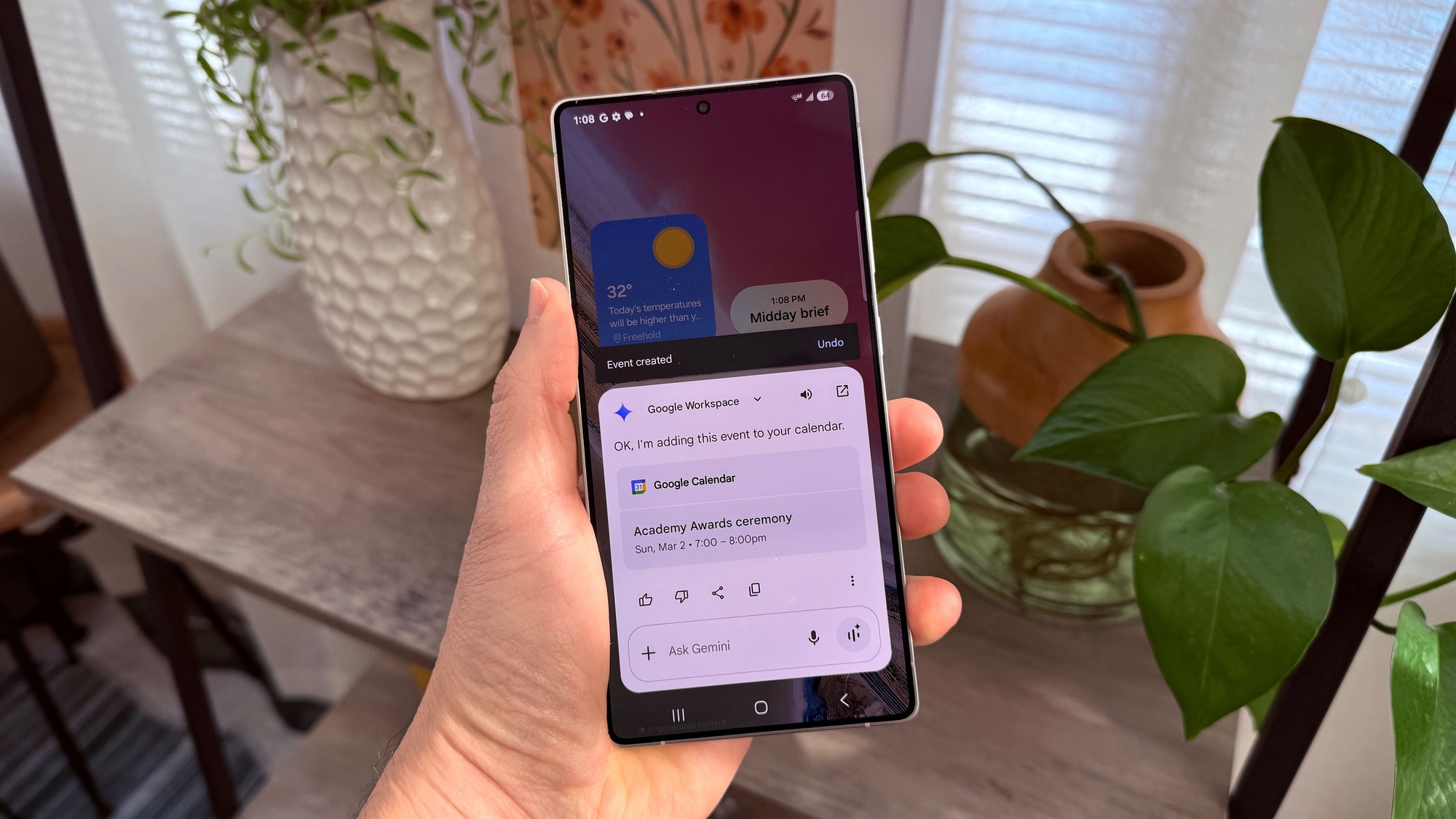
Google Gemini remains more complex due to its integration with the Google ecosystem. The platform tracks 23 specific data points, including your precise location and device-level system logs on Android. Users must navigate the google gemini apps activity settings to control how long this data is stored, with options ranging from 3 to 36 months.
Warning: Turning off Gemini activity tracking may disable your ability to view previous chats, as Google links account history directly to its training pipeline.
Meta AI presents a different set of challenges. Following their October 2025 policy shift, interactions with Meta's AI are now used to refine ad targeting algorithms across Facebook, Instagram, and WhatsApp. While users in regions with strict GDPR compliance have more robust protections, those in the United States often find it difficult to fully opt out of this cross-platform data sharing.
Privacy Features 2026 Comparison
| Feature | ChatGPT (GPT-5.4) | Google Gemini | Claude (Anthropic) | Microsoft Copilot |
|---|---|---|---|---|
| Model Training Opt-Out | Yes (Toggle) | Yes (Activity Off) | Yes (Opt-in only) | Managed (Enterprise) |
| Incognito Mode | Yes (Temporary Chat) | No | Yes | No |
| Data Retention | Permanent or 0-day | 3-36 Months | 30 Days (Standard) | Isolated (Enterprise) |
| Pll Redaction | Basic | Advanced | High | High |
| Primary Risk | Prompt Leakage | Ecosystem Tracking | Limited Functionality | Account Misconfig |
The Professional Choice: Best AI for Privacy
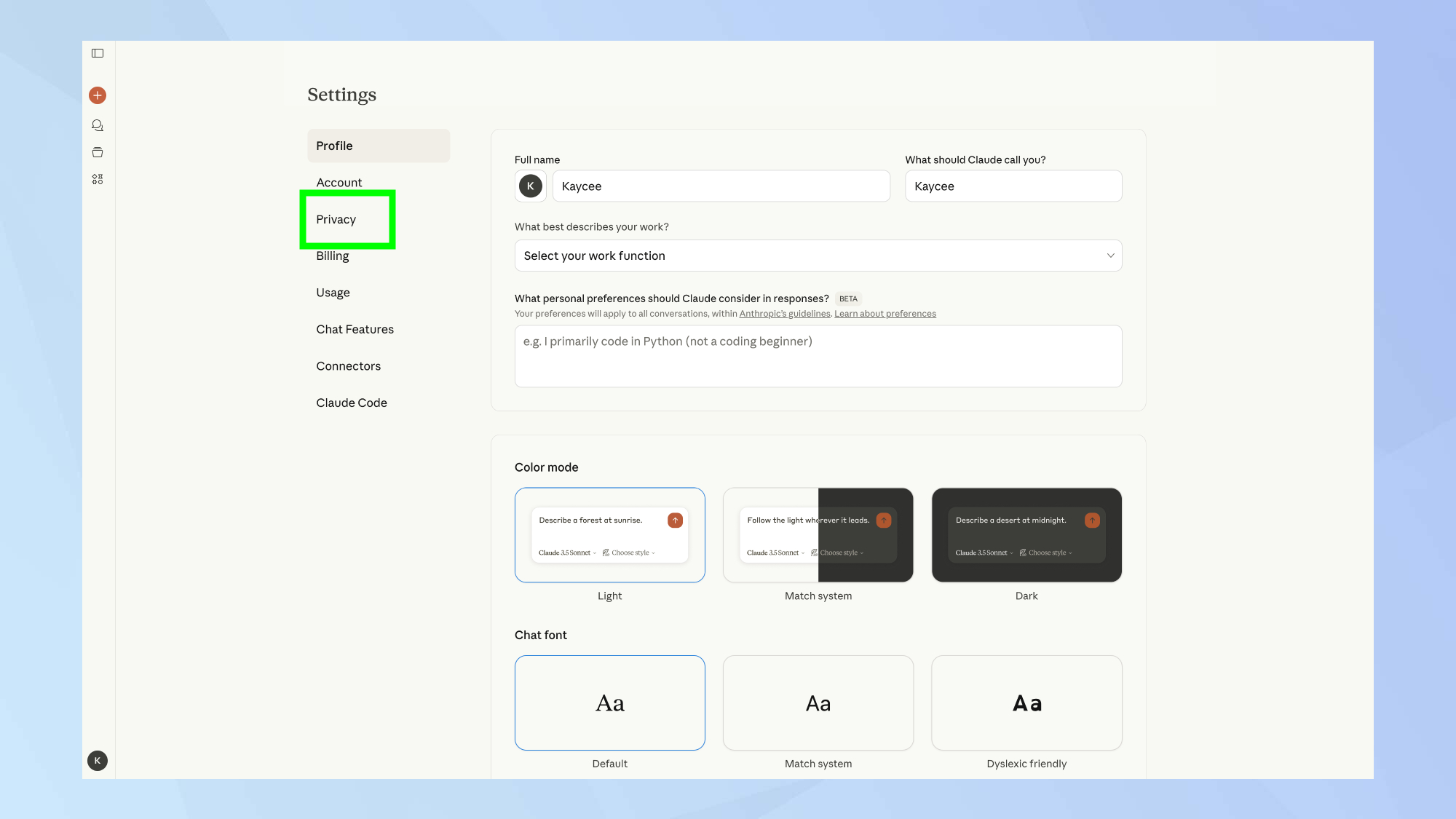
For those who prioritize data sovereignty above all else, Claude by Anthropic is often cited as the best ai for privacy. Since their policy update in late 2025, Claude operates on an opt-in basis for LLM training data, meaning your conversations are private by default unless you explicitly choose to contribute them. This makes it a preferred privacy focused ai chatbot for researchers and legal professionals.
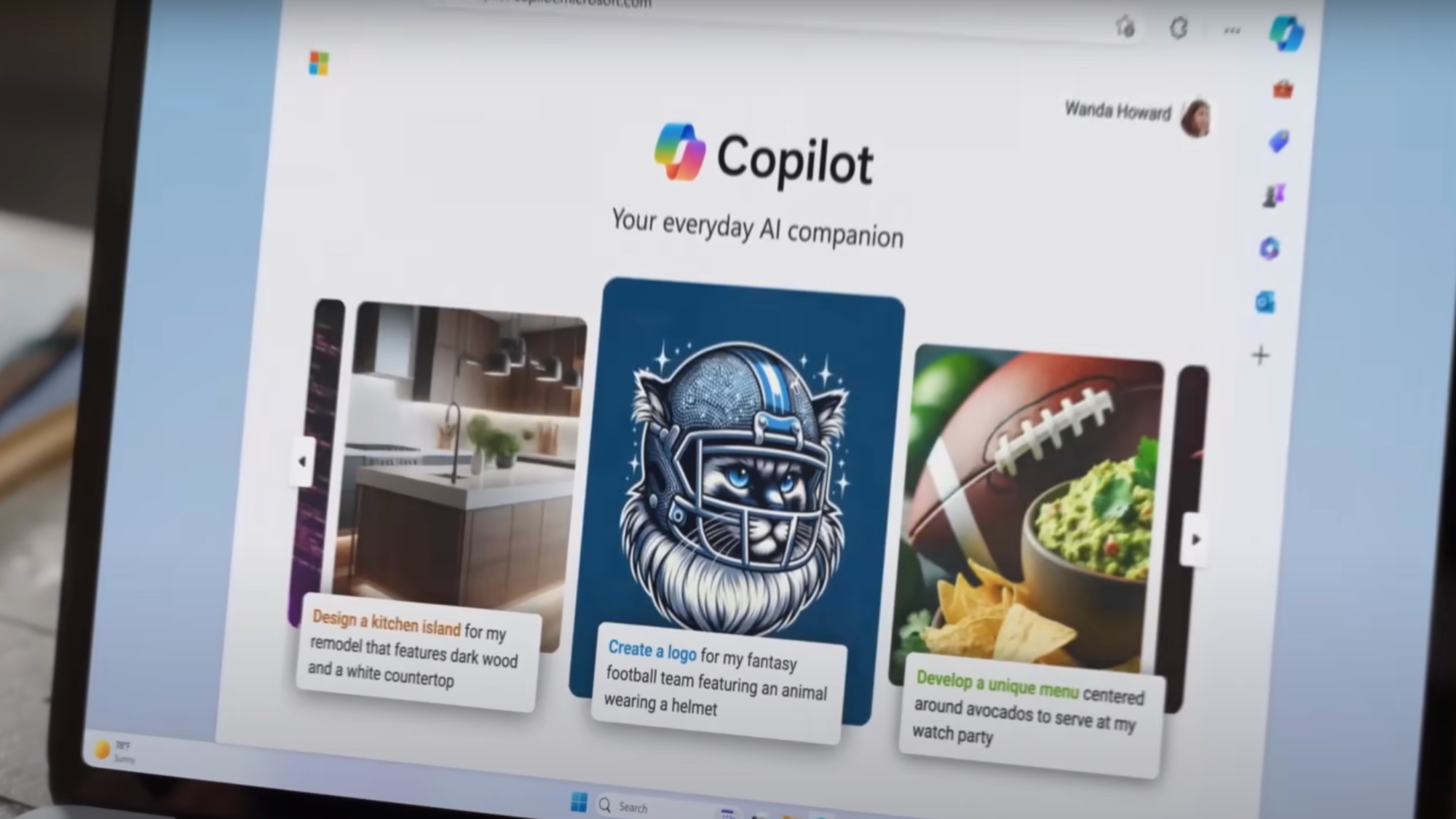
Another strong contender is Microsoft Copilot, specifically the microsoft copilot enterprise data protection version. For corporate users, Microsoft guarantees that "commercial data protection" is active, isolating your data from the public training sets used by OpenAI. This setup is crucial for maintaining compliance in highly regulated industries like healthcare and finance.
Step-by-Step Guide: How to Secure Your AI Interaction
Securing your AI experience requires more than just checking a box. It involves knowing how to opt out of ai model training across different platforms. We recommend performing a "privacy audit" of your settings every quarter to ensure newly added features haven't reset your preferences.
ChatGPT UI Pathway:
- Menu
- Settings
- Data Controls
- Improve the model for everyone (Toggle Off)
Google Gemini UI Pathway:
- Profile Icon
- Gemini Apps Activity
- Gemini Apps Activity (Toggle Off or set Auto-delete)
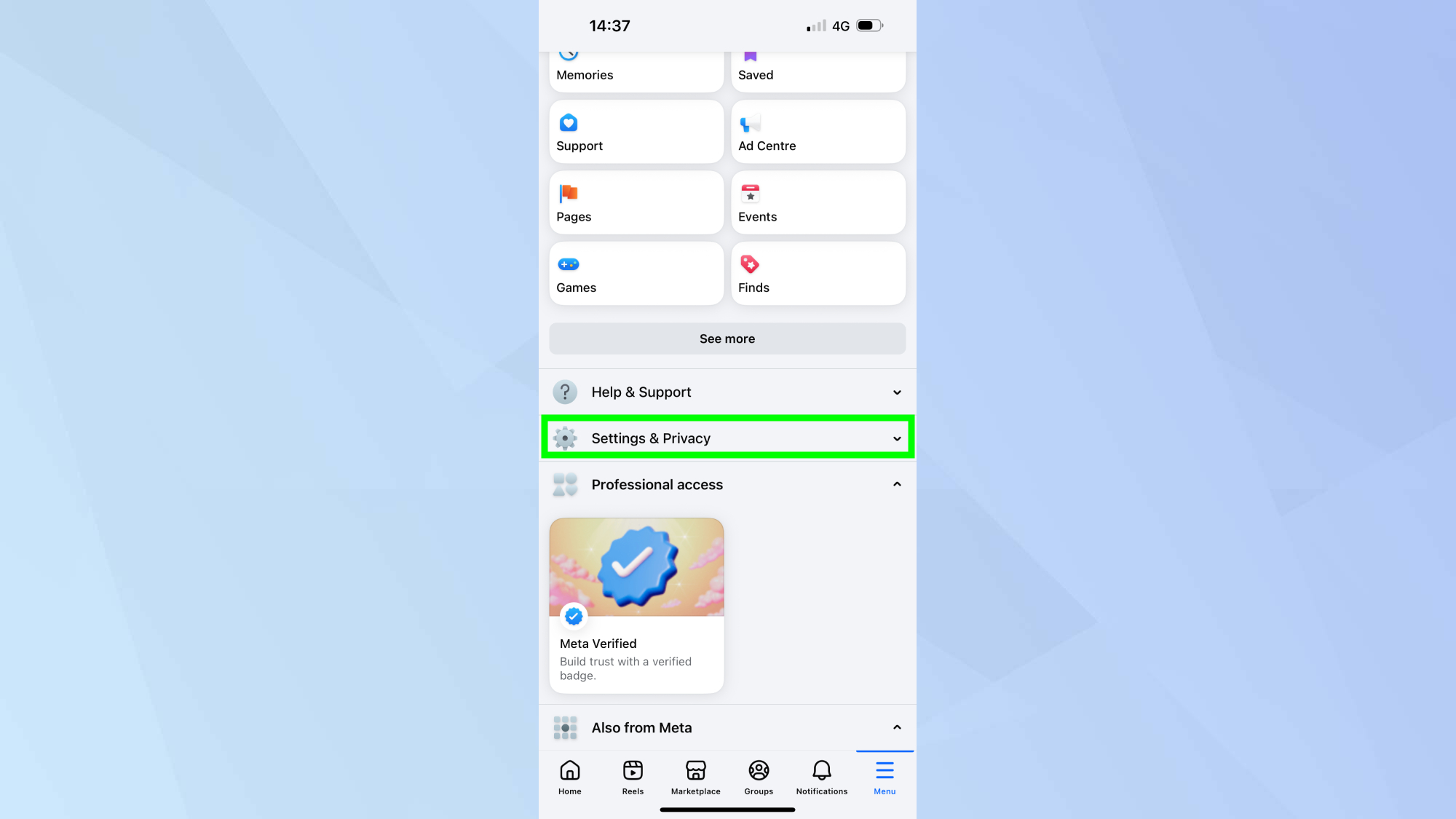
Meta AI UI Pathway:
- Facebook/Instagram Settings
- Privacy Center
- AI Settings
- Manage Your Information for AI
If you use Grok on the X platform, remember that privacy is a dual-layer process. You must disable data sharing within the chatbot settings and also adjust your social profile visibility settings to prevent your public posts from being used for real-time model training.
FAQ
Is there any privacy with AI?
Complete privacy is rare in the cloud-based AI era, but users can achieve high levels of data protection by using enterprise-grade tools or privacy focused ai chatbot options like Claude. By default, most free AI tools harvest data for training, but manually adjusting the ai privacy settings comparison points mentioned in this guide can mitigate the majority of risks.
What shouldn't you share with ChatGPT?
You should never share sensitive passwords, financial statements, trade secrets, or your social security number with any LLM. Even with chatgpt temporary chat privacy enabled, the data still reaches the platform's servers for processing. The general rule is to never type anything into a chatbot that you wouldn't be comfortable seeing in a public data breach.
Which AI is most privacy friendly?
As of 2026, Claude and Microsoft Copilot Enterprise are considered the most privacy-friendly options. Claude uses an opt-in model for LLM training data, while Copilot Enterprise offers microsoft copilot enterprise data protection, which keeps professional data isolated from public models.
What is AI not allowed to do?
Under current 2026 regulations, AI platforms are generally not allowed to store biometric data without explicit consent or use health data in ways that violate regional laws like HIPAA. Additionally, most providers are prohibited from using data from "opted-out" users to train future iterations of their flagship models like GPT-5.4.
What is the 30% rule in AI?
The 30% rule is often used by security professionals to suggest that no more than 30% of any complex project should be generated or edited by AI to maintain original intellectual property and reduce the statistical probability of sensitive data leakage. It serves as a benchmark for minimizing generative ai privacy concerns in corporate environments.