Quick Facts
- Accuracy Level: 80% and 87% accuracy correlation with clinical EEG devices.
- Minimum Battery: 30% charge required to initiate overnight monitoring.
- Essential Mode: Sleep Focus must be active to trigger data logging.
- Key Hardware: Wrist Detection must be toggled on in passcode settings.
- Sleep Stages: Apple uses Core sleep to represent clinical light sleep.
- Advanced Metrics: Requires Series 8 or newer for temperature and Series 9/Ultra 2 for apnea.
To ensure accurate apple watch sleep tracking, you must enable sleep focus and ensure wrist detection is turned on in the device settings. Set a consistent sleep schedule in the health app, ensure the watch has at least 30% battery before bed, and wear the band snugly above the wrist bone so the sensors can maintain constant skin contact for heart rate and respiratory monitoring.
Does your apple watch sleep data feel off? You are not alone. A 2024 survey found that 48% of adults now use a wearable to monitor their rest, yet many users struggle with missing stages or gaps in their nightly graphs. As someone who tests these devices daily, I have found that the difference between a "pretty good guess" and clinical-level data lies entirely in your configuration.
When properly set up, these high-end wearables can achieve between 80% and 87% accuracy in sleep stage classification compared to medical-grade EEG devices. However, if your settings are misaligned, the watch might miss the subtle shifts in heart rate and movement that define your sleep architecture. Inaccurate or missing sleep data is often caused by disabling wrist detection or failing to activate sleep focus mode.
Hardware Foundations: Fit and Battery
Before we dive into the apple health sleep settings, we need to address the physical reality of the sensors. Your apple watch uses an optical heart sensor to track your pulse and a highly sensitive accelerometer to detect movement. If the connection between the sensor and your skin is interrupted, the algorithm cannot calculate your sleep stages.
The Two-Finger Rule for Fit
Proper apple watch fit for sleep tracking accuracy is the most common hurdle. During the day, most people wear their watch loosely for comfort. For sleep, you need a snug fit. I recommend using the two-finger rule: place two fingers above your wrist bone and secure the watch there.
This placement ensures the sensors sit against a flatter, more muscular part of the arm where blood flow is easier to detect. A snug fit is vital for the optical heart sensor to catch the 20-30% heart rate drop typically seen during deep sleep. If you find the standard silicone band uncomfortable when tight, consider switching to a sport loop band, which allows for micro-adjustments and a more breathable, secure fit.
Powering Through the Night
You must also respect the apple watch battery requirements for overnight sleep tracking. The watch will not attempt to track sleep if the battery is below 30% at bedtime. While 30% is the minimum, I suggest aiming for 70-90% charge before you head to bed. This ensures the watch has enough power to maintain high-fidelity accelerometer data polling and frequent heart rate checks throughout an eight-hour window without entering a low-power state that might truncate your data.
Editor's Tip: If you use an Apple Watch Series 7 or newer, a quick 15-minute charge while you brush your teeth is usually enough to top off the battery for a full night of tracking.
The Golden Trio: Software Configurations
Achieving precise results requires aligning three specific software pillars. If even one of these is misconfigured, you might wake up to a blank screen or a simple "time in bed" bar without any breakdown of REM, core, or deep sleep.
1. Enabling Wrist Detection
This is the "secret fix" that many users overlook. If the watch doesn't know it is on your arm, it won't record physiological data for health metrics. While most people have this on by default, some turn it off to save battery or because they dislike the passcode requirement.
To perform an apple watch wrist detection setup, navigate to the Watch app on your iPhone. Go to My Watch, tap Passcode, and ensure the toggle for Wrist Detection is turned on. This is the only way to enable wrist detection for apple watch sleep stages. Without this, the heart rate variability and respiratory rate data needed to distinguish between stages like REM and light sleep simply won't be collected.
2. How to Turn on Sleep Focus on Apple Watch for Tracking
Sleep Focus is the signal to the watch that you are in bed and ready for rest. It silences notifications and prevents the screen from waking up, but more importantly, it tells the accelerometer to filter out late-night tossing and turning that might otherwise be misinterpreted as wakefulness.
You can activate this manually by swiping into the Control Center on your watch and tapping the moon icon to select Sleep. However, it is much more effective to automate this through your schedule. This ensures the watch is in the correct mode even if you fall asleep while reading.
3. How to Set up Sleep Schedule on Apple Health App
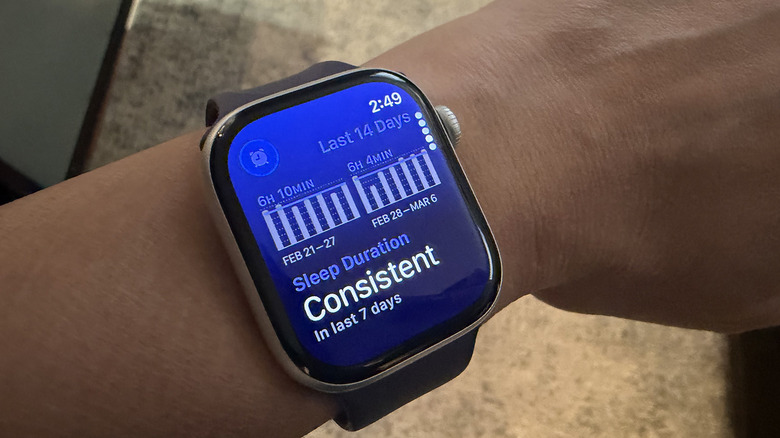
A consistent sleep schedule is the backbone of circadian rhythm alignment. The watch uses your scheduled "Wind Down" and "Bedtime" to prepare its sensors.
To configure this, open the Health app on your iPhone and select Sleep under the Browse tab. From there, you can configure a Full Schedule with your desired bedtime and wake-up goals. For those with irregular routines, such as shift workers, custom schedules can be created for individual days to help the watch align its analysis with your actual rest periods. This is a key step in improving apple watch sleep stages tracking reliability over the long term.
Understanding Your Data: Stages and Metrics
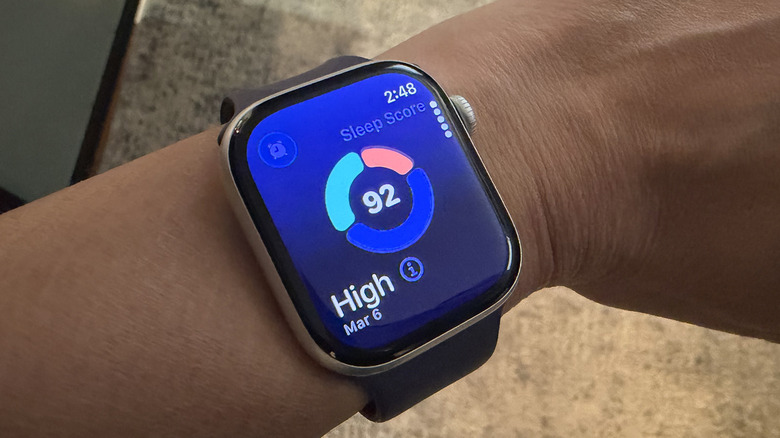
Once you have perfected your apple watch sleep focus configuration, you will begin to see a detailed breakdown of your sleep architecture in the Health app. Apple uses specific terminology that differs slightly from some clinical labs.
Core Sleep vs. Deep Sleep
When understanding apple watch core sleep vs deep sleep, it helps to think of Core as the "maintenance" stage. This corresponds to what clinicians call Light Sleep (Stage 1 and 2). It makes up the majority of your night. Deep sleep, also known as slow-wave sleep, is when your body repairs tissue and builds bone and muscle.
REM (Rapid Eye Movement) is the stage associated with dreaming and memory consolidation. The Apple Watch identifies these stages by looking at a combination of movement and heart rate variability. During REM, your heart rate and breathing often become more irregular, while during deep sleep, they become exceptionally steady and slow.
Why Data Goes Missing
If you see gaps in your data, it is usually a sign of a loose fit. When the sensor loses skin contact, it cannot calculate the heart rate variability required for stage identification. If the watch only shows "Time in Bed" but no stages, it often means the Sleep Focus was not active or the battery dropped too low during the night.
Advanced Monitoring: Apnea and Temperature
With the release of watchOS 11, Apple has introduced even more sophisticated health markers. For users with a Series 9, Ultra 2, or the new Series 10, the watch can now provide sleep apnea notifications. This feature looks for disturbances in your respiratory rate that might indicate breathing pauses.
| Feature | Compatible Models | Requirement |
|---|---|---|
| Sleep Stages | Series 4 and newer | Wrist Detection ON |
| Wrist Temperature | Series 8, 9, 10, Ultra 1/2 | 5-night baseline |
| Sleep Apnea Alerts | Series 9, 10, Ultra 2 | watchOS 11 installed |
| Respiratory Rate | Series 3 and newer | Sleep Focus ON |
Wrist temperature tracking is another powerful tool, but it requires patience. It takes about five nights of consistent tracking to establish a baseline. After that, it monitors deviations from your norm, which can be an early indicator of illness, alcohol consumption, or changes in your menstrual cycle.
Troubleshooting & The 7-Day Baseline
If you are still looking for an apple watch sleep tracking not accurate fix, I recommend a 7-day experiment. For one week, commit to a consistent sleep schedule and use a sport loop band for a tighter-than-usual fit.
Be aware that certain factors can interfere with the optical heart sensor. Large or dark tattoos on the wrist can block the light used by the sensor, leading to incomplete data. In such cases, wearing the watch on the other wrist (if it is clear of ink) often solves the problem.
Also, check your software. Ensure you are running the latest version of watchOS 11 to take advantage of the most refined algorithms. Apple frequently updates the way it interprets accelerometer data to better distinguish between a restless sleeper and someone who is truly awake.
FAQ
How accurate is Apple Watch sleep tracking?
Clinical studies show that the Apple Watch is among the most accurate consumer wearables, boasting an 80% to 87% correlation with medical-grade EEG sleep studies for stage classification.
Does Apple Watch track sleep automatically?
Yes, it can detect sleep automatically, but it is much more accurate and provides detailed sleep stages only when the Sleep Focus mode is activated or a Sleep Schedule is set.
Why is my Apple Watch not recording my sleep data?
The most common reasons include having less than 30% battery at bedtime, having Wrist Detection turned off in the passcode settings, or the watch being worn too loosely to maintain sensor contact.
Which Apple Watch models support sleep tracking?
Basic sleep duration is supported on Series 3 and later, while detailed sleep stages require a Series 4 or newer running at least watchOS 9. Advanced features like temperature and apnea alerts require newer hardware.
How do I set up sleep tracking on my Apple Watch?
Open the Health app on your iPhone, go to the Browse tab, select Sleep, and follow the prompts to set a schedule. Then, ensure Wrist Detection is enabled in the Watch app settings.
By taking five minutes to audit your apple health sleep settings tonight, you can transform your watch from a simple notification hub into a powerful tool for longitudinal health analysis. Precise tracking isn't just about seeing a graph; it's about understanding how your lifestyle—from your evening workout to your caffeine intake—affects the quality of your rest.