Quick Facts
- Best Overall: tinyPod ($79.99)
- Best Value: RePod C1 ($49.90)
- Best Budget: tinyPod Lite ($29.99)
- Key Compatibility: Apple Watch Series 4-9, SE, and Ultra (40mm to 49mm)
- Core Navigation: Physical mechanical or capacitive scroll wheel mapped to the Digital Crown
- Technical Requirement: Must disable Wrist Detection in settings for continuous play
- Primary Use Case: Digital detox, workouts, and upcycling old hardware
To transform an old Apple Watch into a standalone music player, you can use specialized accessories like the tinyPod or RePod C1. These cases house the watch module and often feature a physical or capacitive scroll wheel that maps to the Digital Crown for a retro navigation experience. By syncing music for offline playback and pairing Bluetooth headphones, the device functions as a dedicated, distraction-free media player that allows you to leave your phone behind while keeping your music library in your pocket.
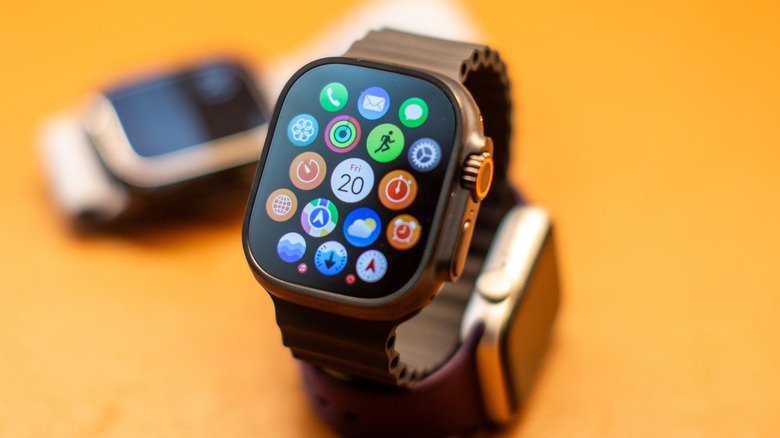
There is something deeply satisfying about the tactile click of an iPod scroll wheel. For many of us, the transition to the smartphone era meant losing that focused, intentional relationship with our music libraries. As a mobile editor, I often see old tech gathering dust in drawers, and the Apple Watch is a prime candidate for a second life. Instead of letting your Series 4 or old SE sit unused, you can now house it in an Apple Watch iPod case to reclaim that classic MP3 player feel. This trend isn't just about retro aesthetics; it is about digital minimalism and finding ways to enjoy technology without the constant pull of social media notifications.
The tinyPod: The Premium Nostalgia King
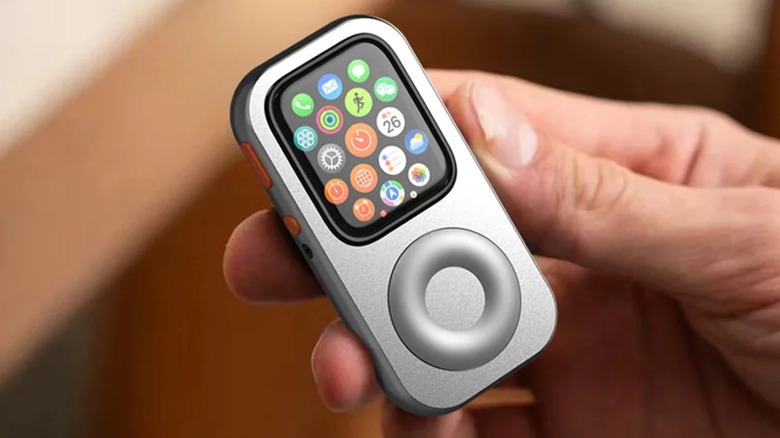
If you are looking for the most authentic experience, the tinyPod is the undisputed leader in this emerging category. What sets this accessory apart is its engineering. Unlike cheaper silicon sleeves, the standard tinyPod uses a mechanized internal component to physically couple its external scroll wheel to the Apple Watch's Digital Crown, allowing users to navigate watchOS interfaces through tactile rotation. This isn't a software trick; it is a clever bit of hardware design that turns the rotation of the outer wheel into the precise movement of the watch’s own crown.
The tinyPod accessory for Apple Watch is available in two models: a standard version with a functional mechanical scroll wheel starting at $79.99 and a Lite version without the wheel for $29.99. While the Lite version is more affordable, the standard model is the one that truly delivers on the promise of the best Apple Watch case with physical scroll wheel. It feels solid in the hand and transforms the wearable from a wrist-bound notification center into a pocketable standalone MP3 player.
One of the greatest strengths of the tinyPod is its broad support. While many competitors focus only on the larger models, the tinyPod offers Apple Watch click wheel case compatibility for almost every modern size. This includes the 40mm and 41mm smaller models, the standard 44mm and 45mm versions, and even a dedicated housing for the 49mm Apple Watch Ultra. If you have an old watch lying around, chances are there is a tinyPod that fits it perfectly.
RePod C1: The Practical Alternative
For those who want the iPod look without the $80 price tag, the RePod C1 from Beaverlab is a compelling middle ground. Priced at $49.90, it offers a similar pocket-sized form factor but takes a different approach to navigation. Instead of a mechanical coupling, the RePod C1 utilizes a capacitive scroll wheel. While it doesn't provide the same mechanical haptic feedback as the tinyPod, it remains a functional way to scroll through your playlists and settings without touching the screen constantly.
The RePod C1 is primarily designed for the most common watch sizes, typically fitting the 44mm and 45mm versions of the Series 4 through Series 9. This makes it an excellent Apple Watch iPod case for Apple Watch SE users, as many SE owners have the 44mm variant. The build quality is surprisingly robust for the price, utilizing a high-grade plastic that mimics the classic iPod's finish.
In my testing, the RePod C1 feels a bit lighter in the pocket than the tinyPod, which might be a benefit if you are using it during a run. However, the compatibility list is narrower. While the tinyPod covers the entire range, the RePod C1 is more selective. Before purchasing, you must ensure the case dimensions precisely match your watch's generation and millimeter size to ensure the buttons and crown align with the internal sensors.
tinyPod vs RePod C1: Head-to-Head Comparison
Choosing between these two depends on your budget and how much you value the mechanical "click" of the wheel. Here is a quick breakdown of how they stack up:
| Feature | tinyPod (Standard) | RePod C1 | tinyPod Lite |
|---|---|---|---|
| Price | $79.99 | $49.90 | $29.99 |
| Wheel Type | Mechanical Coupling | Capacitive | None (Case only) |
| Compatibility | 40, 41, 44, 45, 49mm | 44, 45mm | 40, 41, 44, 45, 49mm |
| Haptic Feedback | Yes (via Digital Crown) | Limited | None |
| Best For | Purists & Ultra owners | Value seekers | Budget minimalists |
Technical Setup: How to Make it Work
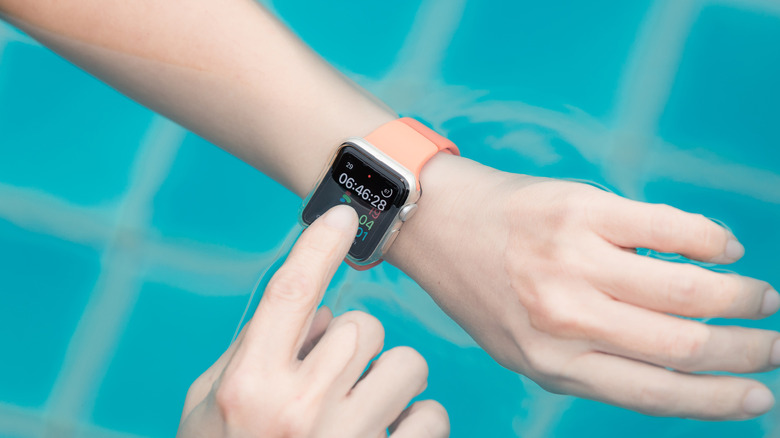
Turning your watch into a handheld music player isn't just about the hardware; you need to tweak a few settings to make the experience seamless. The most important step is to disable Wrist Detection. Normally, an Apple Watch locks itself the moment it leaves your wrist. To use it as an iPod, go to Settings > Passcode and toggle off Wrist Detection. This allows the watch to stay unlocked and active while it is in the case.
However, keep in mind that disabling this feature has implications. For instance, can you use Apple Pay with Apple Watch iPod cases? The answer is yes, but with a caveat. Because the watch isn't on your wrist, you will likely need to enter your passcode manually each time you want to trigger a payment. It is a small price to pay for the convenience of having a dedicated, pocketable wallet and music player in one.
Another benefit of this setup is using Apple Watch as a distraction-free music device. By downloading your playlists for offline music storage, you can leave your iPhone at home. This is perfect for those seeking a digital detox. You still get essential features like Apple Maps, Weather, and even mobile communication if you have a cellular-enabled model, but you won't be tempted to scroll through TikTok or Instagram because the screen simply isn't built for it. It forces a more intentional use of technology.

Retro Desktop Alternatives: Elago W6 & Charging Gear
Not everyone needs a pocketable player; some just want that retro aesthetics for their nightstand or desk. If that's you, the Elago W6 stand is a fantastic $15 accessory that makes your Apple Watch look like a classic iPod while it charges. While it doesn't have a functional scroll wheel, it is one of the most charming ways to display your device.
When upcycling electronics, safety is just as important as style. Since your watch will likely be out of its case for charging, I recommend using high-quality Qi2 certified chargers. These ensure that your older battery doesn't overheat during fast charging cycles. Using an Apple Watch as a dedicated music player means the battery will be worked harder than usual, especially if you are streaming over LTE, so keeping a reliable charger at your desk or in your car is essential.
One of the overlooked benefits of upcycling old Apple Watch into an iPod is the environmental impact. Instead of contributing to e-waste, you are extending the life of a highly capable computer. These watches support Apple Watch Series 4 through Series 9, the Apple Watch SE, and the 49mm Apple Watch Ultra models, meaning almost a decade of Apple hardware can be repurposed into a modern-day iPod.
FAQ
Can you turn an Apple Watch into an iPod?
Yes, by placing the Apple Watch module into a specialized case like the tinyPod or RePod C1, you can transform it into a handheld music player. These cases provide a pocketable form factor and often include a scroll wheel that allows you to navigate the watchOS interface just like a classic iPod.
How does an Apple Watch iPod case work?
The case acts as a shell for the Apple Watch module after you remove the bands. Most of these cases use either a mechanical or capacitive wheel that aligns with the watch's Digital Crown. When you spin the wheel on the case, it rotates the Digital Crown, allowing you to scroll through menus and adjust volume without needing to use the touchscreen.
Is the scroll wheel functional on an Apple Watch iPod case?
On premium models like the standard tinyPod, the scroll wheel is fully functional and mechanically coupled to the Digital Crown. Some more affordable alternatives use capacitive touch to simulate the scrolling effect, while budget-friendly "Lite" versions may offer the pocketable shape without a functional wheel at all.
Do Apple Watch iPod cases support wireless charging?
Most Apple Watch iPod cases feature an open back or a thin enough material to allow the standard magnetic puck charger to connect. You do not typically need to remove the watch from the case to charge it, though you should check the specific design of the case to ensure compatibility with your charging stand.
Can you use Bluetooth headphones with an Apple Watch in an iPod case?
Absolutely. Since the case does not interfere with the watch's internal Bluetooth radio, you can pair AirPods or any other Bluetooth headphones directly to the watch. This allows for a completely wireless listening experience, which is ideal for offline music storage playback during workouts or commutes.
The journey to how to turn old Apple Watch into a music player is surprisingly simple once you have the right accessories. Whether you choose the high-end mechanical feel of the tinyPod or the budget-friendly utility of the RePod C1, you are doing more than just buying a case. You are participating in a movement toward intentional technology use. By narrowing the focus of your device back to music and essential communication, you regain control over your digital life—all while carrying a piece of tech that looks and feels like a classic icon.