Quick Facts
- Market Context: The home media server market is surging, reaching a value of approximately $4.8 billion in 2025 with an 8.1% compound annual growth rate expected through 2034.
- Top Software Choice: jellyfin is the preferred recommendation for 2026 due to its open-source nature and free hardware transcoding.
- Hardware MVP: Low-power Intel N100 mini PCs have become the gold standard for efficient 4K streaming and transcoding.
- Network Baseline: Reliable remote 4K playback requires a minimum of 40 Mbps upload speed at the server location.
- Digitization Essential: MakeMKV remains the primary tool for converting physical collections into high-quality digital files.
- Deployment Trend: Linux is the dominant operating system for enthusiasts, representing 84.2% of deployments in the self-hosted media server community.
Tired of Netflix price hikes? In 2026, building your own private streaming service is easier than ever with open-source media server software. This guide walks you through the best home media server software options like jellyfin to reclaim your digital library and enjoy your content on any device without monthly fees.
Step 1: Choosing Your Media Server Hardware
Before we look at code or interfaces, we need to talk iron. In 2026, the hardware landscape has shifted. We no longer need power-hungry desktop towers to serve a household. The rise of efficient silicon means we can achieve high-performance 4K streaming with minimal electricity.
When selecting hardware, the most important feature is hardware transcoding. This allows the server to change a video's format or resolution on the fly so it can play on a device that doesn't support the original file. For the best home media server software experience, we look for Intel CPUs with Intel Quick Sync or NVIDIA GPUs with NVENC. Utilizing these specific technologies prevents your CPU from hitting 100% load during playback.
We recommend at least 16GB to 32GB of RAM to ensure the OS and the media server software have plenty of room for caching and library indexing. While a raspberry pi media server software setup works for basic 1080p files, it often struggles with high-bitrate 4K files, so we suggest the Intel N100 for budget builds.
Hardware Tier Table
| Tier | Recommended CPU | RAM | Ideal Use Case |
|---|---|---|---|
| Budget | Intel N100 (Mini PC) | 16GB | 1-2 concurrent 4K streams; low power |
| Mid-Range | Intel Core i5-12400 | 32GB | Full household usage; multiple 4K transcodes |
| Professional | Intel Core i7-14700K | 64GB | High-density 4K remux streaming; virtualization |
Step 2: Digitizing and Organizing Your Content
Building a library starts with your existing physical media. Owning your movies means you aren't at the mercy of licensing agreements that remove titles from streaming platforms. To get your discs onto your Network Attached Storage (NAS) or server drive, we use a process called ripping.
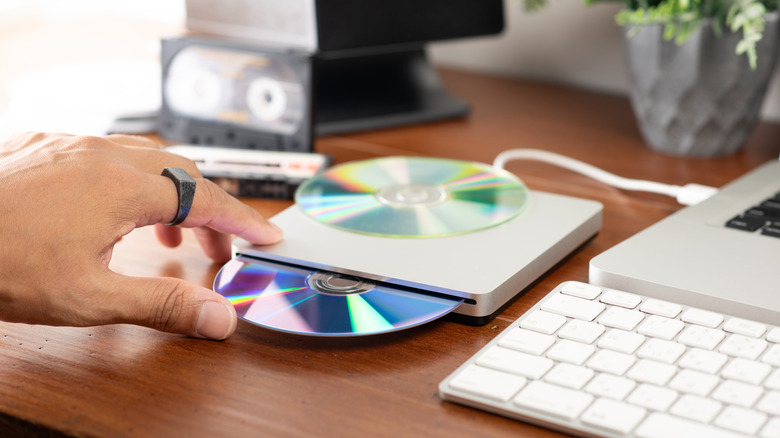
We use MakeMKV to extract the exact data from a Blu-ray or DVD into an MKV container. This keeps the original video and audio quality intact. However, simply having the files isn't enough; the media server software needs to understand what they are so it can pull in poster art, cast lists, and trailers.
This requires a standardized naming convention. If you don't follow this, your library will look like a messy file explorer rather than a private Netflix.
Naming Convention Cheat-Sheet
- Movies:
Movies/Movie Title (Year)/Movie Title (Year).mkv - TV Shows:
TV Shows/Show Name (Year)/Season 01/Show Name - S01E01 - Episode Title.mkv - Multi-Part Movies:
Movies/Title (Year)/Title (Year) - Part1.mkv
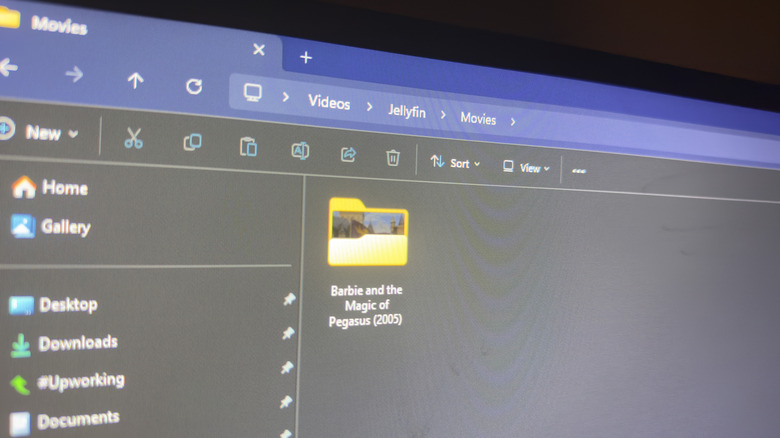
Once organized, we can focus on bitrate optimization. While we want high quality, we also need to ensure our Local Area Network (LAN) can handle the traffic. A 4K Blu-ray rip can exceed 80 Mbps, so ensure your server is connected via Gigabit Ethernet rather than Wi-Fi.
Step 3: Installing the Best Media Server Software (Jellyfin)
While Plex remains a popular commercial option with 25 million monthly active users, 2026 has solidified jellyfin as the enthusiast choice. Why? Because it is completely open-source software and does not lock essential features behind a subscription. If you want hardware transcoding or offline downloads on Plex, you have to pay. On jellyfin, it is free.
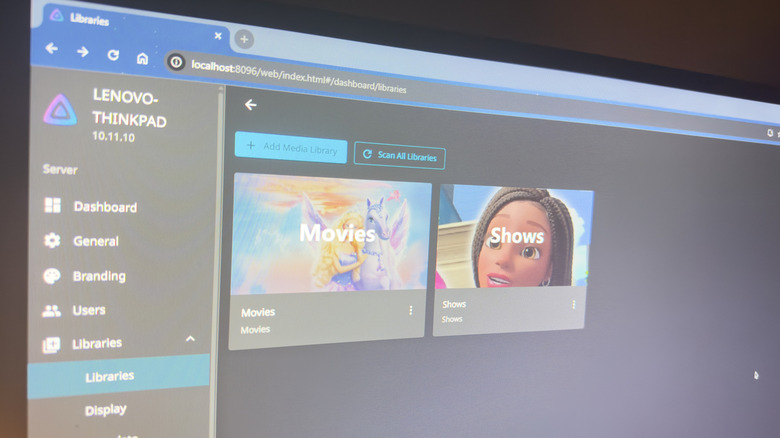
When we compare jellyfin vs plex for beginners, jellyfin is slightly more "hands-on" but significantly more rewarding for those who value privacy and full control. Installation on Linux is the most robust method, but a Windows installer is available for those who prefer a familiar environment.
Media Server Comparison
| Feature | jellyfin | Plex |
|---|---|---|
| Price | 100% Free | Freemium (Monthly Fee for Pro) |
| Hardware Acceleration | Included for Free | Requires Plex Pass |
| Privacy | No tracking; fully local | Requires account; partial tracking |
| Ease of Setup | Moderate | High |
To install jellyfin, we download the official package for our OS, point the media libraries to our organized folders from Step 2, and let the server scan the metadata. Once the scan is complete, you will have a beautiful, Netflix-style interface accessible via any web browser.
Step 4: The Automated Media Stack (Docker & Arrs)
If you want to move beyond manually ripping discs, we can build an automated media stack. This is best achieved using Docker containers. Think of Docker as a way to package software so it runs exactly the same on any machine. It keeps your server organized and prevents different apps from interfering with each other.
A modern self-hosting setup often includes The Arr stack. This series of tools automates the management of your library:
- Radarr: Manages your movie collection.
- Sonarr: Manages your TV show collection.
- Prowlarr: Manages your indexers and search providers.
- Bazarr: Automatically downloads subtitles for your media.
By running these in Docker containers, we can link them together so that when a new episode of a show is added to your collection, it is automatically renamed, moved to the correct folder, and indexed by the media server software. This creates a seamless, hands-off experience that rivals any commercial streaming service.
Step 5: Secure Remote Access and Performance Tuning
The final step in how to build a private media server at home is making it accessible when you are away from home. We want to avoid traditional port forwarding, which can leave your home network vulnerable to attacks. Instead, a remote access setup for home media server usage should utilize more secure methods.
We recommend using Tailscale or a Reverse Proxy like Nginx Proxy Manager. Tailscale creates a private mesh VPN that allows you to access your server as if you were sitting on your couch, even if you are in a different country. For performance, ensure you enable GPU acceleration in the settings. This allows your Intel or NVIDIA hardware to handle the heavy lifting.
If you are sharing your server with friends or family, pay attention to bitrate optimization. Most home internet connections have limited upload speeds. If your upload is slow, the media server software will transcode the file to a lower bitrate so the remote viewer doesn't experience constant buffering.
FAQ
What is the best media server software?
In 2026, the consensus among the self-hosting community is that jellyfin is the best choice for users who want total control, privacy, and free access to advanced features like hardware transcoding. While Plex is easier for total novices, its move toward commercial content and tracking has led many to switch to open-source alternatives.
Is Plex still a media server?
Yes, Plex remains a major player in the market, but it has shifted its focus to include free ad-supported streaming and a universal search for other streaming services. While it still supports self-hosted media, many power users find its interface cluttered with commercial content compared to the clean experience of jellyfin.
Can I build my own mediaserver?
Absolutely. Anyone with an old laptop or a dedicated mini PC can build a home media server. The process involves choosing hardware, installing media server software, and organizing your digital files. Modern tools and tutorials have made it accessible even for those who aren't career IT professionals.
Why isn't Plex illegal?
Plex and other media server software are legal tools designed for organizing and streaming media that you own. Just like a VCR or a DVD player, the software itself is a neutral platform. It only becomes a legal issue if a user uses the platform to share or download copyrighted content that they do not have the rights to possess.
Is there a better media server than Plex?
For many users, jellyfin is considered a better media server because it offers professional-grade features for free. It doesn't require an internet connection to log in, doesn't track your viewing habits, and gives you 100% control over your metadata and server configuration without any subscription prompts.