Quick Facts
- Direct Answer: To cancel Amazon Music, you must navigate to the Memberships and Subscriptions menu on a desktop browser or use your device's native subscription settings if billed via Apple or Google.
- The Iliad Protocol: Amazon historically used a complex, multi-step process designed to discourage users from leaving, a tactic recently penalized by the FTC.
- Third-Party Trap: If your subscription is managed by a mobile carrier or an app store, the cancel button will be entirely missing from the Amazon website.
- Monthly Frustration: Market research shows that over half a million users search for cancellation help monthly, making Amazon the most difficult service to quit.
- The Pro Shortcut: For direct subscribers, the voice command "Alexa, cancel my Amazon Music Unlimited subscription" remains the fastest exit strategy.
- Post-Cancellation Access: You generally retain access to your music library and playlists until the final day of your current billing cycle.
If you are struggling to cancel Amazon Music, you are not alone. Many users find that the button is hidden or managed by third parties like Apple or Google, which prevents the cancellation option from appearing on the standard Amazon website. This guide provides the exact steps to stop charges immediately and navigate the hidden menus of your account.
Why the Cancel Button is Missing: The Iliad Protocol
As an audio editor, I spend most of my time analyzing bitrates and soundstages, but I frequently hear from readers who are trapped in subscription loops. The reason you cannot cancel amazon music unlimited easily isn't a technical glitch; it is often by design. An investigation by the Federal Trade Commission into Amazon's practices uncovered an internal protocol known as Iliad that forced users through a four-page, six-click process featuring 15 different options just to end a membership.
This complexity has led to staggering numbers in consumer data. As of May 2025, market research indicated that Amazon services led the industry in user difficulty, with approximately 578,000 monthly cancellation-related searches. This volume is 45% higher than its closest competitor, proving that why can't i find the cancel button on amazon music is one of the most common questions in the streaming world.
The legal landscape shifted significantly in September 2025 when Amazon reached a $2.5 billion settlement with the FTC. This settlement included $1.5 billion in refunds for roughly 35 million consumers who were impacted by deceptive enrollment and these notoriously difficult cancellation procedures. Despite these legal changes, the interface still utilizes "dark patterns" where the UI might only present an amazon music only showing change plan instead of cancel fix, leading users to believe they are stuck.
Method 1: Canceling via Desktop Browser (Most Reliable)
While the mobile app is convenient for listening, it is often the worst place to attempt a cancellation. Because of app store regulations and Amazon’s own interface choices, the mobile app often omits the cancellation toggle entirely. To get the most control over your amazon music subscription settings, I always recommend using a desktop browser or the desktop site view on your phone's browser.
Follow these steps to stop amazon music auto renewal through the official website:
- Open your preferred web browser and log into your Amazon account.
- Hover over the "Account & Lists" menu at the top right of the homepage.
- Select "Memberships & Subscriptions" from the dropdown list.
- Locate "Amazon Music Unlimited" and click on "Music Subscription Settings."
- Look for the "Subscription Renewal" section. If you see a button labeled "Cancel subscription," click it.
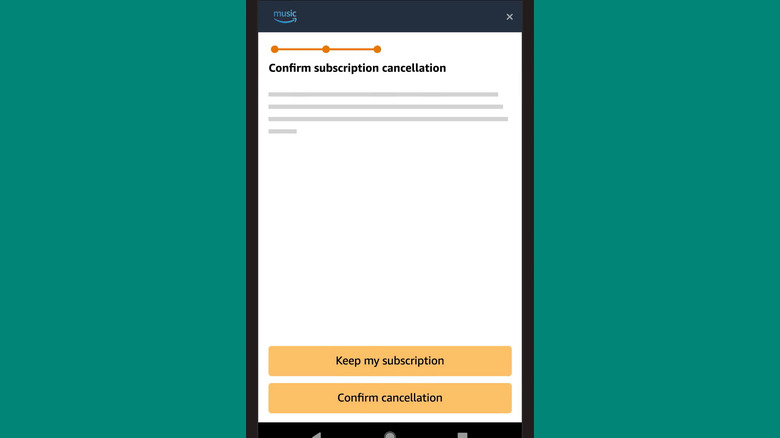
- You will likely be prompted with several "retention" offers or questions. You must continue through every screen until you see a final confirmation page.
A common point of confusion is when the screen only shows options to "Upgrade" or "Switch to Family Plan." If you encounter this amazon music only showing change plan instead of cancel fix, look for a small link at the bottom of the plan options or under the "Advanced Settings" section. Amazon often places the exit link in a lower font size or a greyed-out color to keep the focus on keeping your payment method management active.
Method 2: iPhone and Android (Third-Party Billing Fixes)
One of the biggest hurdles for audiophiles is realizing that Amazon might not even be the one billing them. If you signed up for the service through the app on an iPhone or an Android device, your billing is likely handled by Apple or Google. In these cases, the "Cancel" button will be completely absent from the Amazon website.
It is a common myth that simply deleting the app will end your subscription. Deleting the app does nothing to stop recurring charges. You must manually revoke the permission in your device's subscription status menu.
How to Cancel on iOS (iPhone/iPad)
If you are looking for how to cancel amazon music on iphone settings, you need to step outside the Amazon ecosystem entirely:
- Open the "Settings" app on your iPhone.
- Tap your name (Apple ID) at the very top of the menu.
- Tap "Subscriptions."
- Find Amazon Music in the list of active digital memberships.
- Tap "Cancel Subscription." If you only see a "Renew" option, the subscription has already been successfully set to expire.
How to Cancel on Android
The steps to stop amazon music renewal on android app involve the Google Play Store:
- Open the Google Play Store app.
- Tap your profile icon at the top right corner.
- Select "Payments & subscriptions" and then "Subscriptions."
- Locate Amazon Music and select "Cancel subscription."
- Follow the prompts to confirm your choice.
Comparison: Direct vs. Third-Party Billing
| Billing Method | Where the Cancel Button Lives | Common Error Message |
|---|---|---|
| Amazon Direct | Amazon.com > Memberships & Subscriptions | "Only shows change plan" |
| Apple App Store | iPhone Settings > Apple ID > Subscriptions | "Manage on device settings" |
| Google Play | Play Store > Payments & Subscriptions | Button missing on Amazon site |
| Mobile Carrier | Verizon/AT&T/T-Mobile Billing Portal | "Billed through third party" |
The 'Alexa' Shortcut: One-Click Cancellation
If you are billed directly by Amazon and own an Echo speaker or use the Alexa app, there is a hidden "fast track" that bypasses the Iliad protocol's multiple pages. This is the most "Tom Anderson" way to do it—leveraging the tech to save time.
Simply say, "Alexa, cancel my Amazon Music Unlimited subscription."
Alexa will typically ask you to confirm the choice. Once you say "Yes," she will process the request. This method is effective because it bypasses the visual "dark patterns" of the website. However, note that this will not work for a cancel amazon music subscription billed through third party providers like Apple or Verizon. If Alexa tells you she cannot complete the request, it is a definitive sign that your billing is handled by another entity.
Troubleshooting: How to Tell if It Successfully Cancelled
The most stressful part of this process is the "ghost" subscription—when you think you've cancelled, but a charge appears next month. To ensure you have achieved a successful stop amazon music auto renewal, you must verify the subscription status.
After completing the cancellation steps, Amazon (or Apple/Google) will send an automated confirmation email. Save this email; it is your primary evidence if you need to dispute a charge later. Additionally, go back into your music subscription settings. The status should no longer show a "Next Billing Date." Instead, it should say something like "Your subscription will expire on [Date]" or "End of term."
If the button is greyed out or you see a message saying your account is "Pending," it usually means a payment was recently attempted and failed, or you are in the middle of a billing cycle transition. In these cases, you may need to contact customer support to manually trigger the end of the recurring charges.
FAQ
How do I cancel my Amazon Music subscription?
To cancel a direct subscription, log into Amazon on a desktop, go to Account & Lists > Memberships & Subscriptions > Music Subscription Settings, and select Cancel. If you signed up via an app store, you must use the subscription settings on your iPhone or Android device.
Why am I still being charged after canceling Amazon Music?
This usually happens if you have multiple Amazon accounts or if the cancellation process wasn't completed through the final confirmation page. It can also occur if you deleted the app but did not actually cancel the subscription in your device's billing settings. Check for a confirmation email to ensure the process was finalized.
Can I cancel Amazon Music on my phone or tablet?
Yes, but it is often easier to do so through the device's system settings rather than the Amazon Music app itself. For iOS users, this is found under Settings > Apple ID > Subscriptions. Android users should check the Subscriptions section of the Google Play Store.
Can I still listen to music until the end of the billing cycle?
Yes. When you cancel, you are essentially disabling the auto-renewal toggle. You have already paid for the current period, so your access to Amazon Prime benefits and the Unlimited library remains active until the expiration date listed in your account.
What happens to my playlists after I cancel Amazon Music?
Your playlists and "My Music" library are typically saved for a short period (usually 30 to 90 days), but you will lose access to play them once the subscription expires. If you decide to re-subscribe later with the same account, your library may be restored, but this is not guaranteed for long-term absences.
If you are leaving Amazon Music because you are looking for a better technical audio experience, I recommend looking into services like Tidal or Qobuz. Both offer superior bitrates and more transparent billing practices. Regardless of where you go next, always make sure to double-check that final expiration date in your settings to ensure you aren't paying for a service you no longer use.