Our Top Picks
- The Budget ANC Champion: At $129, the Google Pixel Buds 2a delivers the same Tensor A1 processing power as the flagship line, offering the best noise cancellation in its price bracket.
- The Sustainability Choice: Featuring a unique user-replaceable battery in the charging case, these are the rare tech products actually designed to last more than two years.
The Pixel Buds 2a borrow the compact, wingtip-free design of the Pro 2 but omit several premium features. While both use the Tensor A1 chip, the Pro 2 offers superior noise cancellation, Adaptive Audio, on-bud volume controls, and a case with wireless charging and a built-in speaker. Our Pixel Buds 2a review finds that it remains a strong budget alternative for users who prioritize core Android integration and comfort over high-end audio perks.
Finding the sweet spot between "cheap" and "pro" is the hardest job in audio engineering. Usually, you sacrifice the brains of the operation—the processor—to save a few bucks. With the Pixel Buds 2a, Google has taken a different path. By keeping the high-end Tensor A1 processor but stripping away the luxury trimmings like wireless charging, they’ve created a pair of earbuds that punch significantly above their weight class in the areas that actually matter: sound and silence.
Performance: Pro ANC and Sound on a Budget
In my time testing headphones, I've learned that software often matters as much as the physical drivers. The inclusion of the Tensor A1 processor is the defining feature of these buds. This chip is the engine behind the active noise cancellation quality for commuting, and it is remarkably efficient. In a crowded office environment or a noisy train car, the Pixel Buds 2a ANC quality is surprisingly close to what you get from earbuds costing double the price. It specializes in neutralizing the low-end hum of airplane engines and the rhythmic clatter of public transit.
Under the hood, you’ll find 11mm dynamic drivers that deliver a clean, punchy sound profile. While it lacks high-res audio codecs like LDAC, the everyday listening experience is energetic. The bass is present without being overwhelming, and the highs are crisp enough to catch the details in a complex jazz arrangement. For those who want more control, the companion app offers a custom five-band EQ. This allows you to tweak the Pixel Buds 2a sound quality and custom EQ settings to suit your specific genre preferences, whether you need a bass boost for your workout playlist or more vocal clarity for podcasts.
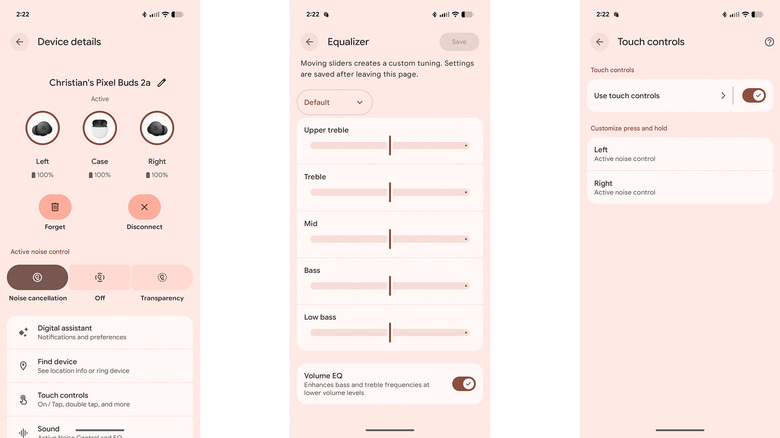
One area where the Tensor A1 processor really shines is in the transparency mode performance. Many budget buds sound like you’re listening to the world through a tin can when you turn on transparency. On the 2a, the sound is natural and airy. You can hold a conversation or hear a traffic announcement without that jarring, processed sensation. It’s a significant step up from the previous A-Series, which relied on a spatial vent for pressure reduction but lacked this level of active transparency.
Design and Ergonomics: The Small Ear Advantage
Google has refined its design language over several generations, and the 2a represents the pinnacle of their "comfortable for everyone" philosophy. These buds use a shallow nozzle design that doesn't feel like it’s being shoved into your brain. For those who have struggled with bulky earbuds in the past, the Pixel Buds 2a comfort and fit for small ears is a major selling point. They sit flush against the ear, making them comfortable even if you’re a side-sleeper or wearing a beanie.
The earbuds feature a glossy finish in Iris or Hazel colorways, which gives them a distinct look compared to the matte finish of the Pro line. To get the best sound, you have to nail the seal.
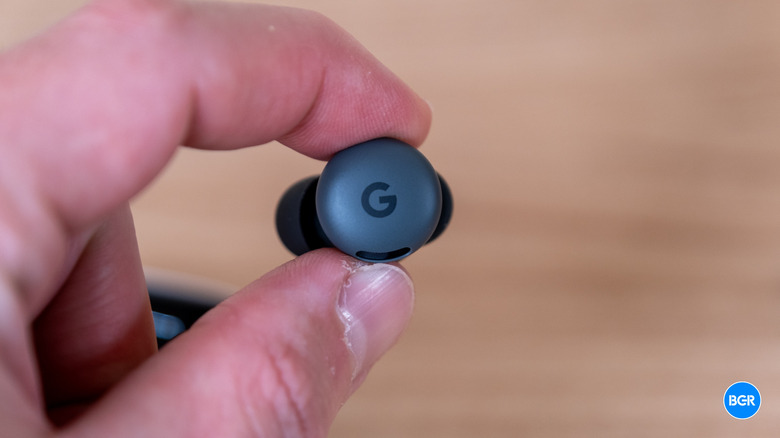
Pro Tip: How to Fit To get the perfect seal, insert the bud with the G logo tilted slightly toward your face, then rotate it backward until it feels secure. This "lock-in" movement ensures the silicone stabilizer design rests against your ear's concha, maximizing both comfort and noise isolation.
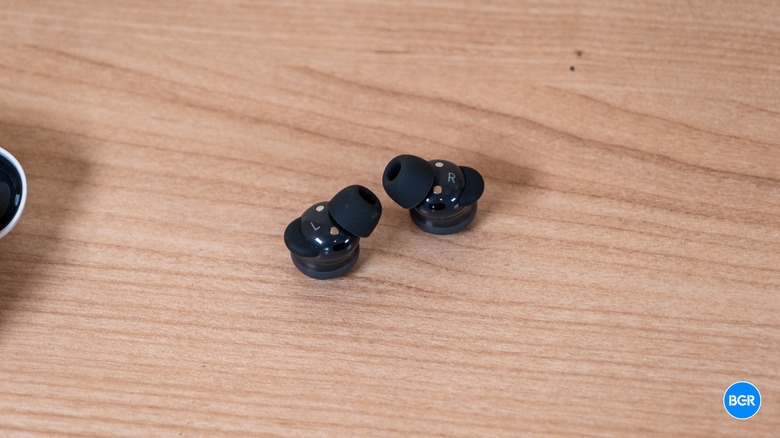
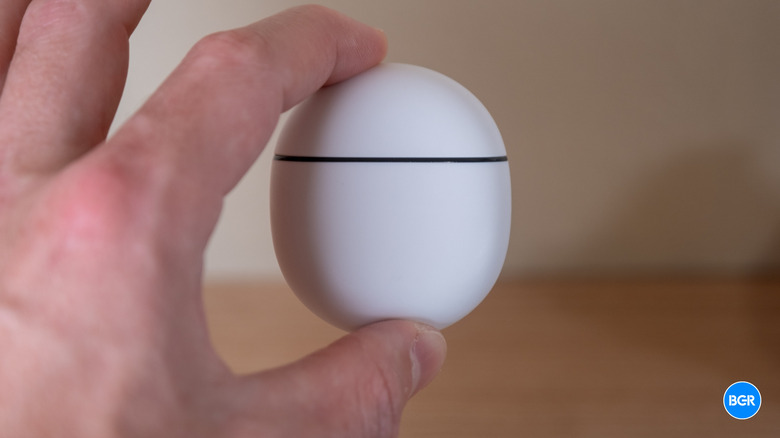
The build also carries an IP54 water resistance rating. This means they are protected against dust and can handle sweat or a light rain shower during a run. While they aren't meant for swimming, they are more than durable enough for the gym or a rainy commute. The tactile experience of the case is equally satisfying; it has that smooth "river stone" feel that has become a Google signature, though you do give up wireless charging to keep the price down.
Sustainability and Battery: A Repairable Future
One of the most refreshing aspects of this product is something you’ll hopefully never have to see: the internal screws. Google has made the charging case battery user-replaceable, which is a massive win for sustainability. Most wireless earbuds become e-waste the moment the battery stops holding a charge, but the 2a is designed for a longer lifecycle.
The Pixel Buds 2a battery life with active noise cancellation enabled sits at a solid 7 hours on a single charge. When you factor in the charging case, you get up to 27 hours of total playback. If you're comparing this to the older models, it's worth noting that the Google Pixel Buds A-Series features custom-designed 12 mm dynamic speaker drivers but only managed about 5 hours of listening time on a single charge. The jump to 7 hours with the 2a, despite the addition of ANC, shows how much more efficient the new hardware is.
If you do find yourself running low, the USB-C quick charging is snappy. A quick 15-minute charge of the earbuds in their case delivers up to 3 hours of additional listening time. This is ideal for those "oh no" moments when you realize your buds are dead right before you head out for a long commute or a flight.
Pixel Buds 2a vs. Pixel Buds Pro 2: Is it Worth the Upgrade?
When looking at a Google Pixel Buds 2a vs Pixel Buds Pro 2 comparison, the decision usually comes down to how much you value the "quality of life" extras. The 2a is an incredible value, but it does cut some corners. You won't find on-bud volume swipes here; you’ll need to use your phone or Google Gemini to adjust the levels. You also lose out on wireless charging and the built-in case speaker that helps you find your buds when they go missing.
However, the Google Pixel Buds 2a Android ecosystem integration features remain top-tier. You still get Fast Pair functionality, which makes connecting to any Android device a one-tap affair. More importantly, you get Multipoint connectivity, allowing you to stay connected to your laptop and your phone simultaneously. If a call comes in while you're watching a video on your computer, the buds will automatically switch over.
Feature Comparison Table
| Feature | Pixel Buds 2a | Pixel Buds Pro 2 |
|---|---|---|
| Processor | Tensor A1 | Tensor A1 |
| ANC Type | Standard Active Noise Cancellation | Silent Seal 2.0 (Pro ANC) |
| Battery (ANC On) | 7 Hours | 8 Hours |
| Volume Control | Phone/Voice only | On-bud swipe gestures |
| Charging Case | USB-C (Repairable) | USB-C + Wireless |
| AI Integration | Google Gemini | Google Gemini + Adaptive Audio |
| Microphones | 4 Microphones | 6 Microphones |
If you are wondering, "Should I upgrade from Pixel Buds A-series to Pixel Buds 2a?" the answer is a resounding yes. The addition of ANC alone justifies the switch, but the improved battery life and the shift to the Tensor A1 chip make it feel like a generational leap rather than a minor spec bump. However, if you are a power user who constantly adjusts volume or lives in a wireless-charging household, the Pro 2 might be worth the extra investment.
Final Verdict
The Google Pixel Buds 2a represent a shift in how tech companies approach budget hardware. By prioritizing the processor and the noise cancellation algorithms, Google has ensured that the core experience is "Pro," even if the feature list is "Lite." It is easily the best mid-range option for anyone living in the Android ecosystem.
For the student, the daily commuter, or the casual listener who wants peace and quiet without the $300 price tag, these are the buds to beat. They are comfortable, sustainable, and smart. While they might lack the bells and whistles of the flagship models, they don't lack the soul of a premium audio product.
FAQ
Are the Pixel Buds 2a worth buying?
Yes, they offer exceptional value. For $129, you get the same Tensor A1 processor found in the flagship models, providing high-quality noise cancellation and seamless Google Gemini integration that is rarely found at this price point.
Do Pixel Buds 2a have active noise cancellation?
Yes, they feature active noise cancellation powered by the Tensor A1 chip. While it is not as advanced as the "Silent Seal 2.0" found on the Pro 2, it is highly effective at blocking out common low-frequency noises like traffic or office hum.
How long does the battery last on the Pixel Buds 2a?
The earbuds provide up to 7 hours of listening time with active noise cancellation turned on. With the charging case, the total battery life extends to 27 hours. A quick 15-minute charge in the case provides 3 hours of playback.
What is the difference between Pixel Buds 2a and Pixel Buds Pro?
The main differences are the lack of wireless charging, no on-bud volume swipe controls, and four microphones instead of six. The 2a also uses a glossy finish compared to the matte finish of the Pro models, though both share the same Tensor A1 processor.
Do Pixel Buds 2a support wireless charging?
No, the Pixel Buds 2a case does not support wireless charging. It relies on USB-C for power. However, the case is designed with sustainability in mind and features a user-replaceable battery.
Are Pixel Buds 2a water resistant?
Yes, the earbuds have an IP54 water resistance rating. This makes them resistant to dust and sweat, making them suitable for workouts and outdoor use in light rain, although they should not be submerged in water.