Quick Facts
- Price Entry: $199 for the Homey Pro Mini versus $399 for the Homey Pro 2026.
- RAM Capacity: 1GB of RAM in the Mini compared to 4GB of RAM in the flagship 2026 model.
- App Limit: Approximately 20 to 25 apps for the Mini, while the Pro supports 100+ simultaneous integrations.
- Built-in Radios: 3 core modern protocols in the Mini versus 8 diverse hardware protocols in the Pro.
- Longevity: Official support and updates guaranteed for both models until at least June 2031.
- Direct Answer: A Homey Pro comparison reveals that while both share the same CPU, the Homey Pro 2026 is the superior choice for heavy automation with its 4GB RAM and full protocol support. The Homey Pro Mini is the best budget smart hub for beginners focusing on Matter and Zigbee within a 20-app limit.
The decision between these two hubs boils down to the complexity of your ecosystem and your long-term automation goals. Choosing between Homey Pro models for heavy automation requires understanding that the $399 flagship offers a "buy once, own forever" hardware suite, whereas the $199 Mini serves as a high-performance entry point for users with leaner device lists. Both run the powerful Homey OS, but the hardware ceiling differs significantly when you start layering complex logic and third-party integrations.
Hardware Deep Dive: RAM and Performance Scaling
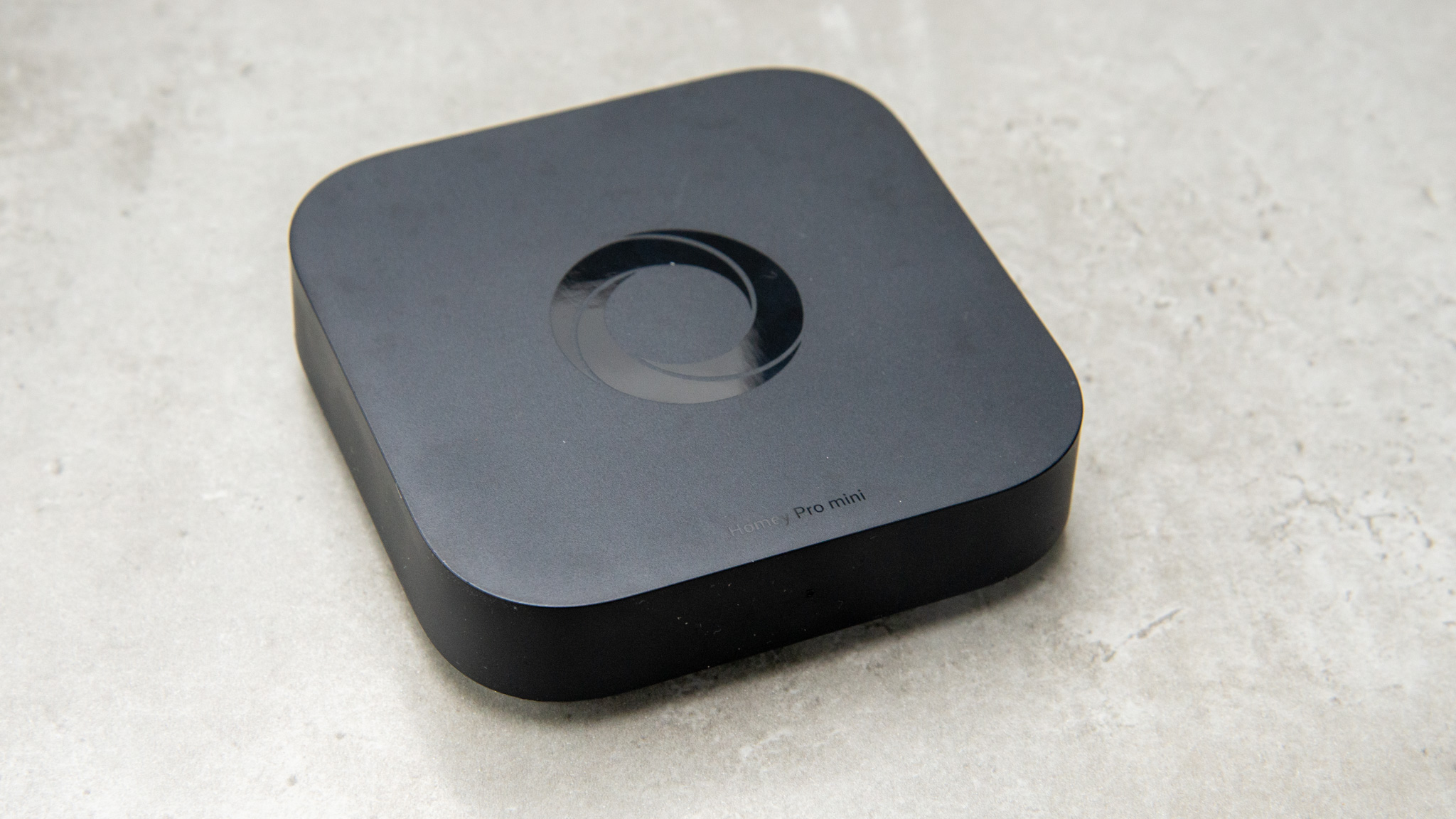
When we look at the internal architecture, the most significant factor in a Homey Pro comparison is the memory overhead. The standard Homey Pro 2026 features a massive leap in memory allocation, doubling the capacity of the previous generation to 4GB of RAM. In contrast, the Homey Pro Mini is equipped with 1GB of RAM, which provides enough headroom for roughly 20 to 25 apps before performance begins to throttle.
Why does RAM matter so much for a smart home gateway? Every brand you integrate—whether it is Philips Hue, Sonos, or Tesla—requires a dedicated app running within the Homey OS environment. These apps consume memory for background processes and real-time status monitoring. A Homey Pro 2026 vs 2023 RAM performance comparison shows that the newer 4GB model handles garbage collection and concurrent app execution much more efficiently than the older 2GB of RAM version, which was already the industry leader.
For users who plan to expand their system over several years, the 4GB ceiling on the 2026 model ensures that system latency remains low even as you approach 100+ active apps. If you are managing a few dozen devices via Matter and Zigbee, the Mini's 1GB is perfectly adequate. However, if you are a power user who enjoys experimentations with community-developed apps or complex scripts, the differences in Homey Pro and Mini app support limits become a critical bottleneck. The Pro model effectively removes the "app ceiling," allowing your smart home to grow without hardware-induced lag.
Connectivity: Built-in Radios vs. Modular Expansion
The physical hardware specs breakdown reveals why the flagship model commands a higher price. The Homey Pro is a comprehensive smart home gateway that includes eight wireless technologies built directly into the chassis. This includes Wi-Fi (2.4GHz & 5GHz), Zigbee, Z-Wave Plus, Bluetooth LE, Matter, Thread, and—crucially for legacy integration—433MHz and infrared radios.
The Homey Pro Mini takes a more streamlined approach, focusing on the future of the industry: Matter, Zigbee, and Thread. By removing the older antennas, Athom has created a more compact device at a lower price point. However, this means that if you have older ceiling fans that use a 433MHz remote or an air conditioner that requires infrared signals, the Mini cannot control them out of the box.
To bridge this gap, users can purchase an optional $69 Homey Bridge to add Z-Wave, Bluetooth LE, and infrared connectivity to their Mini setup. While this modularity is excellent for budget conscious beginners who only need basic smart home hub connectivity features today, the cost of adding a bridge ($199 + $69 = $268) starts to creep closer to the Pro’s price tag without offering the same RAM or local processing power.
Furthermore, the Homey Pro offers superior local processing. It is designed to function entirely offline for its core logic, ensuring that your lights turn on even if your internet goes down. While the Mini also prioritizes local execution, its hardware specs are tuned for a modern, cloud-hybrid world where Matter protocol devices handle much of the heavy lifting.
Ecosystem Stability: The 2031 Support Guarantee
One of the most compelling arguments for investing in the Athom ecosystem right now is the long-term stability provided by the recent LG acquisition. Athom has confirmed that the Homey Pro 2026 official support and update lifespan will extend until at least June 2031. This decade-long commitment is rare in the IoT world, where many hubs become "e-waste" after three or four years.
This support guarantee applies to both the Pro and the Mini, but it carries more weight for the flagship model. When you pay a premium for hardware, you are effectively buying into a decade of software refinement. The Homey Pro price comparison should not just look at the initial $399 cost, but rather the cost over ten years—which breaks down to roughly $40 per year for a top-tier experience.
Upgrading smart home hub to Homey Pro 2026 version ensures you are protected from protocol shifts. Because the Pro includes a Zigbee radio, Z-Wave Plus, and Thread connectivity, it is essentially future-proofed against whatever standard becomes dominant in the late 2020s. The data security and privacy-first approach of the Athom ecosystem remains consistent across both models, keeping your automation data within your four walls rather than in a corporate cloud.
Total Cost of Ownership (TCO) Analysis
When calculating which hub fits your budget, you must look beyond the sticker price. The Homey Pro retails for approximately $399, and the Homey Pro Mini is positioned as a more affordable alternative at a price point of $199.
| Feature | Homey Pro 2026 | Homey Pro Mini |
|---|---|---|
| Price | $399 | $199 |
| Subscription | $0 (Optional Cloud) | $0 (Optional Cloud) |
| RAM | 4GB | 1GB |
| Protocols | 8 (Incl. IR/433MHz) | 3 (Zigbee/Matter/Thread) |
| Local Logic | Fully Offline Capable | Local First |
| Ethernet | Optional Adapter ($29) | Built-in Port |
A hidden detail in the Homey Pro vs Homey Pro Mini hardware specs breakdown is the Ethernet connectivity. The Mini actually features a built-in Ethernet port, which is a fantastic value-add for stability. The Homey Pro, conversely, requires an additional $29 Ethernet adapter if you want a wired connection.
However, the "Total Cost of Ownership" favors the Pro for heavy users. If you opt for the cheaper Homey Bridge instead of a Pro hub, you are often tied to a $2.99/month subscription to unlock more than five devices. Over three years, that subscription adds $107 to your cost. The Homey Pro and Homey Pro Mini both offer a subscription-free experience for local control, making them much more cost-effective over a long duration than entry-level competitors that lock advanced features behind a paywall.
Editor's Tip: If you have a large collection of AV gear or older motorized blinds, the built-in infrared and 433MHz radios in the Pro will save you the cost and clutter of buying separate "smart remotes" or blasters.
Final Verdict: Which Hub Fits Your Budget?
Finding the best Homey smart hub for budget conscious beginners often leads to the Homey Pro Mini. If your goal is to manage a modern apartment with a few dozen Philips Hue bulbs, a Sonos system, and a Matter-compatible thermostat, the Mini provides a sleek, high-performance gateway that won't break the bank. It is the perfect entry point for those who value the Homey OS interface but don't need the industrial-strength hardware of the Pro.
However, for those building a comprehensive smart home, the Homey Pro comparison clearly points toward the 2026 flagship. The jump to 4GB of RAM is a game-changer for system longevity. If you plan to use Advanced Flow for complex automation, run HomeyScript for custom logic, or integrate legacy hardware, the Pro is the only choice that offers zero compromises.
In the long run, the Homey Pro 2026 is actually the better value for the enthusiast. By providing all the necessary radios and a massive memory buffer, it ensures you won't need to upgrade your hub again for the next several years. The Mini is a specialized tool for the modern home; the Pro is the definitive brain for the ultimate smart home.
FAQ
Is the Homey Pro worth the extra cost?
For power users, absolutely. The additional $200 covers five extra hardware radios and four times the RAM capacity. This allows for far more complex automations and the ability to control thousands of devices locally without relying on the cloud or external bridges.
What are the main advantages of Homey Pro?
The main advantages include total local processing for privacy and speed, an extensive range of supported protocols (8 in total), and the ability to run over 100 apps simultaneously thanks to the 4GB RAM refresh in the 2026 model. It also features the Advanced Flow editor for sophisticated logic.
Does Homey Pro require a monthly subscription?
No. Unlike many competitors, both the Homey Pro and Homey Pro Mini offer their core features, including local control and Advanced Flow, without a mandatory monthly subscription. There are optional cloud services for remote backups, but they are not required for daily operation.
Which smart home hub is best for advanced users?
The Homey Pro 2026 is widely considered the best choice for advanced users. Its support for HomeyScript, Advanced Flow, and a massive community app store, combined with its robust hardware, makes it more flexible than almost any other consumer hub on the market.
How does Homey Pro compare to Samsung SmartThings?
While SmartThings is more affordable and has a massive ecosystem, Homey Pro offers much deeper local processing and a more powerful automation engine. Homey Pro also supports a wider variety of protocols (like 433MHz and Infrared) natively, whereas SmartThings has moved toward a more cloud-dependent and Matter-focused architecture.