Quick Facts
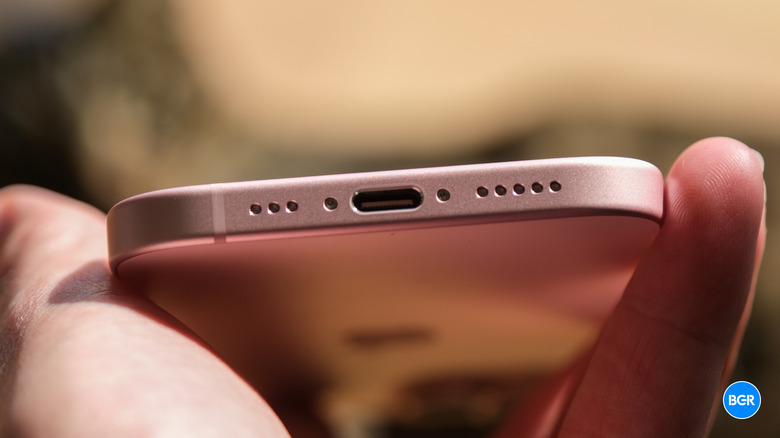
- Charging: A universal USB-C port finally replaces the proprietary Lightning connector for cross-device compatibility.
- Display: The Dynamic Island is now standard across all models, removing the traditional notch for better multitasking.
- Longevity: Battery chemistry is significantly improved, rated for 1000 charge cycles to maintain 80% health.
- Camera: A new 48MP main sensor enables a virtual 2x optical-quality zoom through advanced sensor cropping.
- Brightness: The Super Retina XDR display now hits 2000 nits peak outdoor brightness, matching the Pro series.
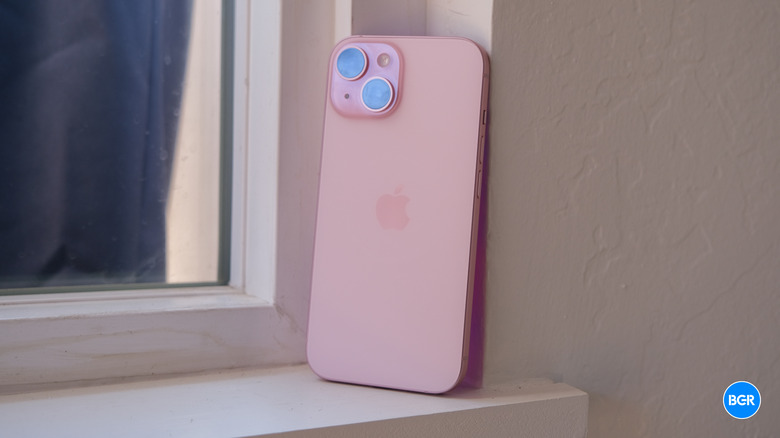
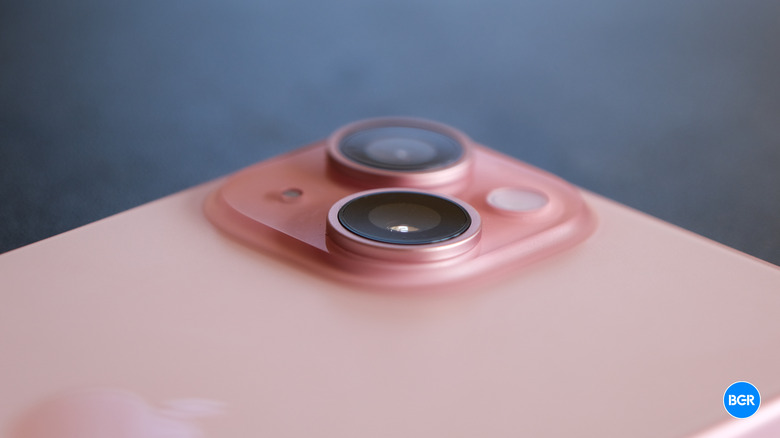
- Design: New contoured edges and a color-infused glass back provide better ergonomics and a premium matte finish.
The iPhone 15 introduces a universal USB-C port, replacing the proprietary Lightning connector for better compatibility with modern electronics. This change allows users to charge their iPhone, iPad, and Mac with a single cable and enables reverse wired charging for accessories like AirPods or Apple Watch. While standard models are limited to USB 2.0 data speeds, the port offers significant convenience for daily charging and connectivity, making this iPhone 15 guide an essential resource for those looking to simplify their tech setup.
The USB-C Transition: Universal Connectivity and Its Perks
For over a decade, the Lightning cable was a staple of the Apple ecosystem, but it often felt like a lone island in a sea of USB-C devices. The transition to a universal port on the iPhone 15 is perhaps the most practical hardware change in years. It simplifies your travel bag and reduces cable clutter at home. Imagine being able to borrow a charger from a MacBook user or a friend with an Android phone without needing a specific adapter. This shift is a major win for user convenience.
Beyond just charging the phone, the new port supports reverse wired charging. If your AirPods or Apple Watch run out of juice while you are out, you can simply plug them into your iPhone 15 using a USB-C cable to give them a quick boost. This effectively turns your phone into a portable power bank for your smaller wearables.
When discussing switching from lightning to iphone 15 usb-c benefits, it is important to address the data transfer speed. The standard iPhone 15 utilizes USB 2.0 speeds, which cap out at 480 Mbps. While professional photographers who move hundreds of gigabytes of RAW video might find this limiting, the average user who relies on iCloud for backups and wireless transfers will likely never notice the difference. The question of is iphone 15 usb-c 2.0 speed enough for everyday use is a resounding yes for most people, as the convenience of universal connectivity far outweighs the niche need for high-speed wired data transfer.
Consumer sentiment heavily backs this change. According to a study by SellCell, 63% of iPhone users stated that the move to a USB-C charging connector would influence their decision to upgrade. Furthermore, the move is bridging the platform gap; the same study found that 44% of Android device owners reported they would be tempted to switch to an iPhone 15 because of the USB-C port.
Dynamic Island: Productivity Beyond the Notch
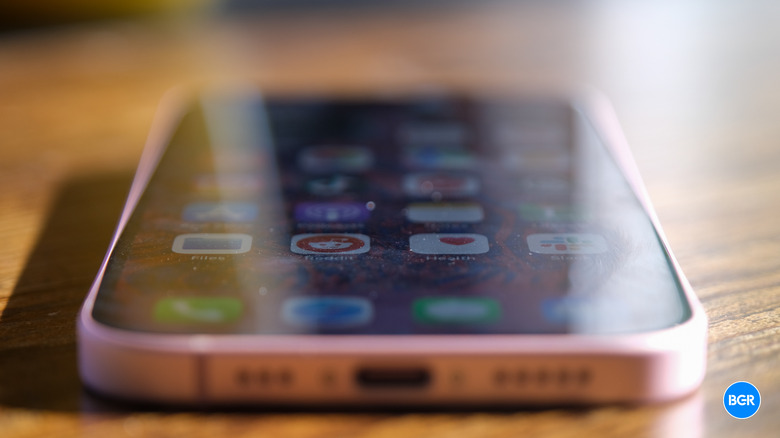
One of the most exciting aspects of the iPhone 15 is the democratization of the Pro experience. With the launch of the series, Apple expanded the Dynamic Island feature to all four models, including the standard iPhone 15 and 15 Plus. This interactive area replaces the static notch, transforming what was once "dead space" into a functional hub for multitasking and notifications.
The Dynamic Island dynamically adjusts its shape to show you background tasks without requiring you to leave the app you are currently using. If you have a timer running while following a recipe in Safari, the timer sits neatly at the top of your screen. A long press on the island expands it, giving you immediate access to controls. This fluidity is powered by the A16 Bionic Chip, which ensures that the animations remain buttery smooth even when multiple apps are vying for space.
For those wondering how to use iphone 15 dynamic island for productivity, the real-world scenarios are endless. You can track your Uber’s arrival or check the status of a DoorDash delivery while replying to an email. Music playback from Spotify or Apple Music stays accessible, allowing you to skip tracks or view album art with a quick glance. Many third-party developers have now optimized their apps for Live Activities, making the Dynamic Island an indispensable tool for staying informed without being distracted.
iPhone 15 vs. iPhone 14: Is it Worth the Upgrade?
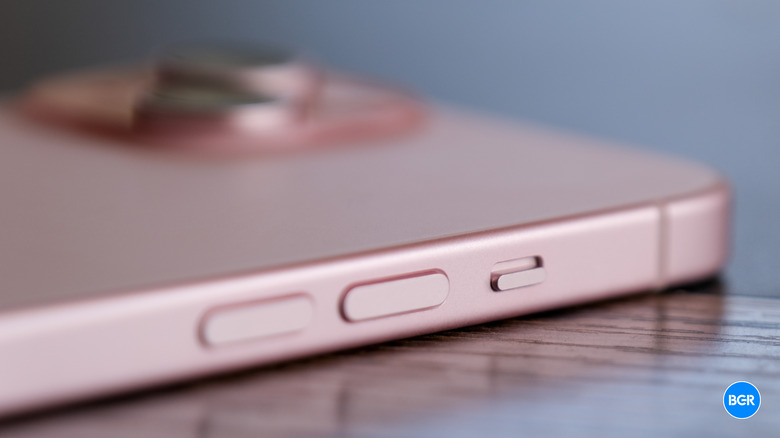
When conducting an iphone 15 vs iphone 14 comparison, the differences are more than skin deep. While the iPhone 14 was a subtle iteration, the iPhone 15 feels like a generational leap. The design has been refined with contoured edges on the Aerospace-Grade Aluminum frame, making the phone feel much more comfortable in the hand. The previous sharp edges of the iPhone 14 are gone, replaced by a slight curve that blends seamlessly into the new color-infused glass back.
This color-infused glass is a feat of engineering where the color is embedded throughout a single piece of durable, strengthened glass. It results in a sophisticated matte finish that is surprisingly resistant to fingerprints. In terms of weight, the iPhone 15 comes in at 171g, which is technically only one gram lighter than its predecessor, but the balanced weight distribution makes it feel significantly lighter and more ergonomic during long sessions of one-handed use.
| Feature | iPhone 14 | iPhone 15 |
|---|---|---|
| Display | Notch | Dynamic Island |
| Processor | A15 Bionic | A16 Bionic |
| Main Camera | 12MP | 48MP |
| Charging Port | Lightning | USB-C |
| Peak Brightness | 1200 nits | 2000 nits |
| Battery Rating | 500 cycles | 1000 cycles |
For those looking for reasons to buy iphone 15 instead of pro models, the gap has never been narrower. You are essentially getting the brain (A16 Bionic), the display feature (Dynamic Island), and the high-resolution primary camera of the previous year's Pro model at a significantly lower price point. This makes it an ideal choice for iphone 15 vs iphone 14 comparison for budget buyers who want a premium experience without the "Pro" price tag.
Built to Last: Battery Health and Camera Evolution
Longevity is a core pillar of the iPhone 15 design. One of the most underrated upgrades is the battery chemistry. This model features a more durable battery chemistry rated for 1000 charge cycles to maintain 80% health, which is double the rating of previous generations. This iphone 15 battery lifespan and charging cycles guide note is crucial for users who plan to keep their device for four or five years, as it ensures the hardware remains reliable long after the initial purchase.
The camera system has also seen a massive overhaul. The jump to a 48MP main sensor is not just about resolution; it's about flexibility. By default, the phone now shoots at 24MP, striking a perfect balance between high detail and manageable file sizes. The sensor is large enough to allow for a 2x optical-quality zoom. By cropping into the center of the 48MP sensor, Apple provides a virtual telephoto lens that produces sharp, high-quality photos without the need for a third physical lens.
Outdoor visibility has also been addressed. The Super Retina XDR Display can now reach 2000 nits peak brightness in direct sunlight. This is a noticeable improvement over the iPhone 14, making it much easier to frame photos or read messages when you are outside on a bright day. Coupled with IP68 Water Resistance, the iPhone 15 is built to withstand the rigors of daily life while delivering a high-end visual experience.
Who Should Buy the iPhone 15?
Choosing a new smartphone depends on where you are coming from. Here is a breakdown of who will benefit most from this upgrade:
- The Upgrader from iPhone 11 or 12: You will see a massive improvement in screen quality, battery life, and camera performance. The move to USB-C and the addition of the Dynamic Island will make your current phone feel like a relic.
- The Budget Pro Hunter: If you want the power of the A16 chip and the utility of the Dynamic Island but don't need a ProMotion 120Hz display or a dedicated 3x telephoto lens, this is the perfect middle ground.
- The One-Cable Traveler: If you are tired of carrying a separate Lightning cable just for your phone while your laptop, headphones, and tablet all use USB-C, this upgrade is a quality-of-life essential.
- The Parent and Pet Owner: The new 48MP camera and improved portrait mode (which can be applied after the photo is taken) make it easier than ever to capture high-quality memories of fast-moving subjects.
FAQ
What are the key features of the iPhone 15?
The standout features include the universal USB-C charging port, the Dynamic Island for interactive notifications, a powerful 48MP main camera with 2x zoom capability, and the A16 Bionic chip. It also features a Super Retina XDR display with 2000 nits peak brightness and a durable color-infused glass design.
Is the iPhone 15 worth buying compared to older models?
Yes, especially if you are coming from an iPhone 13 or older. The jump to USB-C and the inclusion of the Dynamic Island provide significant daily utility that older models lack. Furthermore, the doubled battery lifespan rating to 1000 charge cycles makes it a much better long-term investment.
Does the iPhone 15 use a USB-C charging port?
Yes, the entire iPhone 15 lineup has officially transitioned to USB-C, replacing the Lightning port. This allows you to use the same cable for your iPhone that you use for modern iPads, MacBooks, and most other electronic accessories.
What camera improvements were made to the iPhone 15?
The primary upgrade is the new 48MP main sensor, which replaces the 12MP sensor found on the iPhone 14. This new hardware allows for 24MP super-high-resolution photos as the default and enables a 2x optical-quality telephoto zoom through sensor cropping, providing better detail in varied shooting conditions.
What are the available colors for the iPhone 15?
The iPhone 15 comes in five distinct colors featuring a matte, color-infused glass finish: Pink, Yellow, Green, Blue, and Black. These colors are softer and more pastel-toned than previous years, giving the device a modern and premium look.