Quick Facts
- Launch Price: $249 USD
- Translation Support: 5 languages initially (English, French, German, Portuguese, Spanish)
- Heart Rate Sensor: Custom PPG sensor pulsing 256 times per second
- Battery Life: 8 hours with Active Noise Cancellation; 10 hours in Transparency mode
- Durability: IP57 sweat and water resistance
- Requirements: iOS 26 and Apple Intelligence-enabled device
The AirPods Pro 3 has arrived, bringing game-changing AirPods Pro 3 translation powered by Apple Intelligence. By combining these buds with your Apple Watch, you can unlock a new level of health insight. AirPods Pro 3 translation provides real-time, in-ear interpretation for five languages including English and Spanish. To use it, enable Apple Intelligence on iOS 26 and activate the Live tab in the Translate app, triggering the feature via Siri or the earbud stems.
Technical Prerequisites for AirPods Pro 3
Before we dive into the magic of real-time communication, it is essential to understand the foundation that makes these features possible. The AirPods Pro 3 is not just an incremental audio upgrade; it is a sophisticated node in the Apple ecosystem that relies heavily on the latest software and hardware synergy. To access the headline features, you must be running the iOS 26 firmware on a device equipped with the hardware to handle Apple Intelligence.
Specifically, the heavy lifting for linguistic processing is managed by the Neural Engine processing on your iPhone. This means that while the earbuds act as the interface, the brain of the operation resides in your handset. For users looking at the airpods pro 3 translation language list and ios requirements, the initial rollout is limited to five core languages: English, French, German, Portuguese, and Spanish. Apple has confirmed that they are working on expanding this library, with four more languages expected by the end of 2025.
Furthermore, ensure your earbuds have updated to the specific AirPods firmware that ships with the iOS 26 ecosystem. This update enables the high-speed data transfer required for biometric synchronization and the low-latency audio needed for a natural conversation flow. Without the right firmware, you might experience lag that breaks the immersion of real-time interpretation.
Step-by-Step: AirPods Pro 3 Live Translation Guide
The standout feature of this generation is undoubtedly the ability to navigate a foreign city without fumbling for a phrasebook. The AirPods Pro 3 live translation guide focuses on three primary methods of interaction, ensuring you can stay present in the moment whether you are ordering a café au lait in Paris or asking for subway directions in Madrid.
- The Siri Shortcut: The most hands-free method involves a simple voice command. By saying, "Siri, translate this conversation into Spanish," the AirPods Pro 3 automatically enters a specialized mode. The earbuds utilize their external microphones to capture ambient speech, which is then processed and played back into your ear as real-time interpretation.
- The Translate App Live Tab: For more complex interactions, you can use your iPhone as a visual bridge. Open the Translate app and navigate to the new Live tab. This interface allows you to see the transcription of what is being said while hearing the translation. This is particularly useful for airpods pro 3 translation for international travel, where you might want to double-check the spelling of a street name or a specific price.
- The Stem Squeeze: You can map a long press on the AirPods stems to activate the translation feature. This is perfect for quick, spontaneous interactions. When you hold the stem, the system prepares to listen, and the transparency mode is tuned to enhance the frequencies of human speech while dampening background noise.
When using how to use airpods pro 3 live translation in a crowded environment, the Active Noise Cancellation works in tandem with the microphones to isolate the speaker's voice. This ensures that the linguistic engine isn't confused by background chatter. The goal is to facilitate natural dialogue while maintaining eye contact, rather than looking down at a screen.
Wellness Synergy: Apple Watch Recovery Score Setup
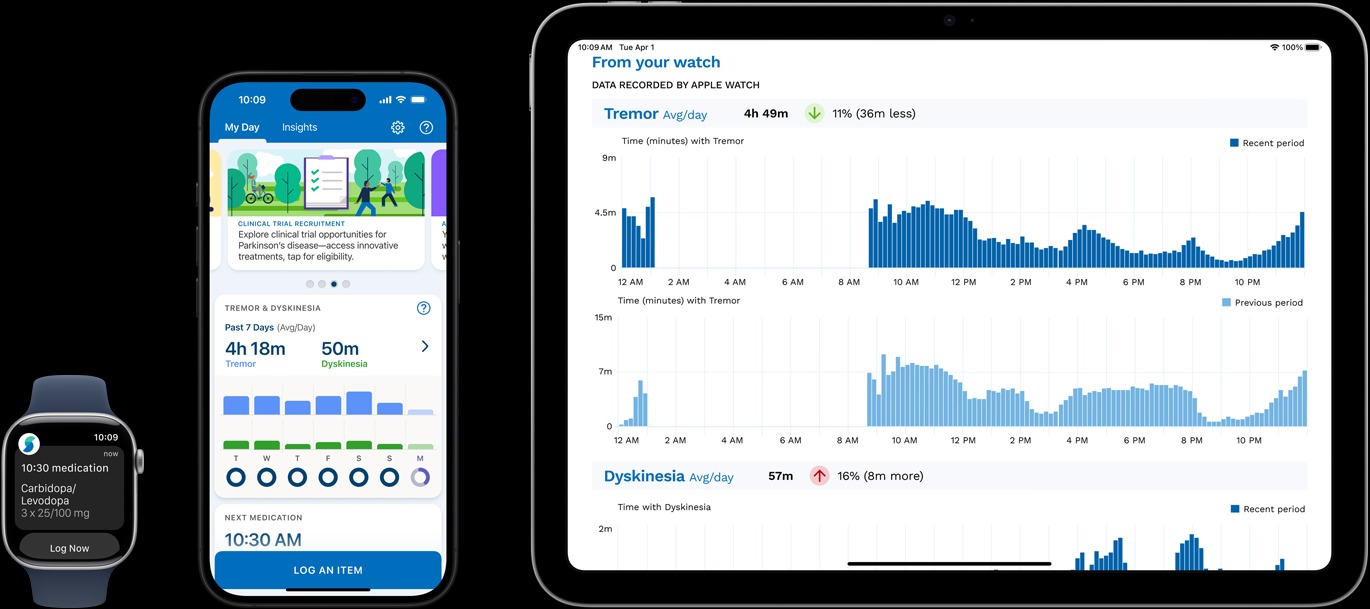
While the translation features cater to our social lives, the integration between the AirPods and the Apple Watch is a massive leap forward for our physical health. The new system introduces what Apple calls Sensor Fusion, a sophisticated logic that intelligently manages data from multiple Biometric sensors.
The Apple Watch Recovery Score setup is the centerpiece of this health revolution. Traditionally, the Apple Watch tracks your heart rate from the wrist, which can occasionally lose accuracy during high-intensity movements like rowing or heavy lifting due to wrist flexion. The AirPods Pro 3 solves this by including a high-fidelity PPG sensor in the earbud. Because the ear is an excellent place to measure blood flow with minimal interference, the system now provides more reliable data during peak exertion.
Sensor Fusion Logic: The system dynamically selects the most accurate heart rate data from either the wrist or the ear every five minutes. This cross-reference allows for a more granular view of your Heart rate variability and overall exertion levels.
To get started, users should follow the guide on how to setup apple watch recovery score with airpods pro 3 within the Health and Vitals app. Once paired, the data flows into the Vitals app data dashboard, where it calculates your daily readiness. If your AirPods detect a higher-than-usual resting heart rate or lower heart rate variability, the Recovery Score will suggest a rest day or a light mobility session.
The debate over airpods pro 3 vs apple watch heart rate accuracy for workouts is essentially settled by this synergy; you don't have to choose one over the other. The system simply picks the best data point available to ensure your fitness metrics are as precise as possible. This wearable fitness synergy is a game-changer for athletes who want to avoid overtraining.
Advanced Health Tracking & Hardware Fit
To ensure the AirPods Pro heart rate wellness monitoring is effective, a perfect seal is mandatory. Apple has addressed this by introducing an XXS tip size and a new foam-infused material designed to maintain constant contact with the skin. This contact is vital for the built-in heart rate sensor, which is capable of tracking over 50 workout types with incredible precision.
Beyond fitness, the AirPods Pro 3 contributes to long-term wellness through hearing protection and health sharing. The airpods pro 3 hearing protection and health sharing setup allows users to perform a clinical-grade 7-minute hearing test directly from their iPhone. The results can be encrypted and shared with healthcare providers through the Health app.
Furthermore, the device's hardware is designed for the rigors of daily life. With an IP57 rating, the buds are protected against dust and can withstand being submerged in up to one meter of water for 30 minutes. This makes them ideal for the sweatiest HIIT sessions. The built-in heart rate sensor provides a battery life of up to 8 hours with active noise cancellation enabled, ensuring that even your longest runs are fully tracked.
For those concerned about more serious health conditions, the Apple Watch and AirPods ecosystem continues to lead in preventative care. For instance, the clinical validation for the Apple Watch sleep apnea detection feature demonstrated a sensitivity of 66.3% and a specificity of 98.5% for identifying moderate to severe sleep apnea. While the AirPods don't track sleep apnea directly, their contribution to the overall physiological stress metrics helps build a more complete picture of your nocturnal recovery.
FAQ
Will the AirPods Pro 3 have a real-time translation feature?
Yes, the AirPods Pro 3 features a live translation capability powered by Apple Intelligence and iOS 26. This allows users to hear spoken foreign languages translated into their native tongue directly through the earbuds.
How do I use translation with the new AirPods Pro?
You can activate translation by using Siri voice commands, opening the Live tab in the Translate app on your iPhone, or by mapping the long-press gesture on the AirPods stems to trigger the interpretation mode.
Which languages are supported by AirPods translation services?
At launch, the service supports five languages: English, French, German, Portuguese, and Spanish. Apple plans to add four additional languages by the end of 2025.
Do AirPods Pro 3 require an internet connection for translation?
While some processing is done on-device via the Neural Engine, a stable internet connection is generally recommended for the most accurate and up-to-date linguistic processing, although some offline language packs may be available through the Translate app.
Can AirPods Pro 3 translate spoken conversation in real-time?
Yes, the system is designed for natural, real-time dialogue. By using the external microphones and transparency mode, the AirPods can capture a speaker's voice and provide a translated audio feed with minimal latency.
Conclusion
The AirPods Pro 3 is more than an audio accessory; it is a multi-functional tool for global communication and personal health. By mastering the AirPods Pro 3 translation features and integrating them with your Apple Watch Recovery Score, you are not just buying a pair of headphones—you are investing in a comprehensive wellness and productivity system. Before your next trip or workout, ensure you check your iOS version and take a moment to find the perfect fit with the new XXS tips for the best heart rate accuracy.