Quick Facts
- Data Speed: Up to 10Gbps starting with the Pixel 7 series using USB 3.2 Gen 2 technology.
- Video Out: Hardware support for DisplayPort Alt Mode is available on Pixel 8 and newer models.
- Charging: Support for USB Power Delivery with PPS, reaching up to 45W on the latest Pixel 10 Pro models.
- File System: External drives should use the exFAT format for optimal compatibility with large video files.
- Cable Requirement: A cable rated for 10Gbps or higher (with an E-marker chip) is necessary to unlock full performance.
Pixel USB-C specs are more than just about charging; they determine how fast you can transfer 4K video and whether you can connect to a monitor. Starting with the Pixel 7 series, Google upgraded the hardware to support 10Gbps speeds, and later models added the essential hardware controllers needed for direct video output. Understanding these Pixel USB-C hardware differences is the key to choosing the right accessories for your mobile productivity setup.
Pixel USB-C Evolution: Hardware Differences by Generation
When we look back at the history of the Google Pixel lineup, the USB-C port has undergone a quiet but massive transformation. For years, users viewed the port simply as a way to top up the battery. However, the internal architecture has evolved from basic data pipes to high-performance interfaces capable of handling massive bandwidth.
One of the most frequent questions I get from readers is the difference between Pixel 7 and Pixel 10 USB-C speeds. While the physical port looks identical, the controller sitting on the motherboard is where the magic happens. Older models often utilized slower standards, but the jump to the Pixel 7 marked a turning point where Google adopted USB 3.2 Gen 2. This upgrade doubled the potential throughput from the previous generation.
However, speed isn't the only factor. Many users were disappointed to find out why Pixel 7 doesn't support video output via USB-C. The reason is purely hardware-based: the Pixel 7 lacks the specific hardware-level implementation required for DisplayPort Alternate Mode. It wasn't until the Pixel 8 series that Google included the necessary hardware controller to send a video signal through the port.
| Pixel Generation | USB Version | Max Data Speed | Video Out (DP Alt Mode) |
|---|---|---|---|
| Pixel 6 & Older | USB 3.1 Gen 1 | 5 Gbps | No |
| Pixel 7 Series | USB 3.2 Gen 2 | 10 Gbps | No |
| Pixel 8 Series | USB 3.2 Gen 2 | 10 Gbps | Yes (via Software Update) |
| Pixel 9 Series | USB 3.2 Gen 2 | 10 Gbps | Yes |
| Pixel 10 Series | USB 3.2 Gen 2 | 10 Gbps | Yes |
As we look toward the future, explaining USB 3.2 Gen 2 specs for Google Pixel becomes even more important for those planning to keep their devices for several years. The Pixel 10 is expected to refine these standards even further, ensuring that the hardware remains compatible with the upcoming features in Android 16, which aims to bridge the gap between mobile and desktop computing.
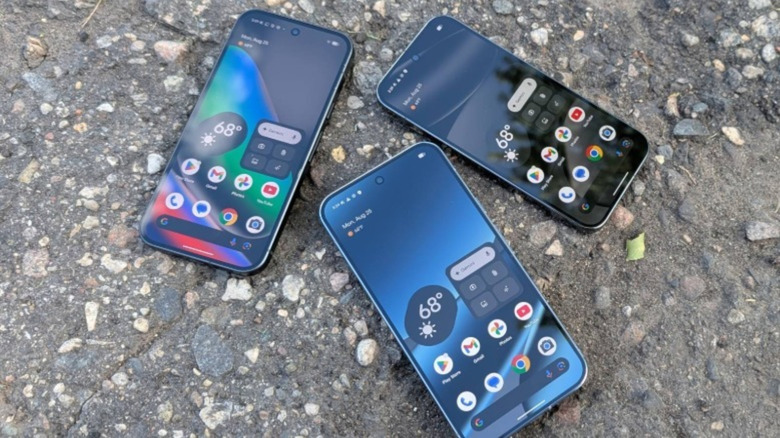
High-Speed Data Transfer: Maximizing the 10Gbps Throughput
For content creators and power users, Google Pixel USB transfer speeds are a critical spec. If you are recording 4K video at high bitrates, your phone’s internal storage can fill up quickly. This is where the 10Gbps capability of the Pixel USB-C specs comes into play.
Starting with the Pixel 7 series and continuing through the Pixel 10, Google’s flagship phones feature up to 10 gigabits per second (Gbps) data transfer rates. To put that in perspective, a standard USB 2.0 cable—the kind usually included for basic charging—caps out at 480 Mbps. Trying to move a 50GB video file with a charging cable could take nearly 15 minutes, whereas a proper high-speed connection could finish the task in under a minute.
To achieve high-speed file synchronization, you must ensure your entire chain of hardware is compatible. This includes:
- The Device: Your Pixel must support USB 3.2 Gen 2.
- The Cable: You need a SuperSpeed USB cable specifically rated for 10Gbps or 20Gbps.
- The Storage: An external SSD that supports high bandwidth.
- The File System: Android handles the exFAT file system best for large external volumes, allowing for files larger than 4GB.
When looking for the best USB-C cables for Pixel 10 data transfer, don't just look at the price. Look for the USB-IF certification on the packaging. Interestingly, while the Pixel 10 compatibility with Thunderbolt 5 cables is a common question, you don't actually need a Thunderbolt cable to get maximum speed. However, using a Thunderbolt cable is perfectly safe and ensures you have the maximum bandwidth throughput available for any future devices as well.
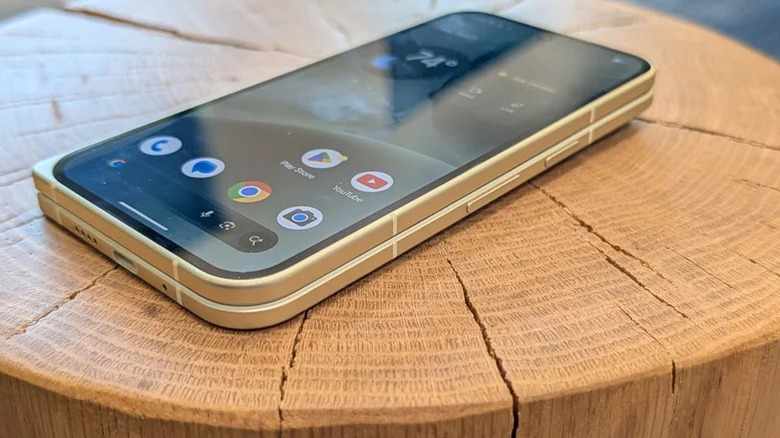
Video Output and Desktop Mode: DisplayPort Alt Mode Explained
The most exciting recent addition to the Pixel USB-C specs is the enablement of Pixel DisplayPort Alt Mode. For years, Google nudged users toward wireless screen mirroring via Chromecast. However, wireless streaming often suffers from latency and compression, making it less than ideal for productivity or high-end gaming.
With a software update for the Pixel 8 and native support in the Pixel 9 and Pixel 10, Google finally enabled direct 4K video output to external displays. This opens up a world of possibilities for mobile productivity setups. By connecting your Pixel to a monitor, you can engage a wired screen mirroring experience that is lag-free.
If you are wondering how to enable DisplayPort Alt Mode on Pixel 8 or newer, it’s usually as simple as plugging it in. However, to get the most out of it, I recommend using multimedia docking stations. A good dock allows you to connect a 4K monitor, a physical keyboard, and a mouse while simultaneously charging your phone.
Expert Tip: Android’s "Desktop Mode" is currently a developer feature that is becoming more polished with every update. By connecting to an external monitor, you can experience a windowed interface that mimics a traditional PC, making it much easier to edit documents or manage complex file structures directly from your phone.
The video signal transmission is handled through the dedicated pins in the USB-C connector that are reserved for high-speed data. This is why having a high-quality cable is non-negotiable for external monitor connectivity. A low-quality cable might charge your phone but will fail to push a stable 4K signal to your display.
Power Delivery: PPS Charging and the Role of E-Marker Chips
Charging is the one part of the Pixel USB-C specs that everyone uses every day, but it’s also the most misunderstood. If you've noticed your Pixel 10 isn't charging as fast as advertised, the culprit might be your older power brick or cable.
Modern Pixels rely on a standard called USB Power Delivery with PPS (Programmable Power Supply). This allows the phone to communicate with the charger to request specific voltages and currents in real-time, reducing heat and increasing efficiency. For the Pixel 10 series, which supports up to 45W charging, a standard 18W or 30W charger simply won't cut it.
Furthermore, we need to talk about the E-marker functionality. An E-marker (Electronic Marker) is a small chip inside the USB-C cable that identifies the cable's capabilities to the connected devices.
- Safety: It tells the phone if the cable can safely handle 5A of current (required for 100W+ charging).
- Signal Integrity: It helps manage the high-speed data required for USB 3.2 Gen 2.
- Communication: It ensures the USB Power Delivery handshake happens correctly.
If you use a cable without an E-marker chip for high-wattage charging, the system will often default to a lower, safer wattage to prevent overheating. This is why buying a high-quality, certified cable is essential for your long-term Pixel health.
FAQ
Does the Pixel USB-C port support video output?
Yes, but only on the Pixel 8 series and newer models. These devices have the necessary hardware to output a video signal directly to a monitor or TV. The Pixel 7 and older models do not support this feature and must use wireless methods like Chromecast for screen mirroring.
Is the Pixel USB-C port compatible with DisplayPort Alt Mode?
Yes, DisplayPort Alt Mode is supported on the Pixel 8, Pixel 9, and Pixel 10 series. This allows for a direct wired connection to external displays using a compatible USB-C to HDMI or USB-C to DisplayPort cable, or through a multimedia dock.
How fast are the data transfer speeds on Pixel USB-C ports?
From the Pixel 7 series onward, Google uses USB 3.2 Gen 2, which supports data transfer speeds up to 10Gbps. To reach these speeds, you must use a cable specifically rated for 10Gbps or higher. Standard charging cables are typically limited to 480Mbps.
What version of USB does the Pixel use for data transfer?
The latest Google Pixel phones utilize the USB 3.2 Gen 2 protocol. This standard is designed to provide high-bandwidth performance for tasks like transferring large 4K video files or connecting to high-speed external storage devices.
Does the Pixel support USB Power Delivery with PPS?
Yes, Google Pixel phones are built around the USB Power Delivery (USB-PD) standard and specifically require PPS (Programmable Power Supply) compatibility for their fastest charging speeds. Using a PPS-compatible charger allows the device to charge more efficiently and with less heat generation.
Final Thoughts on Future-Proofing Your Setup
Choosing a Google Pixel is an investment in a high-performance ecosystem. To truly unlock that investment, you cannot overlook the importance of the Pixel USB-C specs. Whether you are building a mobile workstation with a portable monitor or simply want to move your photos to an SSD in seconds, the cable and accessories you choose are the bridge to that performance.
For those moving to the Pixel 10, I recommend investing in a single, high-quality USB4 or Thunderbolt 4 cable. While it might seem like overkill for a smartphone, these cables are backward compatible and include the necessary E-marker chips and shielding to handle everything from 45W charging to 10Gbps data and 4K video output. By understanding the hardware inside your phone, you can ensure that your accessories never become the bottleneck in your digital life.