Quick Facts
- Processor: A19 Bionic featuring a 16-core Neural Engine capable of 35 trillion operations per second.
- Memory: 12GB LPDDR5X RAM and 76.8 GB/s bandwidth for high-speed local AI tasks.
- Context: Advanced Siri contextual awareness features allow the use of pronouns like "it" or "they" in follow-up questions.
- Silent Input: New Tap to Siri activation via a double-tap at the bottom of the screen, supporting Type to Siri during active calls.
- Privacy: On-device processing powers an Offline Siri Mode, keeping personal data off the cloud.
- Performance: GPU inference performance sees a 2.5x to 3.1x boost compared to previous generations.
The iPhone 17 marks a paradigm shift in how we interact with our devices, moving beyond simple voice commands. With the integration of the A19 chip and iOS 26, Siri Apple Intelligence has evolved into a proactive, context-aware partner. Siri on the iPhone 17 uses on-device LLMs to maintain conversation context and execute complex tasks across apps without needing the cloud.
The A19 Powerhouse: Why iPhone 17 Changes Everything
For years, we have been tethered to the idea that a truly "smart" assistant requires a massive server farm in the cloud. The iPhone 17 breaks this tether. The secret sauce lies within the A19 Bionic chip. This silicon isn't just a minor iteration; it is a specialized engine designed for Neural Engine performance. While the raw speed for gaming is impressive, the real star is the 16-core architecture. This hardware allows for 35 trillion operations per second, specifically tuned to handle on-device language models.
When we talk about Latency reduction, we are talking about the difference between a pause and an instant response. Because the iPhone 17 Pro and Pro Max models are equipped with 12GB of LPDDR5X RAM, the system doesn't have to swap data in and out of storage to figure out what you're saying. This memory bandwidth of 76.8 GB/s enables features like Image Playground to generate visuals in seconds rather than minutes.
Furthermore, the GPU inference performance has seen a massive jump of 2.5x to 3.1x. This is thanks to new Neural Accelerators integrated directly into each GPU core. For the user, this means iOS software optimization that feels seamless. Whether you are using Live Translation or asking Siri to edit a photo, the phone isn't just calculating; it’s "thinking" locally. This Hardware-to-Benefit rhythm ensures that your device remains snappy even when performing heavy Multimodal interaction tasks.
Mastering Silent Interactions: Tap to Siri & Type to Siri
One of the most frequent frustrations with voice assistants is the "social friction." We’ve all been in a quiet office or a loud train where shouting "Hey Siri" is either awkward or impossible. The iPhone 17 solves this with a refined iPhone 17 Type to Siri guide that focuses on discreetness.
The new Tap to Siri feature is a game-changer for accessibility and privacy. By double-tapping the bottom of the screen, you can summon the assistant without saying a word. This creates a text-based interface that feels more like a chat app than a command line. What makes this version unique in iOS 26 is the ability to use Type to Siri during active phone calls. Imagine you are on a call with a client and need to check a flight time or a specific fact. You can now type your request to Siri, and the answer will appear as a subtle overlay, all without interrupting the audio of your conversation.
How to Enable Silent Siri Interactions
If you want to set this up on your new device, the process is straightforward:
- Open the Settings app and navigate to Accessibility.
- Select the Siri menu.
- Toggle on the option for Type to Siri.
- Go to the new Apple Intelligence settings to customize the double-tap gesture area at the bottom of your display.
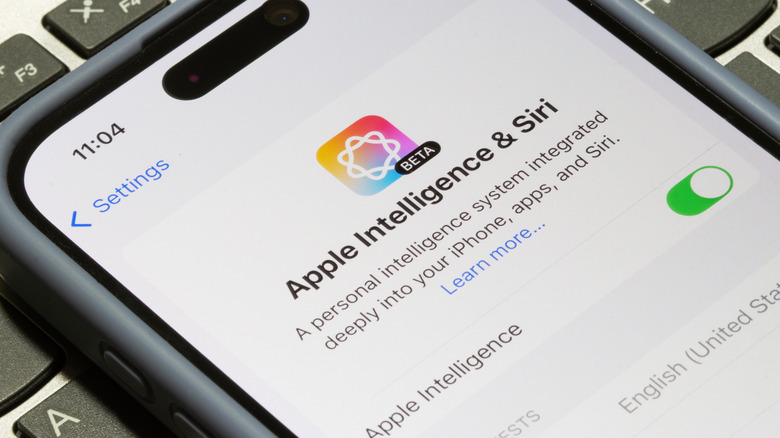
This shift toward User intent recognition through multiple input methods shows how the Digital assistant evolution is moving toward a more natural, less intrusive presence in our lives.
Contextual Awareness: Siri’s New Conversational Memory
In the past, Siri often felt like it had the memory of a goldfish. If you asked about the weather in London and then asked, "What about tomorrow?", you might get a generic forecast or a confused response. With Siri contextual awareness features, the iPhone 17 maintains a continuous thread of dialogue. This Personal context awareness allows you to use pronouns naturally. You can ask, "Who directed Inception?" and follow up with, "What other movies did he make?" or "When was it released?" Siri correctly identifies "he" as Christopher Nolan and "it" as the movie.
The intelligence extends to your personal media library as well. A deep photo context search with siri tutorial would highlight how Siri can now understand "the photo of me in front of the Eiffel Tower last summer." It doesn't just look for tags; it uses computer vision to analyze the contents of your photos locally. This is a massive leap for On-device processing, as the phone is essentially building its own index of your life without ever sending those images to a server.
Expert Tip: While the iPhone 17 is incredibly smart, remember that the on-device models have a knowledge cutoff. For the most current news or events happening today, Siri may still transition to a cloud-based request if it cannot find the answer in its local LLM.
Comparing the Experience: Old Siri vs. Apple Intelligence Siri
| Feature | Legacy Siri (iPhone 14 & older) | Siri Apple Intelligence (iPhone 17) |
|---|---|---|
| Processing | Mostly Cloud-based | High-performance On-device processing |
| Conversational Memory | Limited to single follow-up | Full context via pronouns (it/they) |
| Activation | Voice or Side Button | Voice, Button, or Tap to Siri gesture |
| Offline Capability | Very limited (Timers, Alarms) | Robust Offline Siri Mode for local tasks |
| App Integration | Limited to specific Siri Shortcuts | Deep cross-app User intent recognition |
Learning how to use siri contextual awareness on iphone 17 effectively will save you minutes of repetitive typing or speaking every single day.
Privacy First: Enabling Offline Siri Mode
Privacy has always been a pillar of the Apple ecosystem, but the era of AI brings new challenges. Many users are hesitant to use digital assistants because they don't want their voice or personal data processed in the cloud. The iPhone 17 addresses this head-on by enabling offline siri mode on iphone 17 for privacy.
Because of the massive TOPS capability of the A19 chip, many requests that previously required an internet connection—such as setting reminders based on text messages, finding specific emails, or controlling smart home devices—can now be done entirely on-device. This Privacy-centric AI approach means that even if you are on a plane or in a remote area with no reception, Siri remains functional.
This isn't just about security; it’s about efficiency. On-device processing leads to significant Latency reduction because the signal doesn't have to travel to a data center and back. It also helps with battery longevity, as the Wi-Fi or Cellular radios don't need to fire up for every simple command.
Hidden Gems: iOS 26 Siri Features You Might Miss
Beyond the headlining features, there are several "quality of life" improvements in iOS 26 that make the experience feel more polished. These are the tools that you won't see in a keynote but will use every day.
One such feature is the ios 26 siri auto hold assist and transcription. When you are placed on hold by a business, Siri can take over. The assistant monitors the hold music and provides a Real-time transcription of any automated messages. When a human finally picks up the line, your phone will notify you immediately.
Another ecosystem benefit is asking siri for homepod and airpods setup help. If you've just bought a new pair of AirPods or a Homepod, you no longer need to dig through manual PDFs. You can simply ask Siri, "How do I reset my AirPods?" or "Help me connect my HomePod to a new Wi-Fi network," and it will guide you through the process with step-by-step voice and visual instructions.
Finally, keep an eye on the Smart Summary feature within your notifications. By going to Settings > Notifications > Smart Summary, you can allow Siri to condense long threads of messages or emails into a single, digestible paragraph. It uses its language model to prioritize what matters, ensuring you never miss an important update in a cluttered group chat.
FAQ
What is Apple Intelligence and how does it change Siri?
Apple Intelligence is a suite of AI-driven features powered by on-device large language models. It transforms Siri from a simple command-response tool into a context-aware assistant that can understand natural language, maintain conversational history, and perform actions across different apps.
Which devices support the new Siri with Apple Intelligence?
The full suite of Apple Intelligence features requires a device with a powerful Neural Engine and sufficient RAM. While some features may trickle down to the iPhone 15 Pro and iPhone 16 series, the iPhone 17 lineup is built from the ground up to maximize these capabilities, specifically utilizing the A19 chip's 35 TOPS performance.
How do I turn on Apple Intelligence on my iPhone?
Upon setting up your iPhone 17, you will be prompted to enable Apple Intelligence. If you skipped this step, you can go to Settings, tap on Siri & Apple Intelligence, and toggle the feature on. Note that the system may need to download some local models before all features become available.
Can Siri perform actions across apps with Apple Intelligence?
Yes. With the new system-wide awareness, you can ask Siri to "Send the photo I took at the park to Sarah" or "Put the dates from this email into my calendar." It understands the content on your screen and can bridge the gap between different applications.
Does the new Siri require an internet connection?
Many core features now support an Offline Siri Mode. Tasks that involve local data—like searching photos, setting alarms, or summarizing on-device documents—do not require an internet connection. However, complex requests requiring real-world updates (like sports scores or news) will still need data access.
How does Apple Intelligence improve Siri's privacy?
The primary improvement is the shift to On-device processing. By handling your requests locally on the A19 chip, your voice recordings and personal data never leave the device. When cloud processing is necessary for massive tasks, Apple uses Private Cloud Compute to ensure your data is never stored or accessible by anyone, including Apple.
Final Verdict: The Definitive AI Phone?
The iPhone 17 isn't just another smartphone; it is the first true realization of what a context-aware digital companion should be. By combining the raw power of the A19 chip with the sophisticated iOS software optimization of iOS 26, Apple has managed to make Siri feel "human" without sacrificing user privacy.
Whether you are using the iPhone 17 Type to Siri guide to stay productive during a meeting or relying on Siri contextual awareness features to navigate your photo library, the experience is noticeably faster and more intuitive. The transition from cloud-based AI to a localized, privacy-first model is a significant milestone in mobile tech. If you’ve been waiting for a reason to upgrade, the jump in Siri’s intelligence and the sheer utility of the A19’s Neural Engine make this the year to do it.