Quick Facts
- Release Date: September 30, 2025 (Initial) with 2026 feature updates
- Top Feature: Native synchronized audio and 'Cameo' digital avatars
- Consistency: 95%+ visual match using the Native Character system
- Subscription: $20/mo (Plus) to $200/mo (Pro)
- Access: Invite-only waitlist for the Sora 2 iOS app
- Output: 1080p resolution and up to 60-second clips (Sora Pro)
OpenAI's Sora 2 has officially redefined the generative video AI landscape. This Sora 2 guide explores the groundbreaking integration of native synchronized audio and the revolutionary Cameos feature. Whether you are looking for Sora 2 iOS app access or trying to understand the new Sora 2 pricing and credits system, this guide provides the technical deep-dives and workflow optimizations needed for professional-grade results. Sora 2 is a multimodal generative video AI that introduces native audio synchronization and the 'Cameos' feature, allowing users to render consistent digital likenesses through a verified 10-20 second reference recording.
Unified Sound: The Sora 2 Synchronized Audio System
The most significant leap from the original model is the introduction of a native audio engine. Previously, creators had to rely on third-party tools to add foley or voiceovers, which often resulted in a disconnect between the visuals and the sound. The new system produces synchronized speech, environmental sound effects, and background music directly from a single text prompt. This is not just a secondary layer; it is a fundamental part of the Sora 2 guide to understanding how video and audio are generated in a single pass.
When you generate a scene, the model uses what engineers call 'Beats' logic. This ensures that the narrative rhythm matches the visual transitions. For instance, if you prompt a glass shattering on a tile floor, the sound occurs at the exact frame of impact. The dialogue also benefits from advanced lip-matching technology, which tracks character lip movements to speech patterns with high precision. This level of multimodal capabilities means that professional sound design is now accessible within the same interface as the video generation itself.
For creators, this Sora 2 synchronized audio tutorial highlights that you no longer need to worry about external sync issues. The engine understands context; it knows the difference between the muffled sound of a conversation behind a closed door and the crisp audio of a character speaking directly to the camera. If you are looking for Sora 2 dialogue and lip sync tips, the key is to describe the acoustic environment in your prompt as clearly as the visual one. Mentioning "echoing hallway" or "sound-dampened studio" will fundamentally change how the voice cloning technology renders the final output.
The Cameos Feature: Personalizing Your AI Cinema
Personalization is the new frontier in generative video AI. The Sora 2 Cameos feature allows you to insert your own likeness—or a verified character’s likeness—into any AI-generated environment. This isn't a simple face-swap; the model uses a 10 to 20-second reference recording to map facial proportions, muscle structure, and voice characteristics. This ensures that the digital avatar rendering moves and reacts naturally, maintaining motion realism across different scenes.
To get started with this feature, you must follow a strict identity authentication protocol. This is part of the 'live-only' verification policy implemented in early 2026. You will be asked to perform a series of head turns and speak a specific phrase to ensure the reference is authentic. Once verified, you can use the @mention formula in your prompts to maintain 95% character consistency. For example, a prompt like "@Self walking through a futuristic Tokyo market at night" will render your verified likeness with stunning visual fidelity.
Troubleshooting Tip: If you encounter a "Identity Mapping Error," check your reference recording for barrel distortion. Using a wide-angle lens too close to your face can warp your proportions, making it difficult for the AI to calculate an accurate identity vector. Stick to a standard 35mm or 50mm equivalent focal length for the best results.
Learning how to use Sora 2 Cameos feature effectively involves understanding that the AI treats you as a native character. This means your likeness will interact with the lighting and physics of the scene. If you are standing in the rain, the water will bead on your skin; if you are near a neon sign, the glow will reflect in your eyes. This depth of Sora 2 character consistency with reference images is what separates it from earlier, flatter AI video tools.
Advanced Workflow: Prompting and Multi-Scene Storyboarding
Mastering Sora 2 requires a shift in how you approach text-to-video synthesis. The most successful creators use a 5-part prompt structure to ensure the AI understands exactly what is required. This formula includes:
- Subject: Who or what is the focus?
- Action: What specifically is happening?
- Camera: Is it a tracking shot, a close-up, or a drone-view?
- Environment: Where is the scene set, and what is the lighting like?
- Style: Is it cinematic, documentary-style, or hyper-realistic?
Once you have mastered the single-scene prompt, the next step is Storyboard Mode. This allows for multi-scene sequencing where you can link together clips ranging from 15 to 25 seconds. You can manage up to two characters per scene while maintaining their appearance across different shots. This is a game-changer for narrative storytelling, as it allows for consistent AI-driven cinematography without the "jumping" character traits that plagued previous models.
There is also a significant creative advantage for those working with licensed content. Through the $1B partnership with major studios, Pro users can occasionally leverage licensed character assets in their workflows. When using Sora 2 Storyboard mode for multi-scene videos, you can plan an entire short film arc, ensuring that the visual tone and character identities remain stable from the opening shot to the final frame.
Economic Reality: Credits, Pricing, and Pro Tiers
Navigating the financial side of high-end AI video is essential for any professional. The Sora 2 pricing and credits system is designed to scale with your needs, but it requires some "Credit Math" to manage effectively. Currently, there are two primary tiers: the Plus version and the Pro version. The Pro version is bundled with the $200 monthly ChatGPT Pro subscription, which is a significant jump from the $20 Plus tier, but it offers substantial benefits for power users.
| Feature | Sora 2 Standard (Plus) | Sora 2 Pro |
|---|---|---|
| Max Resolution | 720p | 1080p High Definition |
| Max Clip Duration | 10 seconds | Up to 20 seconds per clip |
| Credit Multiplier | 1x (16 credits/sec) | 2.5x (40 credits/sec) |
| Character Consistency | Standard | Enhanced Identity Mapping |
| Processing Priority | Standard | High-Speed Rendering |
The Sora 2 credit cost per video is determined by the resolution and complexity of the scene. For example, a basic 10-second 720p video might cost 160 credits, whereas a 1080p Pro video with synchronized audio could consume up to 400 credits. One critical thing to keep in mind is the 24-hour video expiration policy for non-downloaded drafts; if you don't save your work to the cloud or your device within a day, those credits are effectively lost.
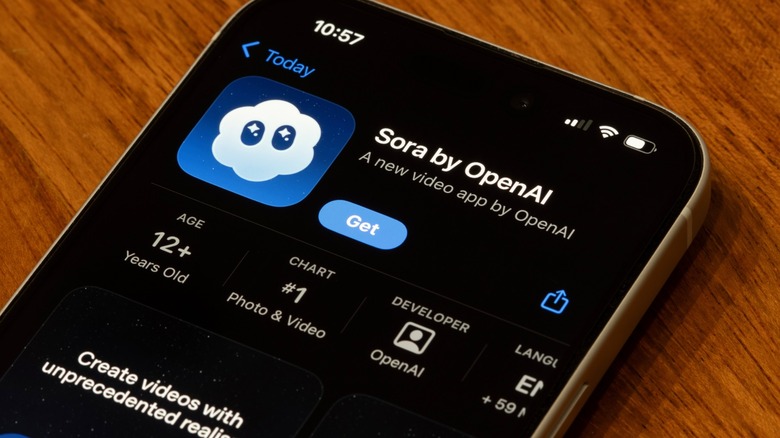
For those waiting to jump in, the Sora 2 iOS app waitlist guide suggests that regional rollouts are moving quickly through the U.S., Canada, and parts of Asia. Getting Sora 2 iOS app access often depends on your current subscription status and your history as a developer or creative partner with OpenAI. If you are an API user, the costs are slightly different, ranging from $0.10 to $0.50 per second of generated footage depending on the complexity of the multimodal request.
Sora 1 vs Sora 2: Evolution of the Model
To appreciate the current state of the technology, it helps to look at how far the model has come. The original Sora was a marvel of visual generation, but it lacked the cohesion and utility required for professional production.
| Metric | Sora 1 (Legacy) | Sora 2 (Current) |
|---|---|---|
| Audio | None (Silent) | Native Synchronized Audio |
| Human Consistency | Low (Frequent morphing) | High (95%+ with Cameos) |
| Control Mechanism | Prompt only | Prompt + Storyboard + @Mention |
| Interface | Web-based API | Web + iOS Mobile App |
| Max Resolution | Variable/Standard | Up to 1080p Pro |
The transition from a silent video generator to a full multimodal creative suite has opened doors for independent filmmakers, marketing agencies, and social media influencers who need high-quality content on a budget. The motion realism in the second generation is particularly noticeable in complex physics simulations, such as flowing water or hair movement in the wind.
FAQ
When is the Sora 2 release date?
Sora 2 saw its initial rollout on September 30, 2025. Throughout 2026, OpenAI has continued to release feature updates, including the Cameos feature and the full integration of the synchronized audio engine.
How can I get access to Sora 2?
Access is currently granted via an invite-only waitlist, primarily through the Sora 2 iOS app. Priority is often given to existing ChatGPT Plus and Pro subscribers in supported regions like North America and specific Asian markets.
How much does a Sora 2 subscription cost?
The standard access is included in the $20 monthly ChatGPT Plus plan, using a credit-based system for video generation. The Sora 2 Pro version, which offers higher resolutions and longer clips, is part of the $200 monthly Pro subscription.
Can Sora 2 create high-resolution videos?
Yes, Sora 2 Pro supports high-definition video generation with output resolutions of up to 1080p. Standard users are typically limited to 720p or lower depending on their available credits.
How long can Sora 2 videos be?
Standard clips are generally 10 seconds long, while Sora 2 Pro allows for clips up to 20 seconds. By using the Storyboard Mode, creators can sequence these clips together to create much longer narrative videos.
Are there any safety limitations in Sora 2?
OpenAI has implemented several safety protocols, including the 'live-only' identity verification for Cameos to prevent unauthorized deepfakes. There are also built-in filters to prevent the generation of copyrighted material, extreme violence, or sexually explicit content.
Conclusion
The era of generative video is no longer just about moving images; it is about creating cohesive, auditory, and personalized experiences. By mastering the Sora 2 guide to prompting and utilizing the Sora 2 Cameos feature, you can produce content that was once the exclusive domain of high-budget studios. As the Sora 2 iOS app access expands, the barrier to entry for professional-grade storytelling will continue to fall.
Whether you are managing your Sora 2 pricing and credits or experimenting with Sora 2 dialogue and lip sync tips, the focus should always be on quality and consistency. The tools are now in your hands to define the next generation of digital cinema. Stay creative, stay ethical, and most importantly, keep pushing the boundaries of what this multimodal technology can achieve.