Quick Facts
- The Mandatory Date: Starting in March 2026, all new devices running Vizio OS require a Vizio Walmart account to function.
- The Lockout: Users who do not sign in with a Walmart account will find their Vizio TV smart features locked, including access to streaming apps and system updates.
- Data Integration: This move connects your television viewing habits directly to your retail shopping profile through Automatic Content Recognition.
- The Business Strategy: Vizio hardware now operates as a loss-leader for a retail media network, where data mining is more profitable than the screen itself.
- The Workaround: You can bypass Vizio Walmart account requirements by keeping the TV offline and using external streaming devices like an Apple TV or Roku.
- Privacy Impact: Automatic Content Recognition technology captures pixel-level data from everything on your screen, including gaming consoles and physical media players.
As of March 2026, many Vizio Smart TV features are locked behind a mandatory Vizio Walmart account login. This requirement integrates your viewing habits with Walmart’s retail analytics, effectively turning the TV into a data-mining platform for targeted advertising.
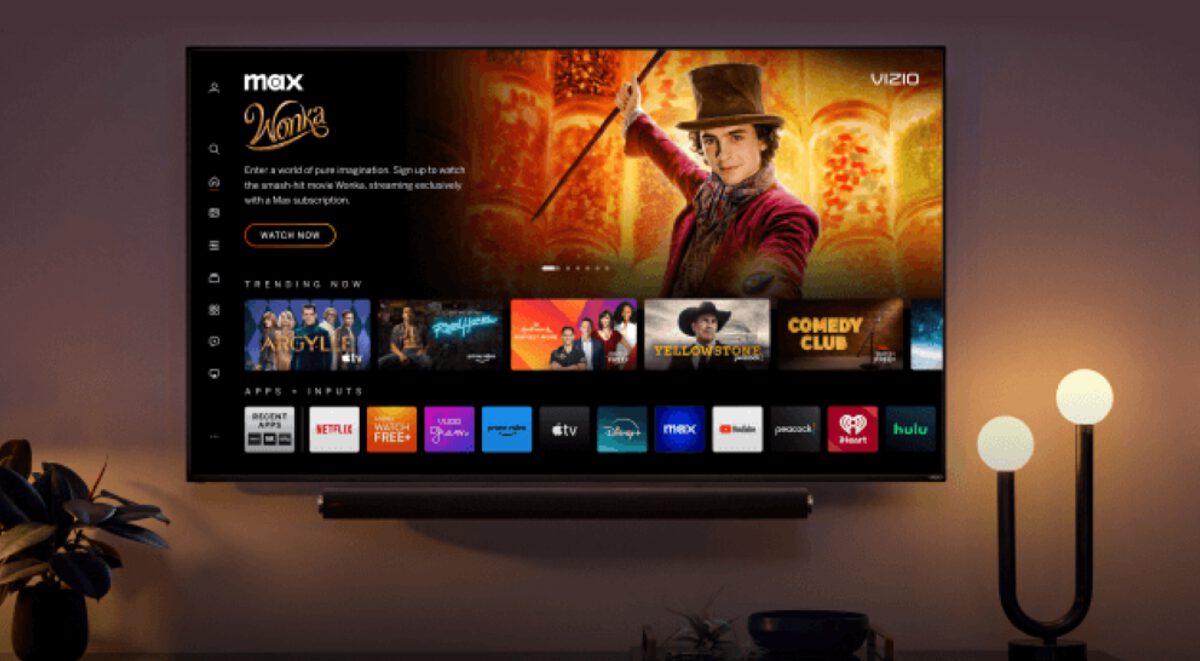
The Mandatory Vizio Walmart Account Update: What Changed?
The landscape of home entertainment shifted significantly when Walmart finalized the acquisition of Vizio for approximately $2.3 billion in 2024. For years, Vizio was known as the budget-friendly alternative that offered high-end specs for lower prices. However, the price of that entry has now changed from dollars to data.
By March 2026, the transition will be complete. If you purchase a new Vizio OS television, you will no longer be able to skip the account creation screen during user onboarding. The Vizio Walmart account is the new "key" to the kingdom. Without it, the smart interface remains inaccessible, leaving you with a high-tech monitor that cannot stream Netflix, Disney+, or even receive critical smart TV firmware updates.
For those who already own a Vizio set, the change is arriving via software updates. You may have already seen prompts asking how to merge Vizio and Walmart accounts to maintain your current experience. While existing users currently have a choice, the pressure to integrate is mounting. If you choose to delete your account to protect your privacy, be prepared for Vizio TV account deletion service limitations that could strip away the very apps you use daily. This isn't just a minor update; it is a total overhaul of the relationship between the manufacturer, the retailer, and your living room.
Why Your TV is Locked: ACR and Content-to-Commerce
To understand why Walmart wants to be in your living room, you have to understand the technology known as Automatic Content Recognition. This is the engine behind Vizio ACR data collection. Unlike traditional TV ratings that estimate what people are watching, ACR scans the actual pixels on your screen. It doesn't matter if you are watching cable, a Blu-ray, or playing a game on a PlayStation; the TV "sees" what is happening.
This technology is the backbone of Walmart’s retail media network. By linking what you watch to your Walmart shopping profile, the company achieves a content-to-commerce strategy. If you watch a cooking show featuring a specific brand of air fryer, Walmart can theoretically serve you an ad for that exact air fryer on your phone or in your email minutes later.
This explains the loss-leader pricing we have seen in the TV industry. Vizio reported having approximately 18 million active SmartCast accounts at the end of 2023, and those accounts are worth far more than the profit margin on a plastic TV frame. When hardware is sold at or below cost, the consumer isn't the customer; they are the product. The goal is to turn the television into a permanent data-mining node in your home. For some, this is a fair trade for a cheap 4K screen. For others, the inability to disable ACR tracking on Vizio Walmart TVs without losing smart functionality is a bridge too far.
Expert Tip: If you value your privacy, remember that any device connected to your HDMI ports is still being analyzed by the internal ACR software unless the TV is completely disconnected from the internet.
How to Bypass the Vizio Walmart Account Requirement
If you find yourself with a new Vizio TV and are uncomfortable with the mandatory account, there is a way to reclaim your privacy. The most effective Vizio TV smart features locked fix is to treat the television as a "dumb" monitor. You can enjoy the display quality of the Vizio panel without ever touching the Vizio OS or its integrated retail analytics.
Here is how to set up the bypass:
- Skip the Wi-Fi: During the initial setup, do not connect the TV to your home network. If the software forces a connection, let it update once, and then "forget" the network in the settings menu.
- Use External Streaming Devices: Plug a Roku, Apple TV, Chromecast, or Fire Stick into one of the HDMI ports. These devices have their own operating systems and privacy policies.
- Switch Inputs: Set your TV to default to the HDMI input used by your external streamer. This allows you to bypass Vizio Walmart account requirement with external streamer setups entirely.
- Physical Disconnection: For the ultimate privacy, ensure the Ethernet port is empty and the Wi-Fi is disabled. This prevents the TV from sending pixel data back to the retail media network.
By accessing Vizio apps without Walmart account integration—or rather, by not using the Vizio apps at all—you effectively sever the link between your viewing habits and your shopping history. While you lose the convenience of the built-in smart interface access, you gain peace of mind and a much faster user experience, as external streaming devices often have better processors than budget-friendly TVs.
Best Smart TV Alternatives to Vizio for Privacy
If you are in the market for a new screen and want to avoid the retail-integrated ecosystem, there are several smart TV alternatives to Vizio that offer more traditional privacy controls. While almost every modern TV tracks some data, some brands are less aggressive about linking that data to your grocery list.
| Brand | Operating System | Privacy Focus | Retail Integration |
|---|---|---|---|
| Sony | Google TV | High (Professional settings allow for "Basic TV" mode) | Moderate (Google-based) |
| LG | WebOS | Moderate (Extensive opt-out menus for ACR) | Low (Independent) |
| Samsung | Tizen | Moderate (Heavy ad presence, but no retail account required) | Low (Independent) |
| TCL/Hisense | Roku TV | Moderate (Roku tracks for ads, but is not a retailer) | Low (Independent) |
When looking for the best smart TV alternatives to Vizio for privacy, consider Sony’s "Basic TV" mode. During setup, Sony allows you to skip the smart features entirely, turning the set into a high-quality monitor without the need for any account. This is a far cry from the mandatory Vizio Walmart account requirement.
While the digital advertising platform model is becoming the standard for the industry, opting for brands that aren't owned by major retailers reduces the depth of the data-mining. A retail media network like Walmart’s has a much more complete picture of your life—from what you eat to how often you buy laundry detergent—than a standard electronics manufacturer.
FAQ
How do I link my Walmart account to my Vizio TV?
To link your account, navigate to the Vizio OS home screen and select the sign-in prompt. You will typically be given a QR code to scan with your smartphone or a web URL to enter a short code. Once you log in with your Walmart credentials on your mobile device, the TV will automatically refresh and grant access to the locked smart features.
Why won't my Walmart account connect to my Vizio TV?
Connection issues are often caused by a firmware mismatch or network interference. Ensure your TV is running the latest Vizio OS update. If you are using a VPN on your home router, try disabling it during the initial login process, as the retail media network security protocols sometimes flag VPN IP addresses as suspicious.
How do I manage my Walmart subscriptions on a Vizio TV?
You can manage your subscriptions by going to the account settings section within the Vizio OS menu. However, for more granular control over billing and active services, it is often easier to log in to the Walmart website or mobile app. Any changes made to your primary Walmart account will sync with the TV interface within a few minutes.
Is it safe to enter my Walmart credentials on a Vizio device?
Using your Walmart credentials on a Vizio device is technically secure in terms of encryption, but it does mean you are consenting to have your viewing data merged with your retail history. If you use the same password for Walmart as you do for your bank or email, consider changing it, as smart TV firmware is occasionally more vulnerable to exploits than a standard computer operating system.
How do I set up a new Vizio TV with a Walmart account?
When you first power on a new Vizio TV released after the acquisition, the setup wizard will guide you through the process. After selecting your language and connecting to Wi-Fi, you will reach the mandatory Vizio Walmart account screen. Follow the on-screen instructions to link your existing Walmart account or create a new one to unlock the streaming applications.